
The first scan is easy to believe.
A score appears.
A few concerns light up.
Suddenly your face feels like data.
That can be useful. It can also make you overreact.
I tried free skin analysis apps in May 2026 with one question in mind: which ones help after the first selfie? Not which one has the loudest score. Not which one makes the prettiest chart. I wanted to know which app could help me understand my skin without pushing me into a new product spiral every time my lighting changed.
That is the part most people get wrong.
A free scan is not valuable because it tells you a number. It is valuable if it helps you notice a pattern, keep a routine steady, and make fewer random changes.
The short answer
If I were choosing one free skin analysis app for daily life, I would start with Glass because it connects the scan to routines, product changes, reminders, and progress instead of letting the score float by itself.
If you want scan-heavy tracking, SkinPal AI is strong. If you want a bigger skincare system with product and routine depth, Skin Bliss makes sense. If you want a broad all-in-one pitch with scans, product checking, and chat, Lume Skin is worth comparing. If you want a more measurement-forward tracker, SkinCircle fits that lane. If you want a quick web-based scan without committing to an app, tools like Boots Skin Diagnostic Tool are useful for a lighter check.
The best choice depends on what you actually need:
- Use a scan-first app if you mostly want to watch acne, redness, texture, or oiliness change over time.
- Use a routine-first app if your skin keeps changing because your products, timing, or consistency keep changing.
- Use a product-aware app if you keep buying formulas that overlap or irritate you.
- Use a diagnostic-style tool carefully if your concern might need a real clinician.
I would not pick the app that gives the most dramatic result.
I would pick the one that helps you change less.
| Image | App | Best for | What I trust it for | Where I stay careful |
|---|---|---|---|---|
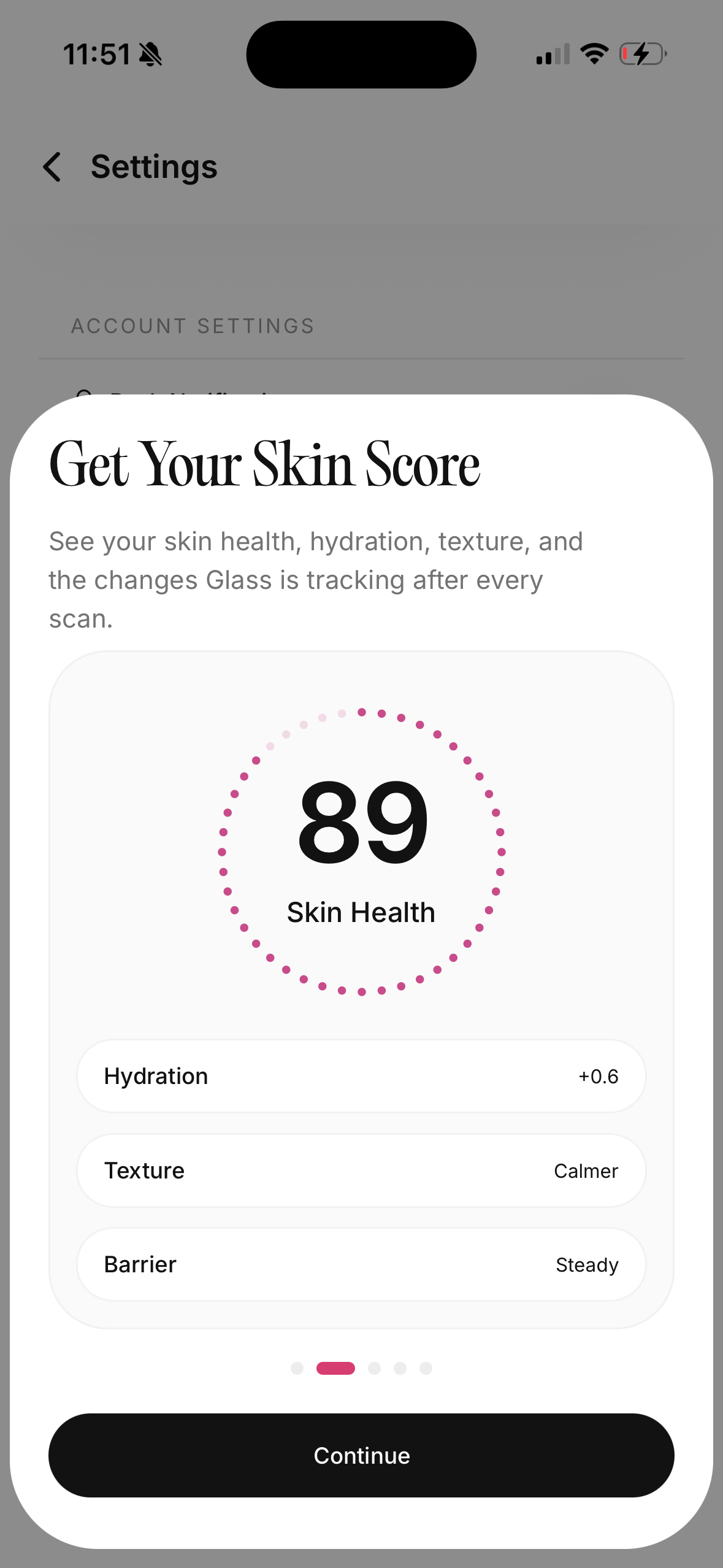 | Glass | People who want scans, routines, products, and reminders together | Connecting visible changes to what you actually used | Deeper analysis features may require paid access |
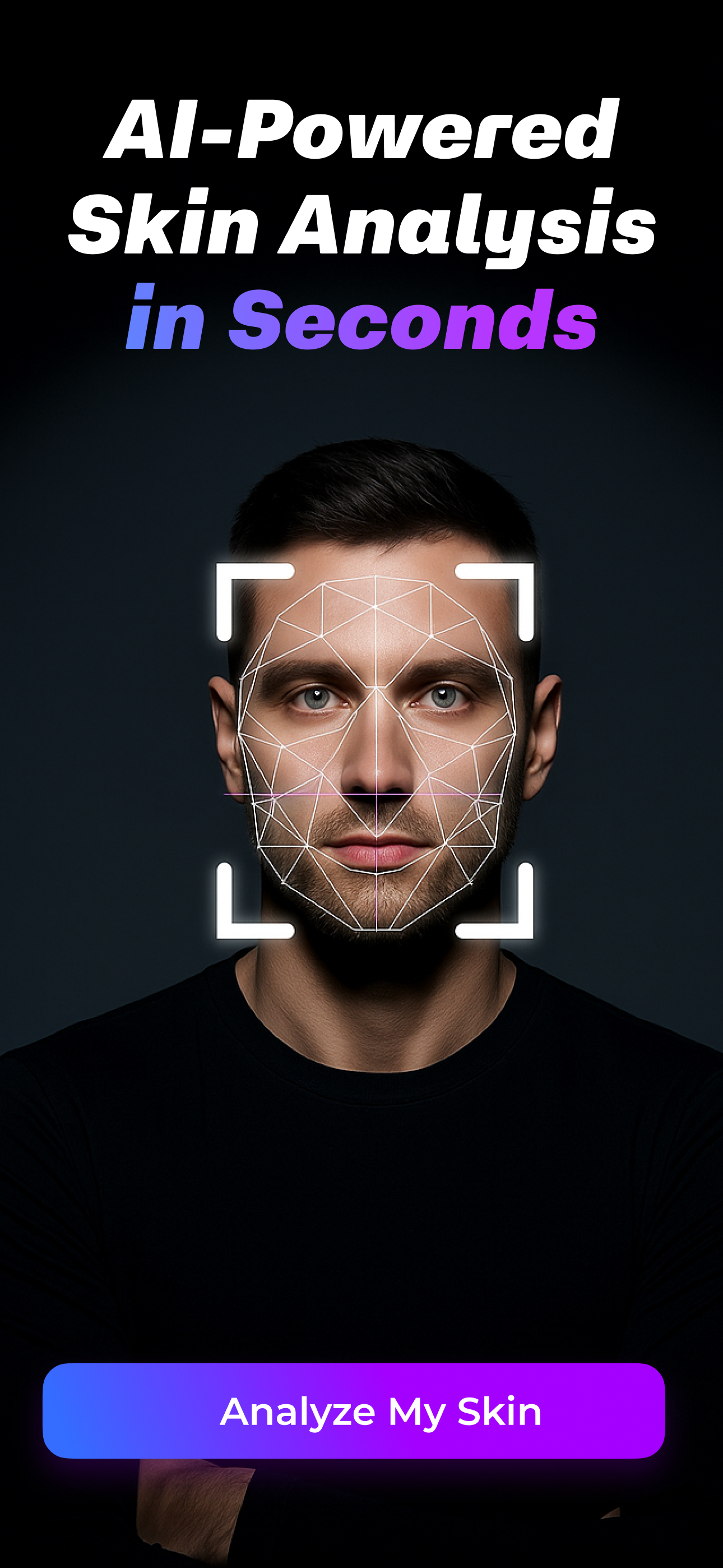 | SkinPal AI | Frequent selfie tracking | Trend lines across acne, texture, tone, hydration, oiliness, and spots | Daily scanning can make some people over-check |
 | Skin Bliss | Ingredient-minded routine builders | Product context, shelf logic, routine structure, and progress tracking | The system can feel dense if you want something simple |
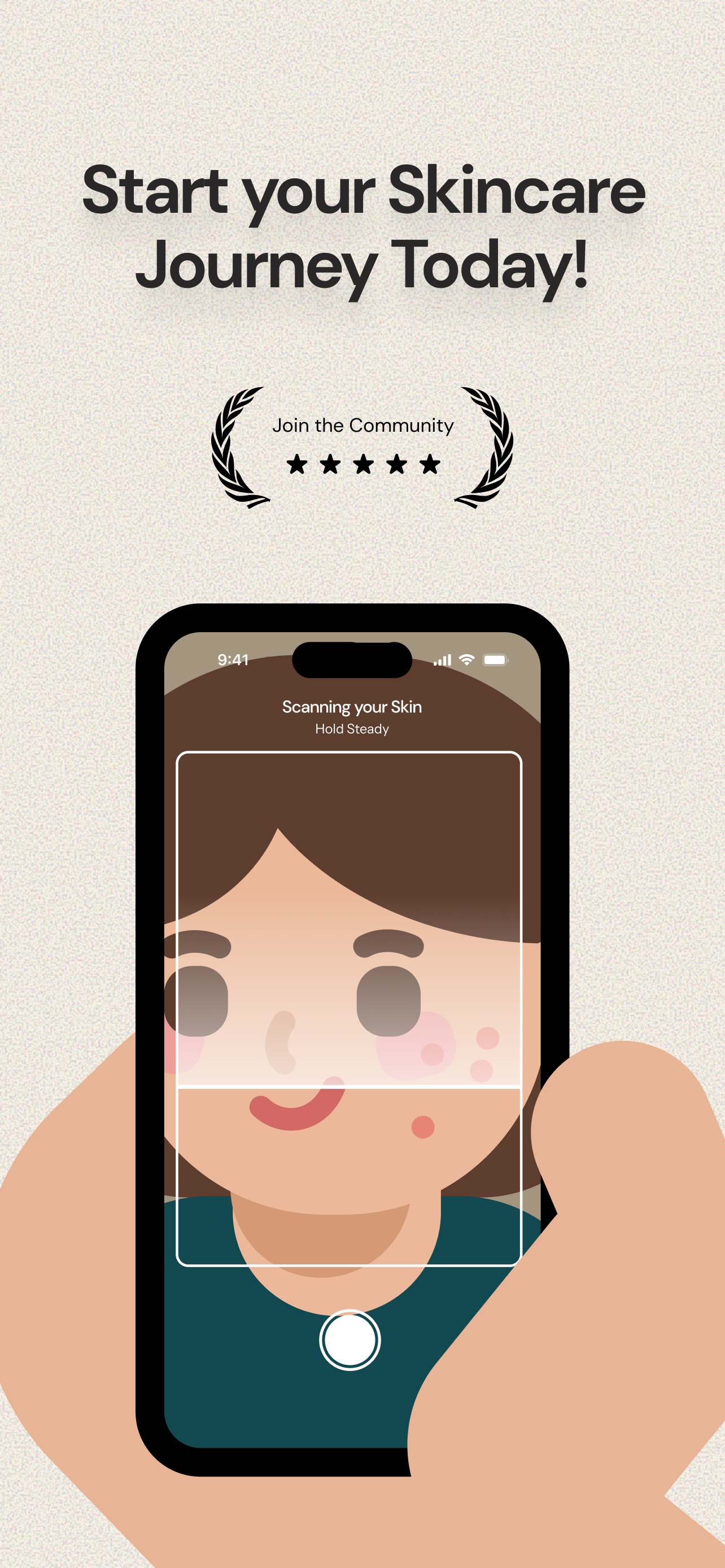 | Lume Skin | People who want scans, product scanning, routines, reminders, and chat | Broad feature coverage in one app | Broad promises need a little extra skepticism |
 | SkinCircle | People who like skin metrics and tracking | Separating visible concerns instead of relying on one mood-based note | Charts can become noise if you react to every small swing |
What I want a free scan to tell me
I do not need an app to tell me my face is having a bad day.
I already know.
What I need is a calmer read on what changed. Did my skin look oilier because the moisturizer was too rich, or because I scanned after sunscreen? Did my redness look worse because I used a new active, or because I took the photo after a hot shower? Did my texture actually improve, or did I just stand closer to the window?
That is where a good skin analysis app can help.
It gives you a repeatable check. Same face. Similar angle. Similar light. Similar timing. Over time, that can turn vague feelings into a better pattern.
But the app only becomes useful when it does three things well:
- It separates concerns instead of collapsing your whole face into one emotional score.
- It keeps enough history to show whether anything is actually changing.
- It sits close to your routine, because skin changes rarely happen in isolation.
That third point matters most.
If a scan says hydration looks worse, I want to know whether I skipped moisturizer, used a stronger cleanser, slept badly, traveled, added retinoid, or washed my face twice that morning. Without that context, the scan is just a mirror with numbers.
The score is not the truth. The pattern is the truth.
Scores feel clean.
Skin is not clean.
Your face can look different because of lighting, camera distance, time of day, hormones, sleep, stress, shaving, workout heat, sunscreen finish, makeup residue, or a new product that has not had enough time to prove itself.
That is why I do not treat one scan as a verdict.
I treat it as a note.
The useful pattern usually looks more like this:
- redness is higher on the same two mornings after exfoliation
- texture looks better after three weeks of not changing products
- oiliness spikes when moisturizer gets skipped at night
- breakouts rise after a new sunscreen, but only around the cheeks
- dark marks look worse in harsh light but slowly softer in same-angle photos
That is the kind of information I trust.
Not one number.
A pattern with context.
Glass is the app I would start with if I wanted fewer guesses
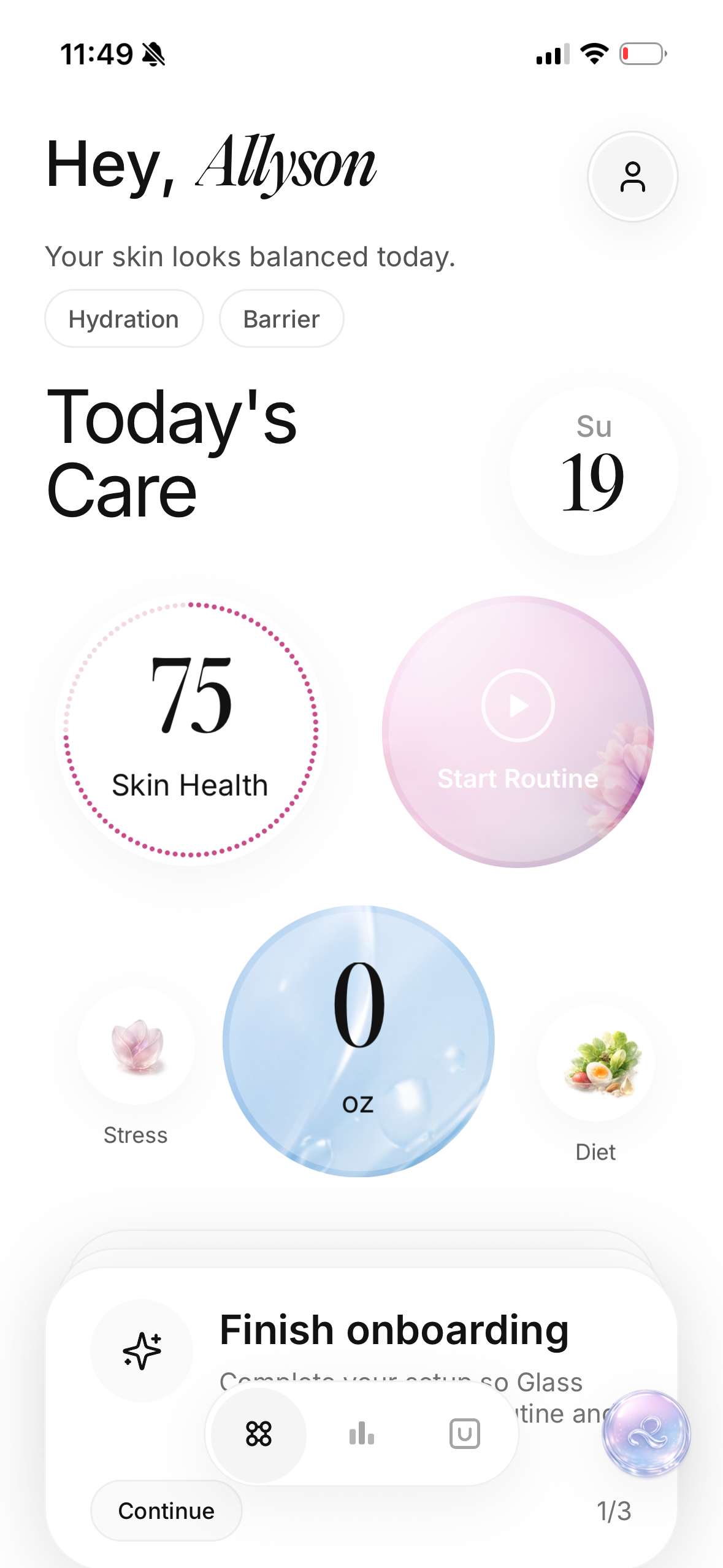
Glass makes the most sense when the scan is only one part of the problem.
That is how skincare usually works for me.
I do not just need to know that my skin looks dull. I need to know whether I have been skipping morning sunscreen, changing actives too often, sleeping badly, or forgetting the one boring moisturizer that was quietly keeping everything calm.
Glass is built around that broader loop:
- scan your skin
- track morning and night routines
- log products
- compare progress
- keep reminders close
- understand changes with more context than one selfie
That makes it stronger than a pure score app for people who keep asking, "Why did my skin change?"
The answer is often hiding in the routine.
I like Glass most for the person who has already tried enough products to know that more information is not always better. You need useful information in the right place. A scan beside routine history is more useful than a scan sitting alone. A reminder tied to the actual step is more useful than a vague alarm. Progress photos beside product changes are more useful than another dramatic before-and-after promise.
Where I would stay honest: if you want unlimited deep scanning without paying for anything, you should check the current app limits before depending on it. Free tiers change. Scan access changes. The important thing is the product shape. Glass is strongest when you want the scan, routine, and follow-through to talk to each other.
If your bigger issue is consistency, I tested a skin care reminder app in May 2026 is the next read I would open. If you are trying to understand product changes, I kept a skincare journal for acne marks pairs well with this.
SkinPal AI is best when you want to track the same face often
SkinPal AI feels more scan-forward.
That is not a bad thing. It is a clear lane.
If you want to scan frequently and watch individual metrics move, this kind of app makes sense. The useful promise is not just "your skin score is 82." It is "your acne, texture, hydration, tone, oiliness, and spots are moving like this over time."
That matters because different concerns do not move together.
Your acne can improve while dryness gets worse. Your texture can smooth out while redness increases. Your oiliness can calm down while dark marks stay stubborn. If the app lets you separate those signals, you can make better decisions.
I would use SkinPal if I wanted to answer questions like:
- Is tretinoin helping my texture even though I am peeling a little?
- Is my redness baseline getting worse or did I just scan on a flushed morning?
- Are acne marks fading, or am I just checking too often?
- Is oiliness changing after I adjust moisturizer?
Where I would be careful is the daily habit.
Daily scanning sounds disciplined, but it can turn into skin surveillance if you are already anxious about your face. I would rather scan on a consistent schedule than stare at every fluctuation like it means something.
For most people, two or three consistent scans per week may be calmer than checking every morning. The goal is to learn from your skin, not negotiate with it before breakfast.
Skin Bliss is best if your real problem is product confusion
Skin Bliss is for the person who wants depth.
Some people do.
They want to know whether their shelf makes sense. They want product context. They want ingredient logic. They want a routine builder that does more than say "cleanser, serum, moisturizer, SPF."
That can be useful if your skin problems come from product overlap.
I see this a lot. Someone thinks they have a skin problem, but what they actually have is a routine-design problem. They are using too many actives, too many brightening products, too many exfoliating steps, or three products trying to do the same job. Then the skin gets irritated and they start shopping again.
Skin Bliss fits the person who wants help slowing that down.
I would use it if I kept asking:
- Do my products clash?
- Am I using too many treatment steps?
- Does this product fit my skin type?
- Is my shelf missing something boring but important?
- Am I buying another version of something I already own?
The tradeoff is density.
If skincare already feels like homework, a bigger system may not calm you down. More explanations can help, but they can also keep you in research mode forever. I would use Skin Bliss with one rule: let it help you say no. Do not let it turn into another reason to buy five more things.
Lume Skin is the broad all-in-one option
Lume Skin has the biggest all-in-one feel.
It puts a lot in one place: skin scanning, ingredient checking, product scanning, routines, reminders, progress tracking, and AI chat. That is attractive if you want one app to handle most of the skincare decision loop.
The reason I like that direction is obvious. A scan alone is thin. A product scanner alone is thin. A reminder alone is thin. When those pieces work together, the app can become more useful than any one feature.
The reason I stay careful is also obvious.
Broad feature lists are easy to promise.
The real question is whether the app helps you make cleaner decisions. Does it reduce confusion? Does it help you stop changing products too often? Does it keep advice conservative when your skin looks irritated? Does it respect the fact that an app cannot diagnose a skin condition from a selfie?
That is the standard I would use with Lume.
I would try it if I wanted a broad app and liked having chat close by. I would skip it if I knew I would ask the assistant for a new routine every time my face looked slightly different. The most useful skincare app is not always the one that can answer the most questions. Sometimes it is the one that helps you ask fewer, better ones.
SkinCircle is best if you want metrics before advice
SkinCircle sits in the measurement lane.
I like that for a certain kind of person.
If you do not want a lot of product suggestions right away, a metric-focused tracker can feel cleaner. You scan. You track. You look for movement across separate skin concerns. Then you make a decision once you have enough context.
That is a better flow than panic-buying after one bad mirror day.
I would use SkinCircle if I wanted to watch a few concerns separately and avoid turning every scan into a product recommendation. It makes sense for acne, redness, hydration, aging signs, texture, and eye-area tracking if you like the idea of objective-ish measurement.
The word "objective" needs a little humility, though.
Phone cameras are not dermatology clinics. Lighting still matters. Skin tone representation still matters. Camera quality still matters. The app can help you compare yourself to yourself, but I would be careful about treating it like a universal truth machine.
The best use is personal trend tracking.
Same room. Same window. Same time. Same face angle. Same expectations.
The free tool I would use when I do not want another app
Sometimes I do not want to download anything.
I just want a quick routine check.
That is where web-based tools can be useful. A store diagnostic tool that combines a quiz with a photo can help you think through skin type, main concerns, routine size, and product categories. It can be especially helpful if you are new and do not even know whether your routine should be three steps or six.
I would treat those tools like a starter conversation.
Helpful for orientation.
Not enough for serious tracking.
The limitation is that a one-time scan cannot know your routine history. It does not know that your skin looked calm before you added a new exfoliant. It does not know that your sunscreen makes you greasy by lunch. It does not know that your cheeks always look red after hot showers. It only knows what you give it in that moment.
That can still be useful.
Just do not confuse it with a long-term record.
How I would take a scan I actually trust
Most bad scan results start before the app opens.
The photo is inconsistent.
The lighting is harsh.
The face is too close.
The skin has sunscreen, makeup, sweat, or redness from washing.
Then the app gets blamed for reading a messy input.
If I wanted a scan that I could actually compare later, I would do this:
- Take the photo in natural light, not direct sun.
- Use the same room and the same distance when possible.
- Scan before heavy skincare, sunscreen, or makeup.
- Do not scan right after a hot shower, workout, exfoliation, or shaving.
- Keep your expression relaxed.
- Take notes when something unusual happened that day.
That last step is underrated.
If your skin looks red because you were outside in heat, write that down. If texture looks worse because you slept badly and skipped moisturizer, write that down. If oiliness looks high because your sunscreen is too glossy, write that down.
The scan matters more when the context is clean.
When a free skin analysis app is enough
A free app is enough when the problem is tracking, consistency, and routine clarity.
It can help you:
- notice whether acne marks are fading
- compare texture over time
- stop switching products too fast
- remember what you used
- stay consistent with sunscreen or moisturizer
- see whether a routine change is worth keeping
That is real value.
You do not need a paid feature for every skin decision. Sometimes the free version gives you enough structure to stop guessing. That alone can change the routine.
But I would not expect a free app to replace expert care.
If something is painful, spreading, bleeding, changing shape, infected-looking, or emotionally consuming, I would stop treating the app as the main tool. A scan can help you document what changed. It should not be the final authority on what it is.
When I would pay
I would pay for a skin analysis app only if it solved a repeated problem.
Not curiosity.
A repeated problem.
For example:
- I am tracking acne treatment and need consistent progress records.
- I keep abandoning products too early because I cannot see slow improvement.
- I need routine reminders tied to actual steps.
- I want product and scan context in one place.
- I am spending more on random products than the app costs.
- I want reports I can bring into a dermatologist appointment.
That last one is underrated. A good progress record can make a short appointment more useful because you are not relying on memory. You can show dates, photos, routines, and what changed.
That still does not make the app a doctor.
It makes it a better notebook.
The biggest mistake is changing everything after one scan
This is the trap.
You scan.
The app says hydration is low.
You buy a new essence, serum, moisturizer, sleeping mask, and mist. Three days later your skin feels sticky, congested, and irritated. Then you scan again, the score changes, and now you are rebuilding everything.
That is not skincare.
That is chaos with a dashboard.
If a scan shows something you do not like, I would change one thing at a time:
- If skin looks dehydrated, fix cleanser and moisturizer before buying five hydrating steps.
- If redness looks worse, pause new actives before adding more calming products.
- If texture looks rough, check exfoliation frequency before reaching for a stronger acid.
- If acne looks worse, check product changes and consistency before blaming the whole routine.
- If oiliness looks high, do not strip the skin; look at moisturizer, sunscreen, and cleansing first.
The scan should slow you down.
That is how you know it is helping.
My final pick
If I had to choose one free skin analysis app to start with in May 2026, I would choose Glass for most people because it treats the scan as part of a routine, not as a standalone judgment.
That is the right shape for real life.
Skin changes because life changes. Products change. Sleep changes. Weather changes. Stress changes. Sunscreen changes. Consistency changes. The app that helps you connect those pieces is more useful than the app with the most dramatic score.
I would choose SkinPal AI if I wanted the cleanest scan-tracking habit.
I would choose Skin Bliss if product and ingredient confusion were the main problem.
I would choose Lume Skin if I wanted the broadest all-in-one app.
I would choose SkinCircle if I wanted metrics before advice.
But the real winner is the app that keeps you from making your skin harder to understand.
That is what I trust now.
Not the loudest scan.
The calmest pattern.
FAQ
What is the best free skin analysis app in May 2026?
For most people, I would start with Glass because it connects skin scans to routines, product history, reminders, and progress. If you want frequent scan tracking above everything else, SkinPal AI is the strongest alternative.
Are free skin analysis apps accurate?
They can be useful for tracking visible changes over time, especially when you use consistent lighting and angles. I would not treat them as medical diagnosis tools. They are best for patterns, not one-scan certainty.
How often should I scan my skin?
I would scan two or three times per week in similar lighting unless you have a specific reason to track more often. Daily scanning can help some people, but it can also make small normal changes feel too important.
Can a skin analysis app tell me what products to buy?
It can suggest directions, but I would still move slowly. The safest use is to connect product suggestions to your current routine, skin tolerance, and recent changes instead of buying everything the app mentions.
What should I do if an app flags a serious skin concern?
Use the scan as documentation, then get proper medical guidance. A phone app can help you notice and record changes, but it cannot examine your skin, medical history, or risk factors the way a qualified clinician can.
