I did not need another alarm.
That was the first thing I learned.
My phone was already full of reminders. Water. Calendar. Work. Packages. Bills. The last thing I wanted was one more notification yelling at me while I was tired, late, or already standing in the bathroom trying to remember whether I used retinol last night.
The useful version was quieter.
It told me what to do.
Not just "do skincare."
That difference sounds small until you miss sunscreen three mornings in a row, forget which night was exfoliation night, then blame your skin for reacting to a routine you were not actually repeating.
By May 2026, I think a skin care reminder app only earns its place if it solves the real problem: skincare is not hard because cleansing and moisturizing are mysterious. It is hard because the routine changes by time of day, product frequency, skin mood, and life. A plain alarm does not understand any of that.
The reminder has to say the actual step
The worst skincare reminder is vague.
"Evening routine."
Fine. Which one?
The night where I use retinol? The night where I skip actives because my cheeks feel tight? The night where I only need cleanser and moisturizer because I was outside all day and my skin already feels annoyed?
When the reminder does not carry the instruction, the work moves back into your head. That is where routines fall apart.
The better version is specific enough that you can act before negotiating with yourself:
| Reminder type | What it should say | Why it works |
|---|---|---|
| Morning baseline | Cleanse if needed, moisturize, SPF | Keeps the non-negotiables visible |
| Night baseline | Cleanse, repair layer, moisturizer | Makes tired-night skincare easier |
| Active night | Retinol tonight, no exfoliating acid | Prevents stacking mistakes |
| Recovery night | Barrier night only | Gives irritated skin a real plan |
| Replacement prompt | Check sunscreen bottle this week | Stops the routine from depending on empty products |
That is the standard I would use before trusting any app with my routine.
If the notification only reminds me that skincare exists, it is not doing enough. If it reminds me what belongs tonight and what does not, it starts to become useful.
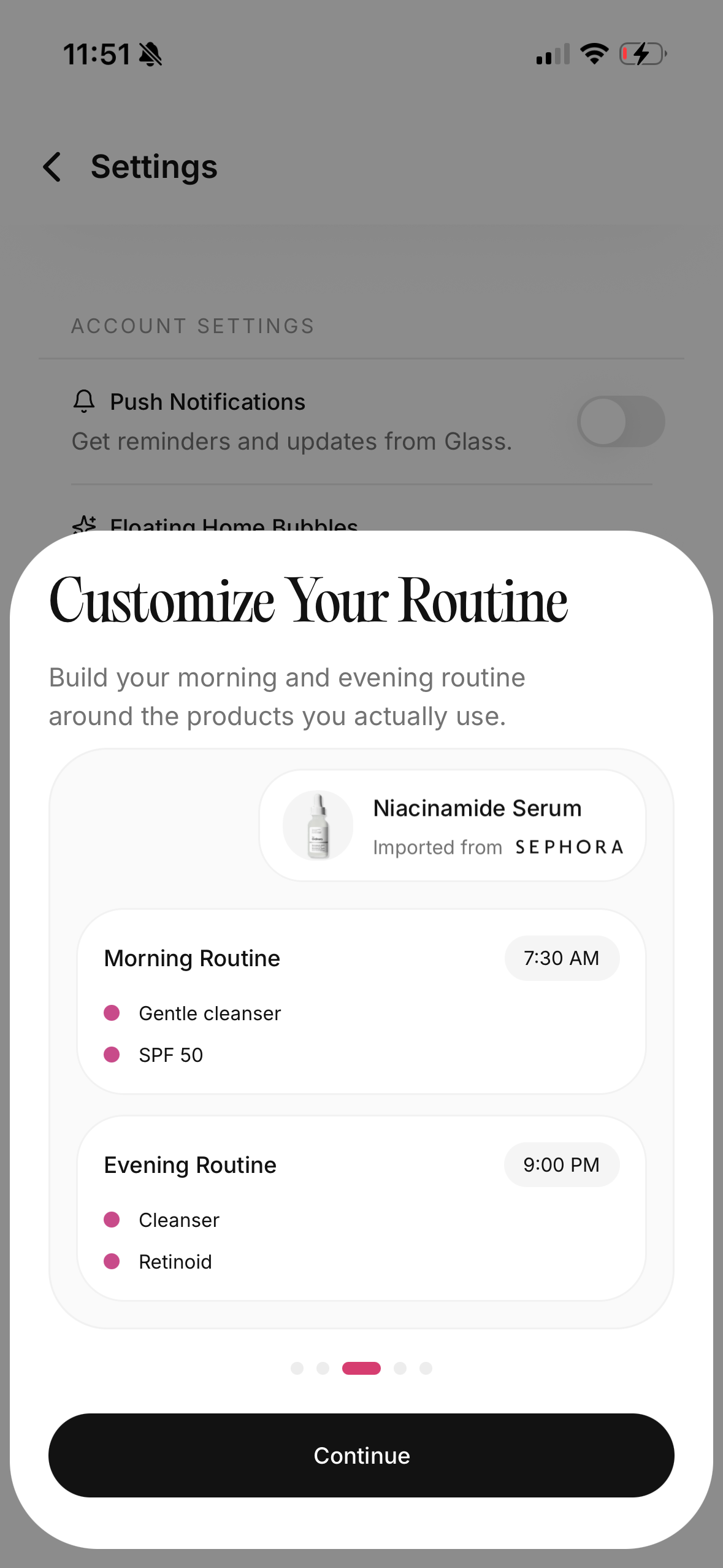
The first setup should be boring on purpose
I like skincare. I still think the first version of the app setup should be boring.
That means no twelve-step routine. No every-other-third-night calendar before the basics are stable. No adding every product on the shelf just because the app has a product library.
The first setup should answer four questions:
- What do I do every morning?
- What do I do every night?
- Which products are not daily?
- What should I pause when my skin feels irritated?
For most people, that is enough to make the app useful within a day.
My May 2026 baseline would look like this:
| Routine | Steps | Reminder style |
|---|---|---|
| AM | Rinse or gentle cleanse, moisturizer, sunscreen | Same time every morning |
| PM | Cleanse, treatment or hydration, moisturizer | Earlier than bedtime |
| Retinol | Cleanse, moisturizer buffer if needed, retinol, moisturizer | 2 nights a week to start |
| Exfoliation | Cleanse, exfoliant, moisturizer | Separate from retinol |
| Recovery | Cleanse, bland moisturizer, optional balm on dry patches | Triggered when skin stings or feels tight |
The boring setup is not a downgrade. It is how you stop the app from becoming another skincare project.
I would rather track a small routine for thirty days than build a beautiful system I abandon by Friday.
Reminders work better when they happen before you are exhausted
Night skincare usually fails too late.
You do not skip it at 7:45 p.m. when you still have energy. You skip it at 12:20 a.m. when you are already in bed, already warm, already bargaining with yourself.
That is why the timing matters more than people admit.
If your night reminder fires at bedtime, it may already be too late. I would rather set it for the moment when the evening starts to slow down: after dinner, after changing clothes, after the shower, or right after brushing teeth.
The best reminder is attached to something you already do.
Not motivation.
A cue.
For me, the cleaner system is:
- morning reminder near toothbrush time
- sunscreen reminder near leaving-the-house time
- night reminder before I sit down for the last screen-heavy part of the evening
- active-night reminder only on the nights that actually need it
That structure makes the app feel less like pressure and more like a handoff. I am not trying to remember skincare from scratch. I am letting the cue start the routine while I still have enough attention to finish it.
Sunscreen deserves its own reminder
If I could only set one skincare reminder, it would be sunscreen.
Not because the other steps do not matter. They do. But sunscreen is the step that protects the work the rest of the routine is trying to do.
The American Academy of Dermatology recommends choosing a broad-spectrum sunscreen with SPF 30 or higher, and it also reminds people to use sunscreen on skin not covered by clothing when outside. That is simple advice, but it is also the step that disappears fastest on rushed mornings.
This is where a reminder app can be genuinely useful. Not glamorous. Useful.
The sunscreen reminder should not feel like a skincare lecture. It should be practical:
| Situation | Reminder I would set |
|---|---|
| Regular weekday | SPF before keys |
| Makeup day | SPF before base |
| Outdoor lunch | Reapply before leaving |
| Long drive | SPF on face, neck, hands |
| Product running low | Replace sunscreen this weekend |
The point is not perfection. It is removing the easy misses.
I do not need my phone to tell me sunscreen is important in the abstract. I need it to catch the moment where I am about to walk outside without it.
The app should help you avoid active stacking
This is the second place reminders matter.
Retinol, exfoliating acids, strong vitamin C, masks, spot treatments, and brightening serums can all make sense in the right routine. The problem is not that actives exist. The problem is that people stack them because they forget what happened yesterday.
That is how a routine becomes irritating without looking obviously reckless on paper.
One product on Monday. Another on Tuesday. A mask on Wednesday. Retinol again on Thursday because you cannot remember if you used it Sunday or Monday. Then the skin gets tight, shiny, red, or bumpy, and it feels like every product is suddenly suspicious.
A good skin care reminder app should prevent that kind of confusion.
I want the app to make frequency obvious:
| Product type | Better reminder behavior | What I would avoid |
|---|---|---|
| Retinol | Set exact nights and show last use | Daily pressure when skin is new to retinoids |
| Exfoliating acid | Keep separate from retinol nights | Random "glow night" reminders |
| Strong vitamin C | Tie to morning routine if tolerated | Adding it on irritated mornings |
| Barrier cream | Use daily or as recovery support | Treating it like an optional extra when skin is dry |
| Face mask | Schedule only when it has a job | Masking because the calendar says so |
Dermatology guidance around retinoids is usually patient for a reason: start slowly, use moisturizer, and respect irritation. A reminder app should support that pace instead of making you feel behind.
The best routine is not the one with the most active nights.
It is the one your skin can repeat without constantly asking for a reset.
Progress photos only help when the routine is logged too
Progress photos can be motivating.
They can also be misleading.
Lighting changes. Sleep changes. Your cycle changes. Stress changes. One photo can make your skin look worse because the bathroom light was cruel. Another can make it look better because the angle was kinder.
That is why I do not like progress photos by themselves.
They become more useful when they sit beside the routine record.
If my skin looks calmer after two weeks, I want to know what I actually did during those two weeks. Did I use sunscreen more consistently? Did I stop over-cleansing? Did I move retinol down to two nights? Did I add a barrier cream? Did I simply stop testing samples every other day?
The photo is the visible part.
The log explains the pattern.
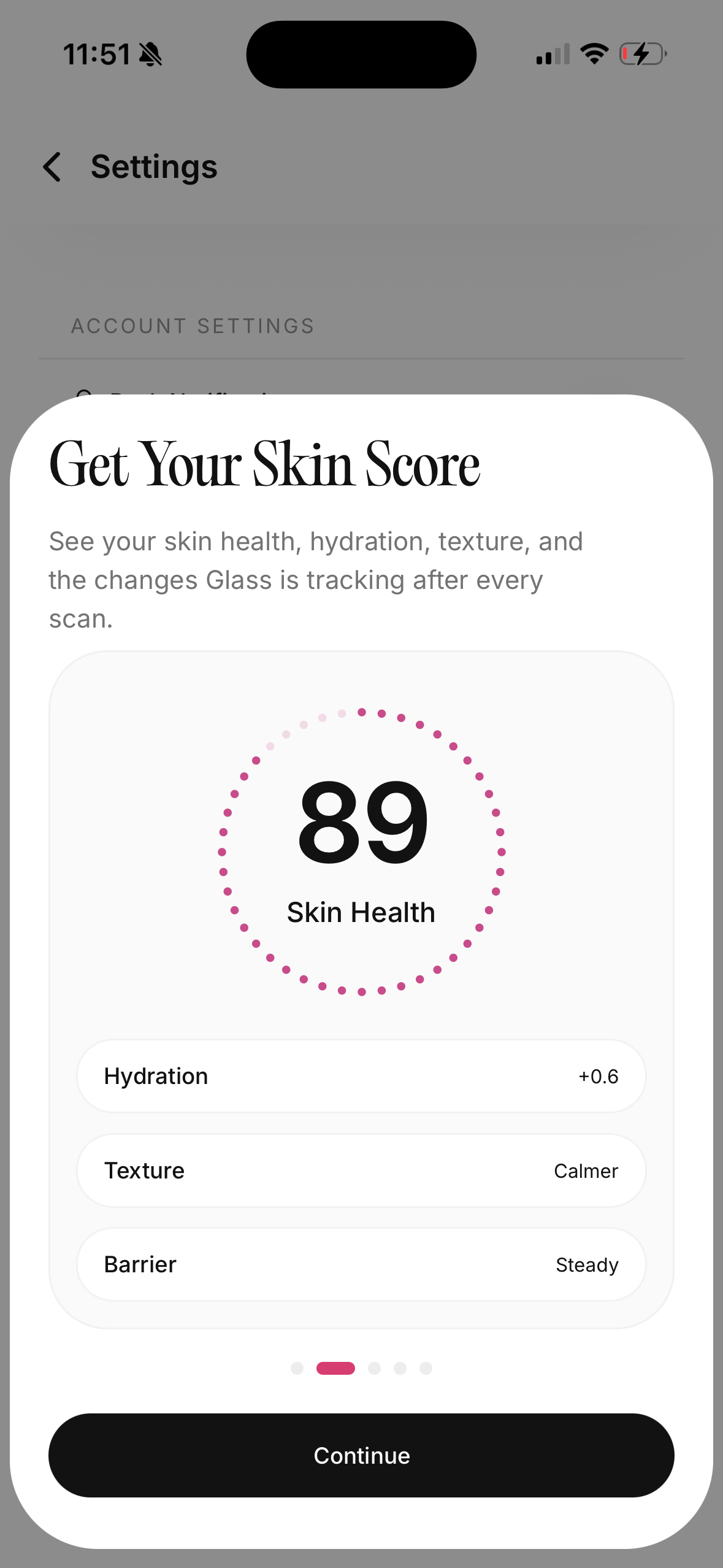
This is where Glass makes more sense to me than a plain checklist. A checklist can tell you whether you tapped done. A connected routine tracker can show the routine, the scan, the skin score, and the products in the same loop.
That matters because skincare is slow feedback. You need enough context to avoid changing the wrong thing.
A reminder app should make the routine smaller, not bigger
This is the trap.
Once an app lets you add products, it becomes tempting to add everything.
Cleanser. Oil cleanser. Toner. Essence. Hydrating serum. Niacinamide. Vitamin C. Exfoliant. Retinol. Eye cream. Moisturizer. Sleeping mask. Spot treatment. Lip mask. Neck cream. Face oil.
Some people enjoy that. Some skin can tolerate that. Most routines do not need to start there.
The app should make the next step clearer, not make the bathroom counter feel like inventory management.
When I set up a routine now, I use this rule:
Every product needs a job.
Not a vibe.
A job.
| Product | Job it should have |
|---|---|
| Cleanser | Remove sweat, sunscreen, makeup, oil, or the day without stripping |
| Hydrating layer | Reduce tightness and help moisturizer land better |
| Treatment | Address one main concern at a sane frequency |
| Moisturizer | Keep the skin comfortable and support the barrier |
| Sunscreen | Protect the skin from UV exposure during the day |
If I cannot name the job, I do not add the product yet.
That one rule makes the app cleaner immediately.
The best reminder is sometimes permission to do less
I used to think skincare consistency meant doing the full routine every time.
I do not think that anymore.
Consistency means keeping the baseline alive.
There will be tired nights. Travel days. Irritated-skin weeks. Busy mornings. Days where the best possible routine is cleanser, moisturizer, and sleep.
A good app should make that fallback feel legitimate.
That is why I like having a recovery routine saved separately. It removes the guilt and the guessing. When skin feels tight, stings, burns, or looks more reactive than usual, I do not want to improvise with actives. I want the app to show the boring plan:
- cleanse gently
- skip exfoliation
- skip retinol
- use a comfortable moisturizer
- seal only the dry patches if needed
- give it a few nights
The American Academy of Dermatology's face-washing basics are similarly restrained: lukewarm water, fingertips, gentle cleansing, and washing no more than needed. That kind of boring advice is easy to overlook because it does not sound exciting. It is also exactly what a tired routine often needs.
The reminder should not always push more.
Sometimes the reminder should protect the routine from your own impatience.
What I would want before paying for a skin care reminder app
I would not pay just for alarms.
Built-in phone reminders can do alarms.
If I am paying for a dedicated skincare app, I want the features that understand skincare as a system:
| Feature | Why it matters |
|---|---|
| AM and PM routines | Morning and night have different jobs |
| Product-specific scheduling | Retinol and exfoliants should not float randomly |
| Step order | Reduces decision fatigue when products pile up |
| Progress photos or scans | Helps you see change instead of guessing |
| Product history | Shows what was actually used during a skin change |
| Recovery mode | Makes irritated-skin nights easier |
| Refill or expiration prompts | Keeps the routine from breaking because a product ran out |
| Notes | Lets you log context like sleep, stress, shaving, travel, or weather |
The best app is not always the one with the longest feature list.
It is the one that makes the routine easier to repeat and easier to understand.
If you are still deciding whether you need a full tracker or just a simpler routine, I would keep the best skincare routine tracker comparison, the skincare routine app breakdown, and the 30-day tracking reset nearby. Those are different questions than reminder timing, but they connect once you start asking whether the routine is actually working.
My May 2026 setup
If I were starting from zero today, this is exactly how I would set it up.
Morning
I would keep the morning routine short:
- Rinse or gentle cleanse if needed.
- Moisturizer if the skin feels dry or the sunscreen needs a better base.
- Broad-spectrum SPF 30 or higher.
The reminder would fire before I leave the house, not after I am already outside.
Evening
I would set the night reminder earlier than bedtime:
- Cleanse.
- Use the scheduled treatment only if it is that night.
- Moisturize.
- Add a small amount of balm only to dry patches if needed.
The key is that the app should know whether tonight is a treatment night or a recovery night.
Weekly review
Once a week, I would check three things:
- Did I complete sunscreen most mornings?
- Did I use actives at the planned frequency?
- Did the skin feel calmer, tighter, oilier, or more irritated?
That review is short, but it changes the whole experience. Instead of judging the routine emotionally every morning, I can look at the pattern.
Where Glass fits
Glass is strongest when you want more than a reminder.
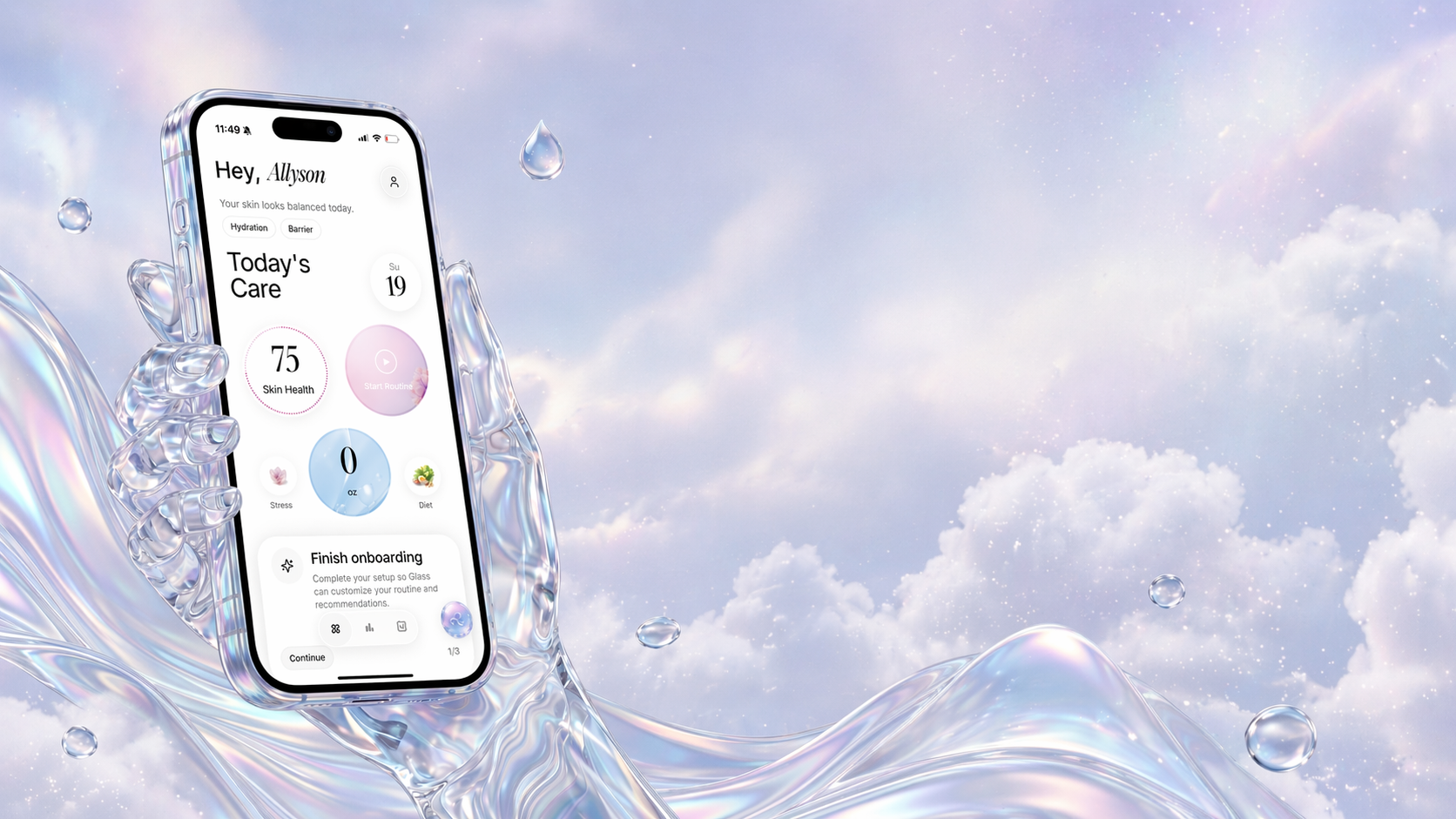
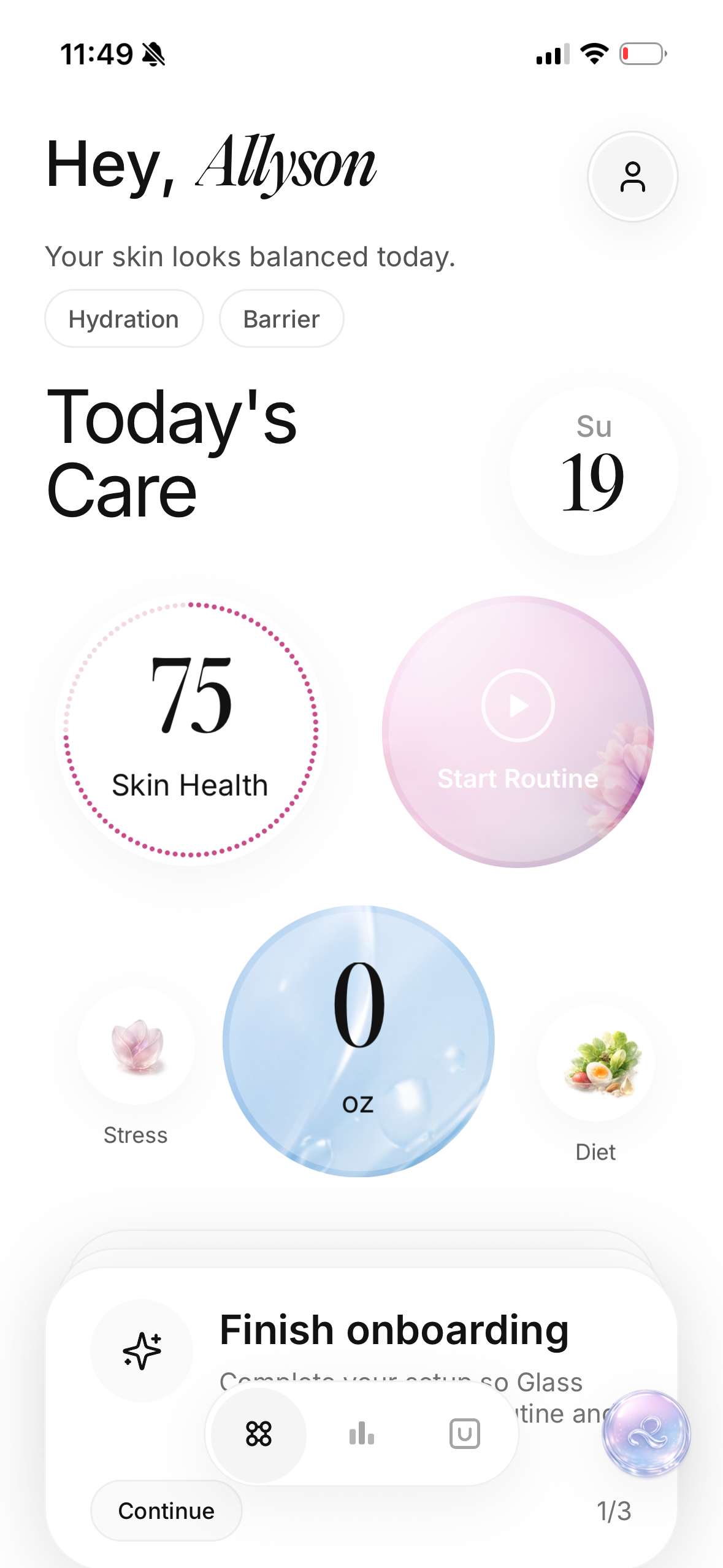
The app is built around the loop I actually trust: scan your skin, build a routine, track the products, complete the steps, and review changes over time. That makes reminders feel less like nagging and more like part of a system.
If your main issue is forgetting sunscreen, a simple reminder can help.
If your main issue is forgetting which active night you are on, changing products too quickly, or not knowing whether your routine is working, a dedicated skincare tracker makes more sense.
That is the difference I care about.
Not more noise.
Better context.
The rule I would keep
Do not use a skin care reminder app to become the kind of person with the most complicated routine.
Use it to become the kind of person who can repeat the right routine without thinking so hard.
That is the real win.
Not a perfect streak.
Not a giant product shelf.
Not a calendar packed with actives.
The win is knowing what your skin needs tonight, doing that, and having enough of a record to learn from it later.
If an app helps with that, it belongs on your phone.
If it only adds another notification, delete it.
FAQ
Is a skin care reminder app better than normal phone reminders?
It can be, but only if it tracks the routine details. A normal reminder is fine for "apply sunscreen." A dedicated skincare app is more useful when you need AM and PM routines, active-night scheduling, product history, progress photos, and a record of what changed.
What is the most important skincare reminder to set first?
Set sunscreen first. A broad-spectrum SPF 30 or higher reminder in the morning protects the rest of the routine's work and catches one of the easiest steps to skip when you are rushed.
Should I track every skincare product I own?
No. Start with the products you actually use in your AM and PM routines. Add occasional products only when they have a clear schedule or a clear reason to be tracked, like retinol, exfoliating acids, masks, or products that expire quickly.
How many reminders are too many?
If you start ignoring them, there are too many. I would rather have two precise reminders than six vague ones. Morning SPF, evening routine, and specific active nights are usually enough for most people.
Can a reminder app tell me if my routine is medically right?
No app should replace a dermatologist. A reminder app can help you stay consistent, reduce product confusion, and notice patterns, but persistent pain, swelling, severe acne, spreading rash, or reactions around the eyes deserve professional care.