Progress is slippery.
One morning your skin looks calmer. Two days later it looks irritated again. You try to remember what changed, but the answer is usually a blur.
Was it the new serum?
The skipped moisturizer?
The extra exfoliation night?
The bad sleep?
That is why a skincare progress tracker app can be useful. Not because an app magically fixes your skin, but because memory is a weak tool for something that changes slowly, unevenly, and under different lighting every day.
I care about one thing with this category: does the app help me make better decisions without making my routine feel like work?
That is the standard I used for this April 2026 comparison.
Quick answer
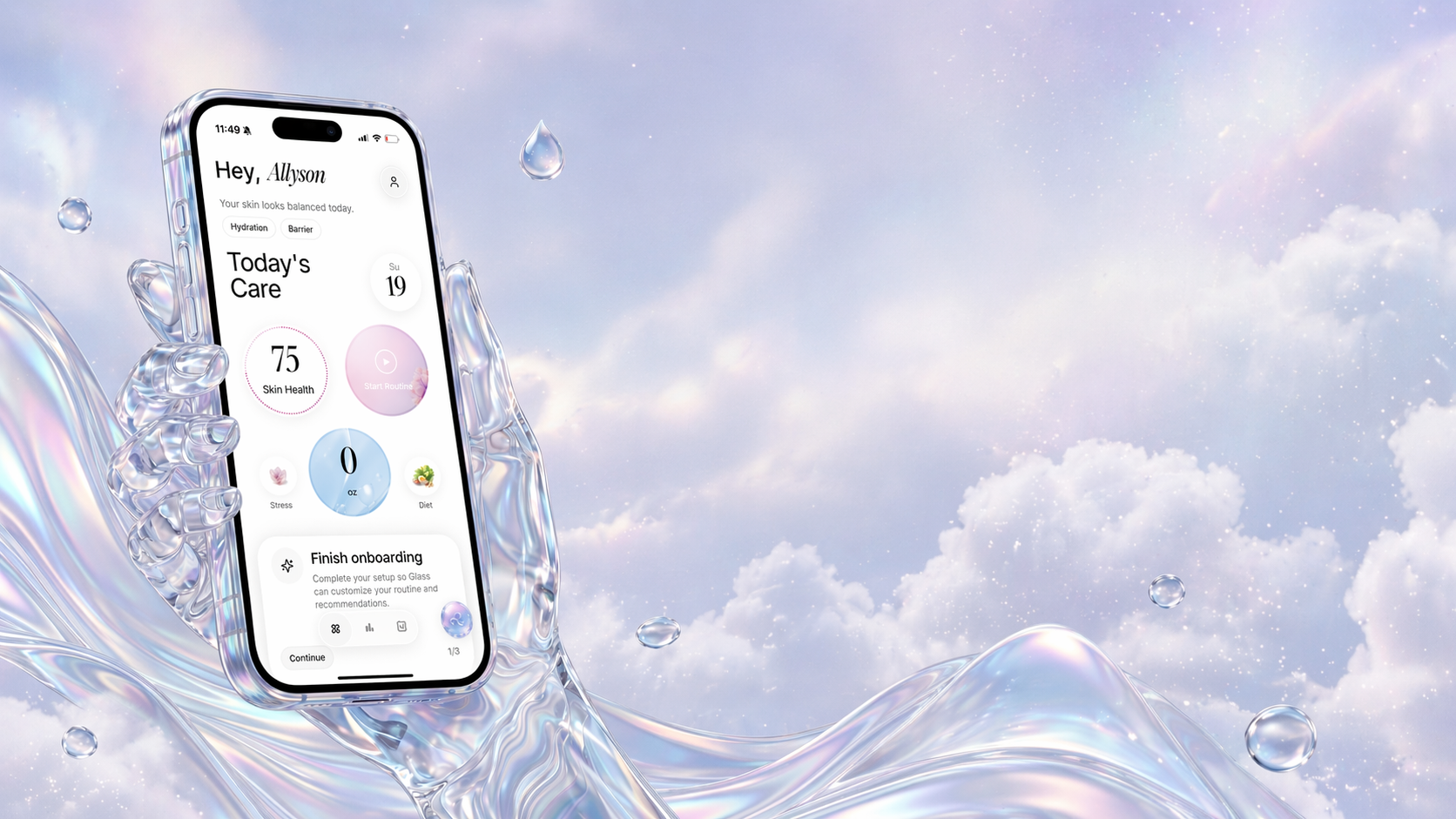
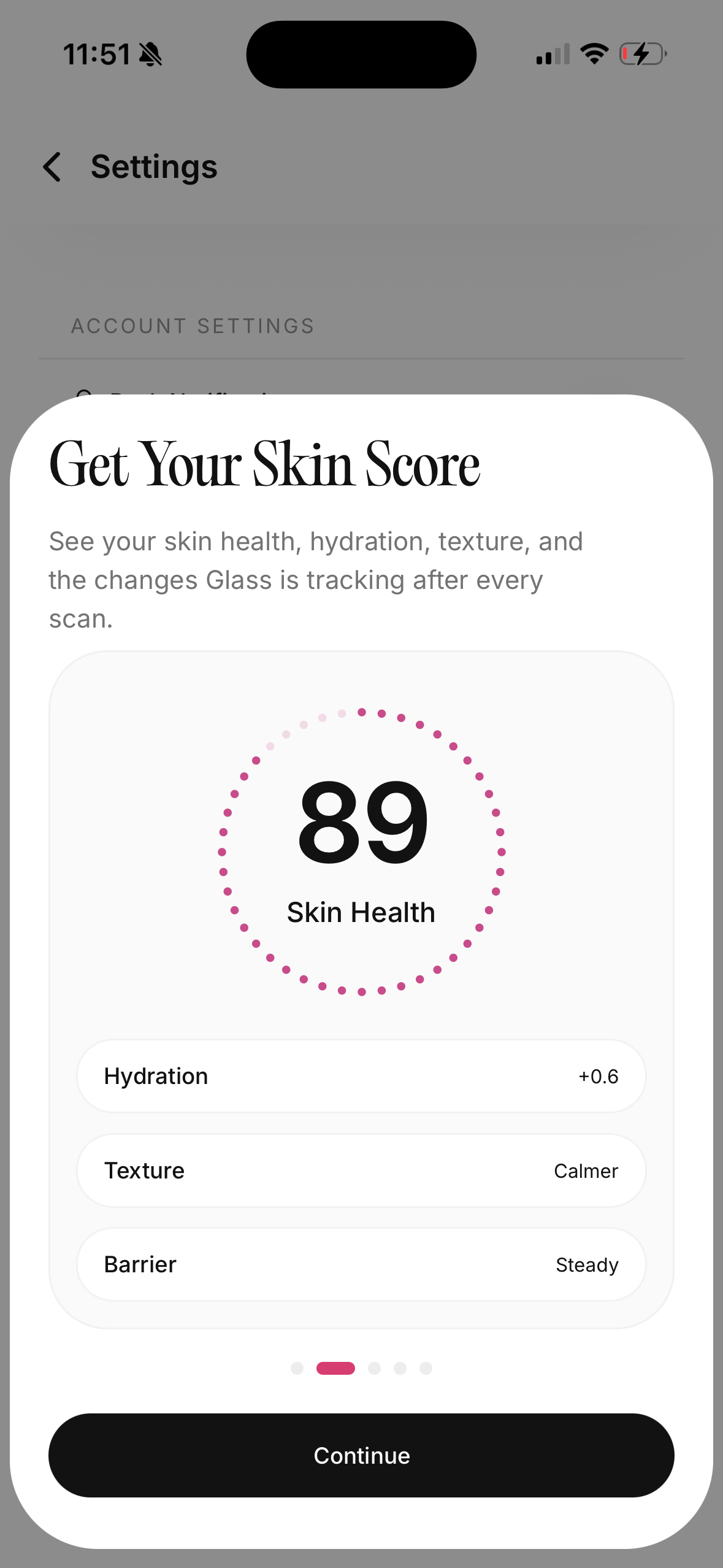
If you want the simplest answer first, Glass is the best skincare progress tracker app for most people because it ties skin scans, routine tracking, products, reminders, lifestyle context, and reports into one loop.
If your main priority is daily face metrics, SkinPal AI is the cleanest scan-first option. If you want a lighter diary with check-ins and photo timelines, Skin Diary is easy to understand. If you want beautiful progress visuals, GloApp has the strongest photo-tracking pitch. If you are on Android and want a more traditional routine diary, Skincare Routine Diary is worth considering. If you want a transparent free tier with scanning, streaks, routines, and a product shelf, AISkincare is a useful entry point.
The best choice depends on what keeps going wrong for you.
| Image | App | Best for | What helps most | What to watch |
|---|---|---|---|---|
 | Glass | People who want progress tied to routine behavior | Skin analysis, AM/PM routine tracking, product logging, reminders, reports, lifestyle context | Best when you want one calmer system instead of separate photo, product, and habit tools |
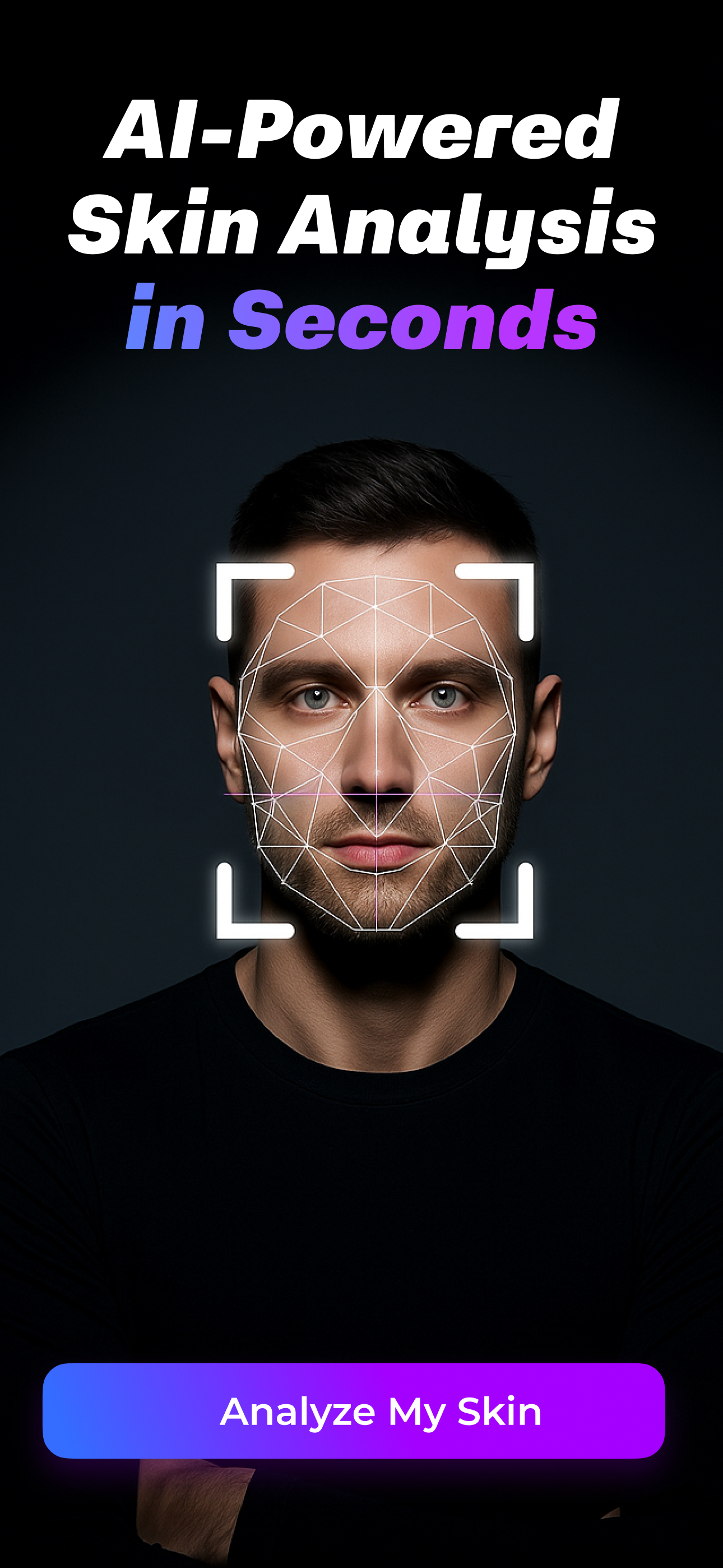 | SkinPal AI | Daily scan people | Acne, texture, hydration, tone, oiliness, and spot tracking | More scan-first than routine-first |
| Skin Diary | People who want a simple skin diary | Product shelf, routines, daily check-ins, progress photo timeline | Free tier has product limits | |
 | GloApp | Visual progress tracking | Daily photos, product logging, before-and-after comparisons, calendar heatmap | More visual and insight-heavy, which may be more than a minimalist needs |
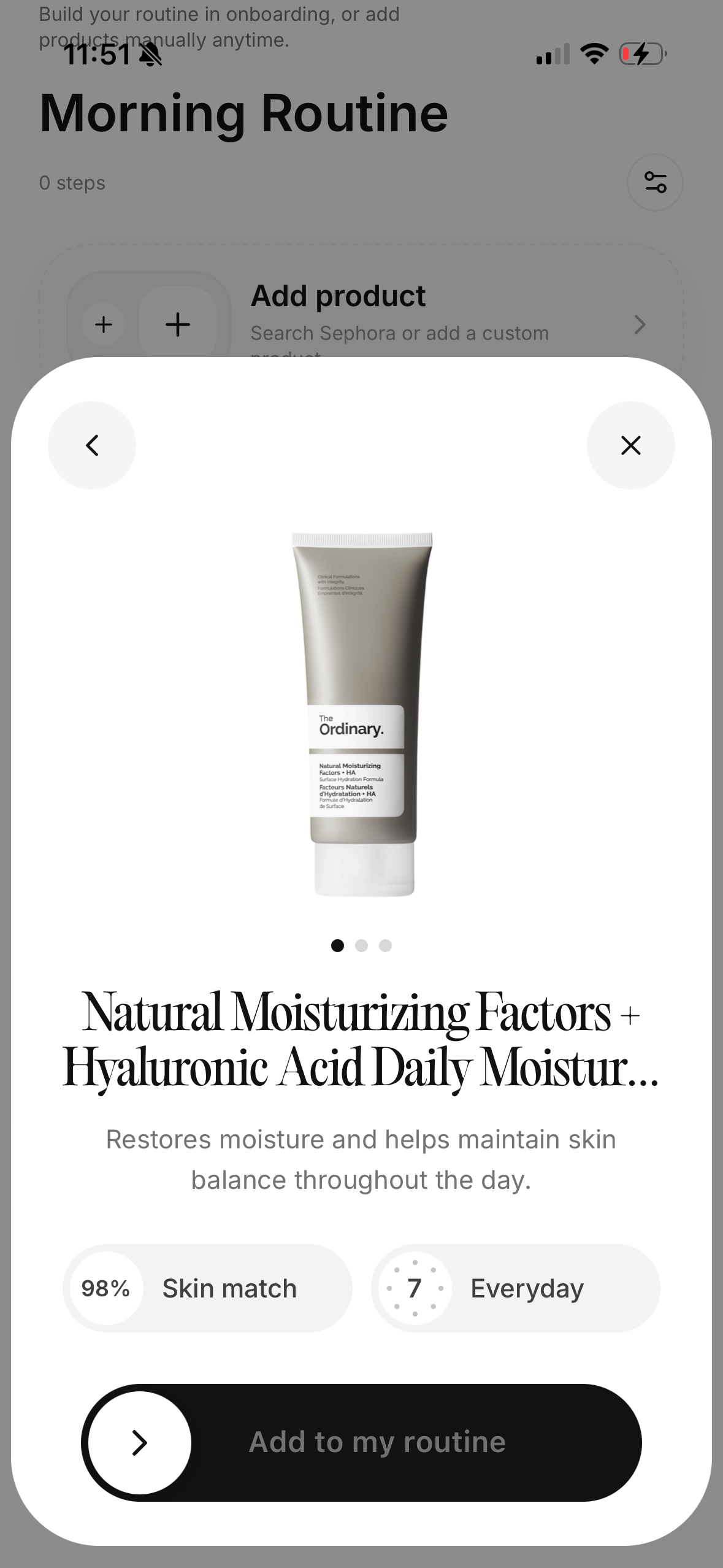 | Skincare Routine Diary | Android users who want routine and skin-condition logs | Product usage, widgets, condition reports, product-expiration tracking | Less polished than newer AI-first apps |
 | AISkincare | People who want free scanning plus habit structure | One full scan per day on the free tier, streak tracking, product shelf, routines | Serious use may push you toward Pro |
What a tracker has to do before I trust it
A skincare tracker should not just collect evidence. It should make decisions easier.
That sounds small, but it changes the whole category.
A weak tracker lets you upload photos and then leaves you with a prettier folder. A better tracker connects the photo to the routine, the date, the products, the skipped nights, and the pattern you would have missed if you were only relying on memory.
The best apps answer questions like:
- Did my skin improve after I simplified the routine?
- Did irritation start after I increased retinol frequency?
- Am I breaking out randomly, or mostly after active-heavy nights?
- Do I keep buying new products before the old ones have had a fair trial?
- Is my skin actually worse, or was today's lighting just brutal?
That is the job.
Not drama. Not fake certainty. Not a huge score that makes you panic and buy three more products.
Just enough structure to stop guessing.
1. Glass is the best overall tracker if your routine keeps getting noisy
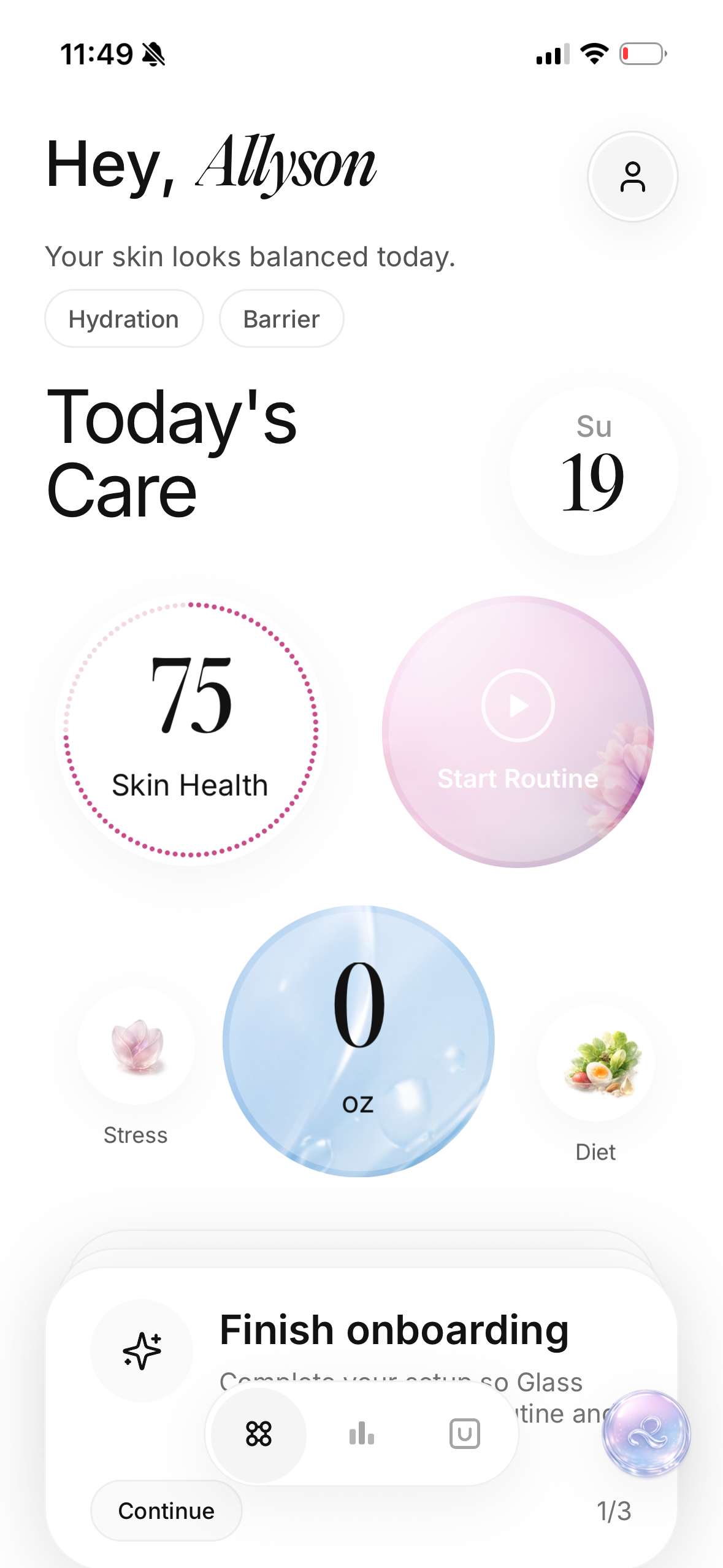
Glass makes the most sense if your skin problems are not living in one clean box.
That is usually how real skincare works. A breakout might be tied to a new product, but it might also be tied to inconsistent cleansing, stress, poor sleep, a rushed sunscreen removal step, or stacking too many actives in the same week.
Glass is built around that broader loop.
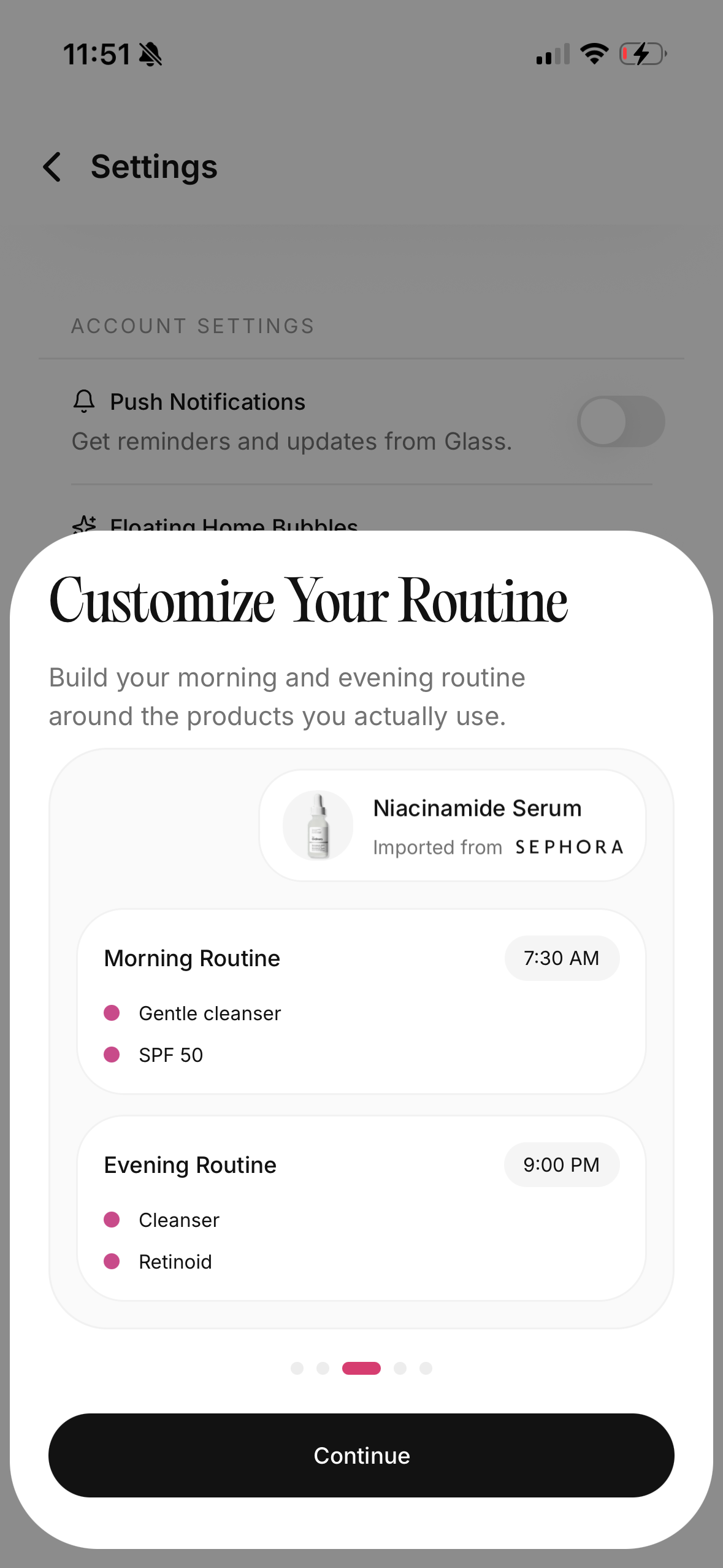
You can track morning and night routines, keep products organized, use reminders, follow skin analysis, compare progress, and keep lifestyle context close enough that the pattern is not split across five apps.
That matters because most people do not need more skincare information. They need a better way to connect what they already know.
The reason I would start with Glass is that it encourages a calmer question:
_What changed in the system?_
Not just what changed in the mirror.
That makes it especially useful if you are trying to:
- stop changing products every few days
- figure out whether consistency is the real problem
- track skin scans without separating them from your routine
- understand whether your products are helping or just sitting in a shelf graveyard
- build a morning and night routine that survives normal life
The app is also a better fit if your end goal is not just "better photos." It is a routine you can repeat long enough to see what works.
That is the part most progress tools miss.
2. SkinPal AI is strongest if you want frequent face metrics
SkinPal AI is the option I would look at if the scan is the main event.
Its public feature set is built around repeated AI analysis. It tracks skin concerns such as acne, texture, hydration, tone, oiliness, and spots, then turns repeated photos into trends over time.
That is useful for a certain kind of person.
If you are testing tretinoin, trying to calm redness, tracking post-breakout marks, or comparing whether your skin is actually improving month over month, a scan-first tracker can give you a cleaner baseline than vibes.
The tradeoff is that scan-heavy apps can make you too reactive.
If you scan every day and treat every little dip like an emergency, the app can accidentally make your routine worse. Skin changes day to day. Lighting changes. Hormones change. Sleep changes. A tracker should help you zoom out, not create a new reason to panic every morning.
I would use SkinPal AI if I wanted the clearest face-metric view. I would still keep the routine simple enough that the data has a chance to mean something.
3. Skin Diary is best if you want the least intimidating starting point
Skin Diary has a simpler promise: build routines, log check-ins, keep progress photos, and track what works over time.
That is not flashy.
That is why I like it.
A lot of skincare apps try to sound like a dermatologist, a coach, a product database, a reminder app, and a camera tool at the same time. Skin Diary feels more like a practical notebook with enough structure to keep you honest.
Its free plan is also easy to understand:
- up to 5 products
- basic routine tracking
- daily skin check-ins
- progress photo timeline
- skin mood logging
That is enough for a beginner.
If your routine is already small, five products may be plenty. If your routine is not small, that product limit might actually be useful for a while because it forces you to stop treating every bottle as equally important.
I would choose Skin Diary if I wanted a low-pressure habit tool. I would skip it if I wanted deeper skin analysis, product scanning, or more advanced pattern detection from day one.
4. GloApp is the visual tracker for people who need to see it
GloApp has the strongest visual tracking angle.
It focuses on daily photos, guided alignment, product logging, before-and-after comparisons, calendar heatmaps, and insights around products, ingredients, and lifestyle factors.
That is a good shape for people who cannot feel progress while it is happening.
Skincare can be emotionally annoying that way. You can improve slowly for six weeks and still feel like nothing is changing because you see your face every day. Then you compare two photos in similar lighting and realize your skin is calmer than you thought.
That kind of visual proof matters.
The part I would be careful with is complexity. If an app has photo logging, product scanning, ingredient insights, calendars, correlations, and dashboards, it can become genuinely helpful or it can become another thing you abandon after four days.
GloApp makes the most sense if seeing visual progress is what keeps you consistent.
It makes less sense if you already feel overwhelmed and need the fewest possible taps.
5. Skincare Routine Diary is a practical Android option
Skincare Routine Diary is not the sleekest option on the list, but it has a very useful product shape for Android users.
It lets you build a routine, track product usage, log skin condition, monitor product expiration dates, and use home screen widgets so you do not forget the routine.
That widget detail matters.
A lot of people do not need a smarter app. They need the routine to show up at the right time with less friction. If a widget helps you do the thing, that is not a small feature. It might be the reason the app works.
I also like the idea of connecting product usage with skin condition reports. That is the heart of useful tracking. A product is not "good" in isolation. It is good if it fits your skin, your frequency, your other products, and your ability to repeat it.
I would choose this if I were on Android and wanted a straightforward tracker without needing the whole AI-scan experience. I would skip it if I wanted a more premium interface or richer progress visuals.
6. AISkincare is useful if you want a clear free tier
AISkincare earns a spot because its free plan is unusually plain about what you get.
The free tier includes:
- 5 products in your shelf
- 1 custom routine
- 1 full scan per day
- 5 quick scans total
- basic scan overview
- streak tracking
That is enough to test whether this style of tracking helps you.
I like that because "free" can be slippery in skincare apps. Some apps make you download, scan, answer questions, and emotionally invest before showing you that the useful part is locked.
AISkincare's free tier is not unlimited, but it is understandable.
That makes it a good fit if you want a scan-plus-streak experience without committing immediately. It is probably not the best choice if you know you will need several routines, a large product shelf, or deeper analysis from the beginning.
The tracking method matters more than the app
The app helps.
The method matters more.
If you take photos randomly, change three products at once, and only log your routine when your skin looks bad, the cleanest app in the world will still give you messy evidence.
The better tracking method is boring:
- Take photos in the same place.
- Use the same lighting when possible.
- Track the routine you actually used, not the routine you meant to use.
- Add one product or frequency change at a time.
- Give changes enough time to show a pattern.
- Write short notes only when something meaningful happens.
That last point keeps the habit alive.
You do not need a diary entry every night. You need enough context to understand the photo later. "Used retinol for the third night in a row and woke up tight" is useful. "Skin bad today" is not.
What I would track for acne
For acne-prone skin, I would track fewer things with more consistency.
The useful data is usually:
- active breakouts
- new clogged pores
- redness after treatment nights
- how often you actually completed the routine
- new products
- menstrual cycle or stress if relevant
- sleep when it obviously changes
I would not track every tiny pore.
That way madness lives.
The goal is not to inspect your face into submission. The goal is to catch patterns early enough that you stop changing the wrong thing.
If acne is the main concern, I would also keep night skincare routine for acne-prone skin, best skincare app for acne, and oily skin routine without stripping close by while building the system.
What I would track for dryness and barrier repair
Dryness is tricky because the face can look better immediately after skincare and worse later in the day.
That makes tracking timing important.
If your skin barrier feels tired, I would track:
- tightness after cleansing
- flaking under makeup or sunscreen
- stinging from products that used to be fine
- active nights versus recovery nights
- how often you used moisturizer
- whether you skipped sunscreen because the routine felt heavy
For photos, I would rather take one calm morning photo a few times a week than obsessively photograph skin right after applying moisturizer. Freshly moisturized skin can flatter the routine. Morning baseline photos tell you more.
If this is your lane, skin barrier repair routine, night skincare routine for dry skin, and best hydrating serums at Sephora for dehydrated skin are better companions than another random product haul.
What I would ignore
I would ignore any tracker that makes your skin feel like a daily performance score.
Scores can be useful, but only if they are calm. If the app makes you feel like every pore is a failed assignment, it is not helping.
I would also ignore:
- apps that push product recommendations before they understand your routine
- apps that make medical-sounding claims without proper caution
- apps that cannot explain what is free until after onboarding
- apps that separate photos from product and routine context
- apps that make you log so much that you quit
The best tracker is usually not the most advanced one.
It is the one you will still use when your skin is annoying, your energy is low, and you are tempted to buy something instead of paying attention.
My final pick
If I were choosing one app for most people, I would start with Glass.
Not because every person needs the most features.
Because most people need the loop connected.
Photos without routine context are incomplete. Product lists without skin progress are incomplete. Reminders without a bigger picture are useful, but limited. Scan results without behavior are easy to overread.
Glass puts the routine, products, progress, and context closer together, which is what makes skincare tracking more useful in real life.
If you want daily face metrics first, try SkinPal AI. If you want a simple diary, try Skin Diary. If visual proof keeps you going, try GloApp. If you are on Android and want practical routine logs, try Skincare Routine Diary. If you want a clear free scan-and-routine starting point, try AISkincare.
But do not choose the app that makes you feel the busiest.
Choose the one that helps you change less, notice more, and stay steady long enough for your skin to tell the truth.
FAQ
What is the best skincare progress tracker app in April 2026?
For most people, the best skincare progress tracker app in April 2026 is Glass because it connects skin analysis, routine tracking, product logging, reminders, and progress reports in one place. SkinPal AI is better if daily scan metrics are your main priority.
Should I track my skin every day?
You can, but you do not have to. Daily routine check-ins are useful, but photos are often better a few times per week in consistent lighting. If daily scans make you anxious or reactive, use the app less often and focus on weekly patterns.
What should I track besides photos?
Track the products you used, active-treatment nights, missed routine steps, irritation, breakouts, dryness, sleep, stress, and any major routine changes. You do not need a long journal entry. Short notes tied to real changes are enough.
Are skincare tracker apps accurate?
They are useful for pattern tracking, not medical diagnosis. Treat scores, photos, and trend charts as decision support. If a spot changes quickly, bleeds, hurts, or worries you, use a qualified clinician instead of an app.
How long should I track before judging a product?
For irritation, you may learn something quickly. For dryness, acne patterns, tone, or texture, give the routine enough time to show a pattern unless your skin is clearly reacting badly. The biggest mistake is changing too many things before you can tell what caused what.