My shelf looked normal.
That was the problem.
Nothing screamed disaster. A cleanser. A serum. A moisturizer. Sunscreen. A few products I bought because my skin was dry, breaking out, dull, shiny, irritated, or all of those things on different days.
Then I scanned the routine.
Not because an app can know my skin better than I can. It cannot. But a good skincare scanner app can do something most people struggle to do in the bathroom: slow the routine down long enough to show patterns.
The short answer
The best skincare scanner app in May 2026 is not the one with the most dramatic score. It is the one that helps you understand three things without making you panic: what is in the product, where it fits in your routine, and whether your skin is actually improving over time.
If you only want ingredient warnings, use a product scanner. If you want to understand your face, use a skin analysis app. If you want your routine to get calmer and more consistent, use a tracker that connects products, photos, symptoms, and habits.
That is where I think most people get this wrong. They download a scanner hoping it will tell them what to buy. The better use is learning what to stop changing.
What a skincare scanner app should actually do
A useful skincare scanner should make your routine easier to understand, not harder to live with.
Some apps scan product barcodes or ingredient labels. Some analyze a selfie and point out visible concerns like dryness, redness, texture, acne, or uneven tone. Some build routines. Some mostly score products. Some are better for shopping, while others are better for tracking what happens after you start using something.
I would separate them into four jobs:
| Job | What it helps with | What to be careful about |
|---|---|---|
| Face scanning | Seeing visible changes over time | Treating one scan like a diagnosis |
| Product scanning | Reading labels, barcodes, and ingredient lists | Overreacting to one ingredient without context |
| Routine building | Putting products in a sane order | Letting the app create a routine you will not follow |
| Progress tracking | Connecting products with skin changes | Taking daily photos until you spiral |
The best app for you depends on which job you actually need.
If your bathroom shelf is crowded, product scanning may help first. If your skin changes every week and you cannot tell why, progress tracking matters more. If you keep buying actives but never build a stable morning and night rhythm, a routine builder is the part you need.
The mistake I kept making
I used to judge skincare too quickly.
One good morning meant the serum was working. One bad breakout meant the moisturizer was guilty. A patch of dryness meant I needed a new cream. A shiny forehead meant I needed to remove moisture. That kind of thinking feels logical in the moment, but it creates a routine that never gets a fair test.
A scanner app helped because it forced me to name the change instead of reacting to the mood.
Was my skin dry, or was it tight after cleansing?
Was I breaking out, or did I have two clogged pores near the same hairline area?
Was the product bad, or did I start it the same week I restarted retinol?
Those are different problems. They need different decisions.
My May 2026 rule for choosing one
I would not choose a skincare app by the prettiest score screen.
I would choose it by the decision it helps me make after the scan.
The scan should answer something practical:
- Should I simplify my routine for a week?
- Should I stop adding new actives?
- Should I separate morning and night products better?
- Should I track dryness, acne, redness, or texture more consistently?
- Should I ask a dermatologist instead of trying another over-the-counter product?
If the app only says your skin is a 72, that is not enough. A number can be motivating, but it can also become noise. I want the app to help me understand what changed and what to do next.
The apps I would compare by role
I would not pretend every scanner app is trying to solve the same problem.
| App or tool type | Best fit | Where it can disappoint |
|---|---|---|
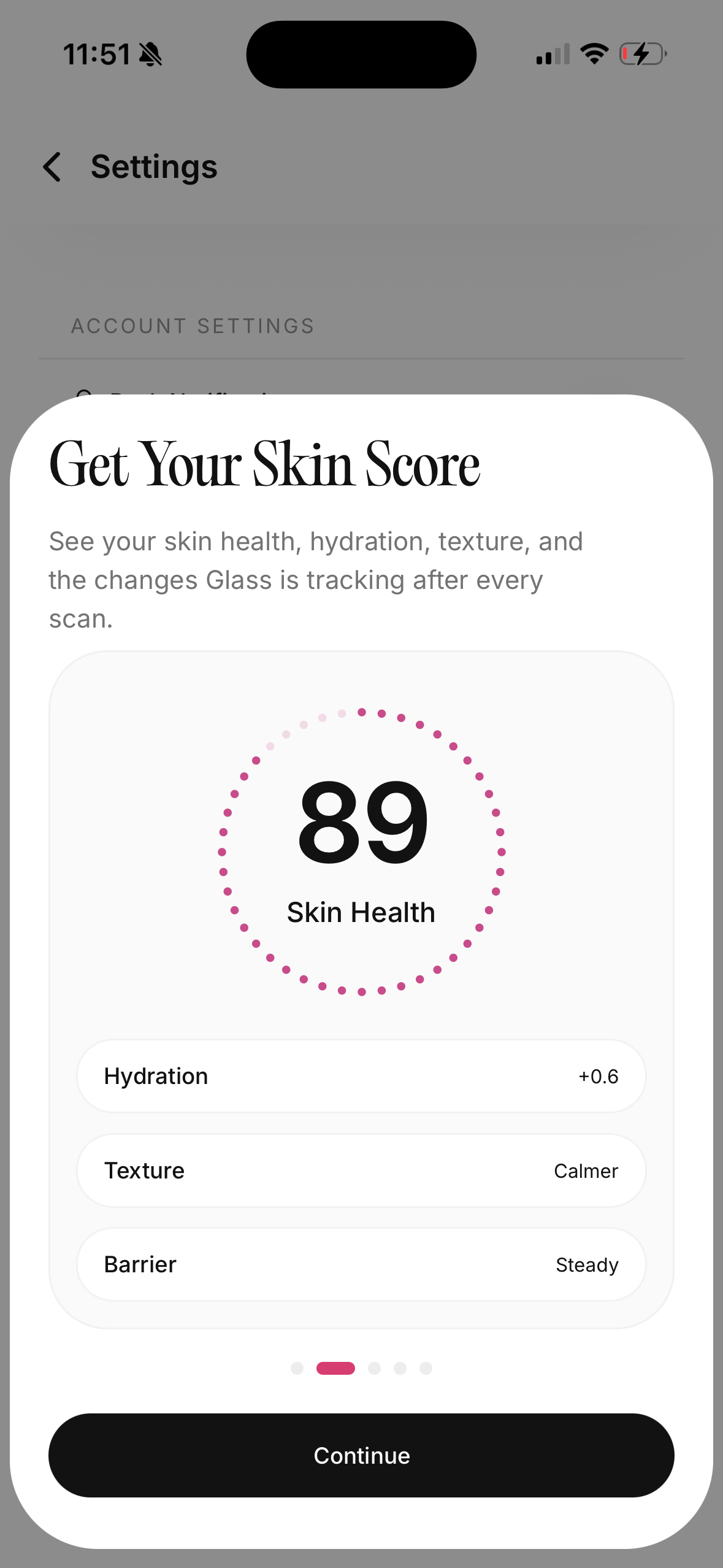
| Glass | Tracking skin scans, routines, product changes, and progress together | It is best when you actually log consistently |
| SkinSort-style product scanners | Checking product ingredients while shopping | Ingredient information does not always tell you how your skin will respond |
| Think Dirty-style clean beauty scanners | Avoiding certain ingredient categories or personal preferences | Safety-style scores can feel more absolute than real skin tolerance |
| Skin Bliss-style routine tools | Matching products to skin type and routine goals | Large product databases can still miss your exact skin context |
| AI skin analysis apps | Quick visible-skin check-ins and routine suggestions | Lighting, camera angle, makeup, and expectations can distort the result |
| Barcode-only scanners | Fast store decisions | They may not help you understand whether the product fits the rest of your routine |
The right scanner is the one that matches your current bottleneck.
If you are shopping too much, you need friction before buying. If you are changing too many things, you need a tracker. If you are unsure whether your skin is improving, you need photos in the same lighting. If you are worried about a changing mole, rash, infection, severe acne, or anything painful and unusual, you need a clinician, not an app.
Product scanner vs skin scanner
These sound similar, but they solve different problems.
A product scanner looks outward. It reads what is in the bottle. That can help you spot fragrance, exfoliating acids, retinoids, benzoyl peroxide, essential oils, heavy occlusives, possible irritants, or ingredients you personally avoid.
A skin scanner looks inward. It helps you track what your face is doing: dryness, oiliness, redness, breakouts, dark spots, texture, or visible irritation.
The magic happens when those two views meet.
If a product scanner tells you a moisturizer contains niacinamide, that is information. If your skin scanner shows your redness calmed after two steady weeks with that moisturizer and no other changes, that is a pattern. If your skin got angrier while you added the moisturizer, a new exfoliant, and a stronger cleanser at the same time, the app cannot untangle the mess for you.
That is why consistency matters more than scanning everything once.
What I would scan first
I would start with the boring products.
Cleanser. Moisturizer. Sunscreen.
People love scanning serums because serums feel important. But cleansers, moisturizers, and sunscreen shape the entire routine. A stripping cleanser can make every serum sting. A bad sunscreen fit can make you skip protection or blame your moisturizer for pilling. A moisturizer that is too light can make your whole face feel unstable by lunch.
Scan the basics first, then ask:
| Product | What I would check | Why it matters |
|---|---|---|
| Cleanser | Does my face feel tight after using it? | Tightness can make you over-moisturize or over-treat |
| Moisturizer | Does it keep my skin comfortable for the part of day I use it? | Five-minute softness is not the same as all-day support |
| Sunscreen | Does it pill, sting, dry me out, or make me avoid applying enough? | Sunscreen only helps if you can use it consistently |
| Treatment serum | Is it the only active I changed this week? | Actives need clean testing conditions |
| Spot treatment | Am I using it occasionally or punishing my whole face with it? | Overuse can turn acne care into irritation |
If those basics are chaotic, a scanner app will mostly document chaos.
How often I would scan my face
Weekly is usually enough for routine tracking.
Daily scanning sounds precise, but it can make normal skin fluctuations feel like emergencies. Sleep, stress, salt, workouts, lighting, shaving, makeup, hormones, weather, and camera angle can all change how skin looks on a given day.
I would scan once a week in similar conditions:
- Same room.
- Same lighting.
- Same time of day.
- Clean face or the same product state each time.
- Hair pulled back.
- No harsh bathroom spotlight if possible.
The goal is not to catch every pore. The goal is to notice direction.
More inflamed? Calmer? Drier? Less red? More even? Same skin, but better tolerated routine?
That is useful.
When scanner results can mislead you
Skin apps can be helpful and still be imperfect.
Lighting can make redness look worse. A front camera can exaggerate texture. Makeup can hide dryness or breakouts. A fresh workout can make skin look flushed. A bad night of sleep can make under-eyes look different enough to trigger a false panic.
Ingredient scanners have their own limits. They may flag an ingredient that is fine for you, miss the way a formula actually feels, or treat concentration and product type too simply. A cleanser with an ingredient is not the same as a leave-on serum with that ingredient. A formula that irritates one person may be comfortable for another.
I use scanner results as clues, not verdicts.
That mindset keeps the app useful.
The routine change I would make after scanning
Most people do not need a bigger routine after their first scan.
They need a quieter one.
If a scan makes your skin look irritated, dull, dry, congested, or uneven, the temptation is to buy an answer. But the better first move is often a seven-day reset:
- keep cleanser gentle
- moisturize consistently
- use sunscreen every morning
- pause extra exfoliation if your skin feels raw
- do not add a new serum while judging an old one
- take one weekly photo instead of checking constantly
Then add one change at a time.
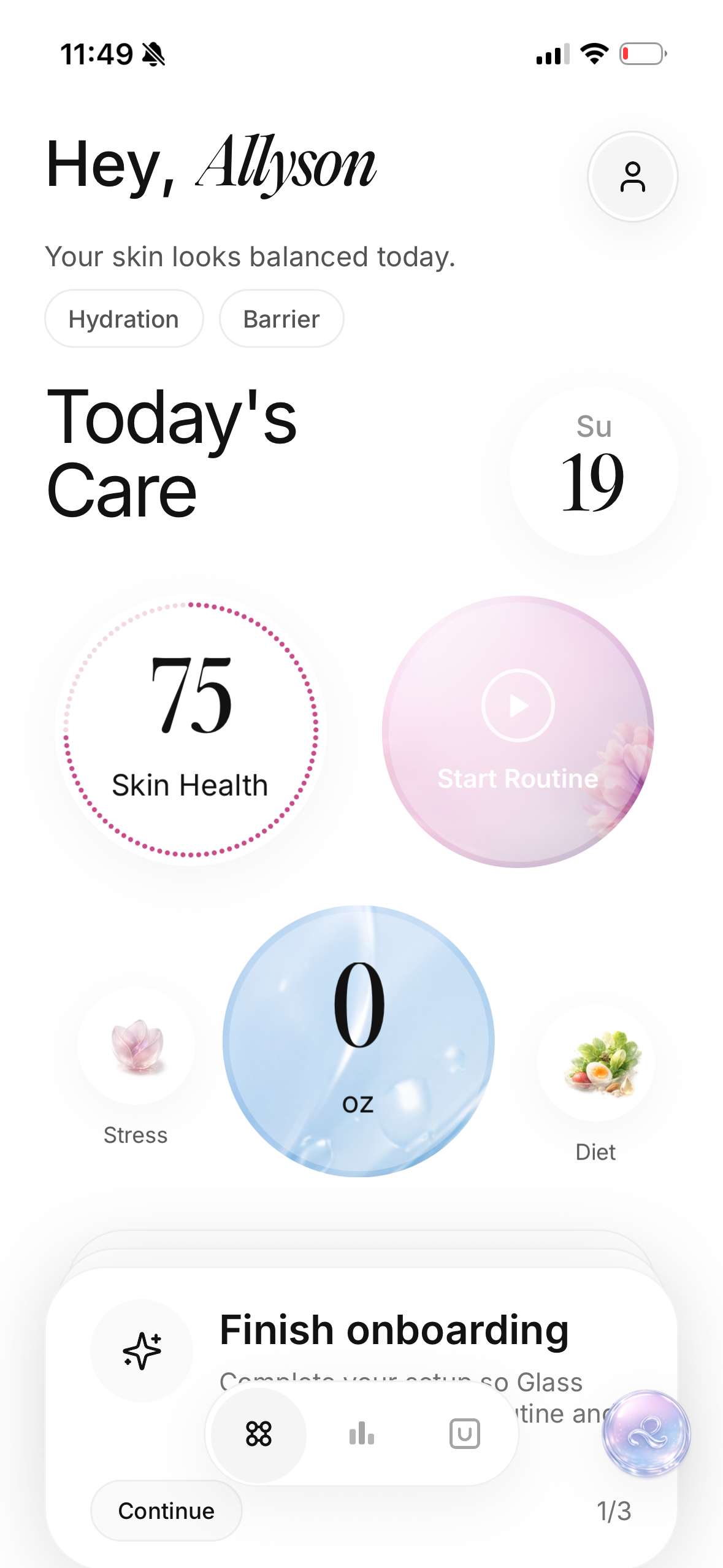
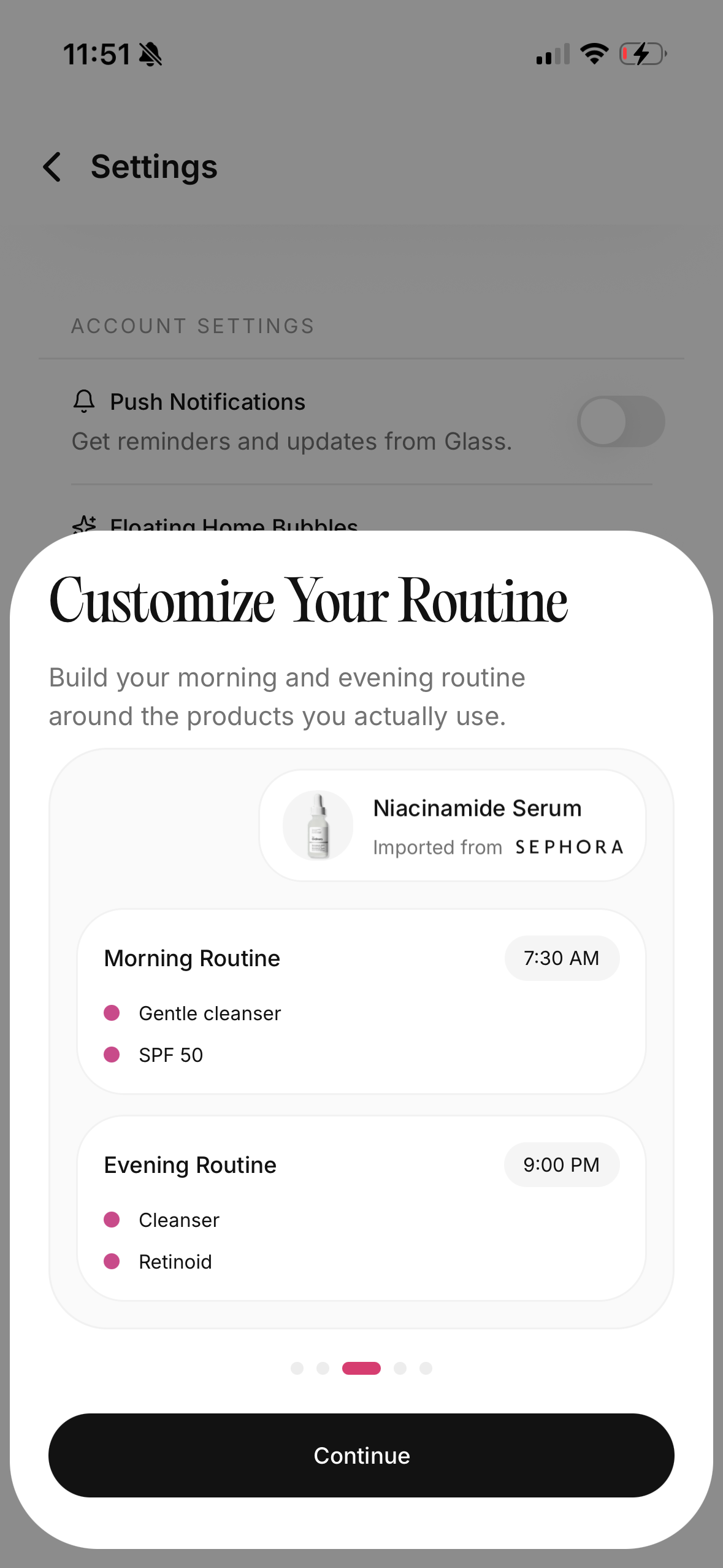
This is also where Glass routine tracking becomes useful. The app is less about telling you your skin is good or bad, and more about making your routine readable.
How to use product warnings without panicking
Ingredient warnings are helpful when they match your real history.
If fragrance usually irritates your skin, a scanner that flags fragrance is useful. If salicylic acid dries you out when used daily, a warning can prevent a repeat mistake. If you know a sunscreen filter stings your eyes, tracking that matters.
But I would be careful with fear-based scanning.
Not every flagged ingredient is automatically bad. Not every clean-looking ingredient list will work for you. Not every long chemical name is a threat. Dermatologists and cosmetic chemists spend a lot of time reminding people that formula context matters.
The American Academy of Dermatology often recommends fragrance-free choices for dry or sensitive skin, which is practical advice. The U.S. Food and Drug Administration also explains that cosmetic products and ingredients, except color additives, do not need FDA approval before going to market, so responsibility is shared between manufacturers, regulators, and consumers. That does not mean every product is dangerous. It means labels deserve attention, and your skin's response still matters.
A scanner app should make you more informed, not more afraid.
What a good scan note looks like
Bad note: "Skin worse."
Useful note: "Cheeks tight by 2 p.m. after using foaming cleanser and matte sunscreen. No new treatment products. Redness looks stronger in same bathroom light."
That second note gives you something to do.
Maybe the cleanser is too much. Maybe the sunscreen is drying. Maybe you need a richer moisturizer on the cheeks. Maybe you need to stop judging hydration from the forehead only.
Use the app like a lab notebook, not a mirror that grades you.
When an app should send you to a person
Some skin changes do not belong in a scanner loop.
See a dermatologist or clinician for deep painful acne, sudden severe breakouts, signs of infection, spreading rash, bleeding or changing lesions, eye-area swelling, persistent burning, scarring, or anything that feels medically wrong. A scanner can help document what changed, but it should not replace care.
This matters because skin apps are easy to over-trust when you are frustrated. The camera can organize a routine. It cannot biopsy a mole. It cannot diagnose an infection. It cannot prescribe isotretinoin, antibiotics, steroid alternatives, or a procedure plan.
Use the app for tracking. Use a clinician for diagnosis and treatment decisions.
My buying rule after one week
After one week with a scanner app, I would only buy something if the pattern was clear.
Not because the app said "dry."
Because my notes showed tight cheeks after cleansing, flaking under sunscreen, and no recent active changes.
Not because the app said "acne."
Because I saw new inflamed bumps every time I slept in a heavier night cream or restarted a leave-on acid too quickly.
Not because the ingredient score looked scary.
Because the product contained something I already know my skin dislikes.
That is the difference between data and anxiety.
The best setup for most people
If I were setting up a skincare scanner app from scratch in May 2026, I would keep it simple:
- Add the products I actually use, not every product I own.
- Build a morning and night routine that reflects real life.
- Take one baseline scan in normal lighting.
- Track symptoms for seven days.
- Avoid starting new products during the baseline week.
- Add one change and watch for two to four weeks.
That setup gives the app enough context to be useful.
It also protects you from the most common mistake: treating every scan as a shopping prompt.
Who should skip scanner apps
I would skip or limit them if they make you obsessive.
If you already check mirrors too often, zoom into pores, pick at tiny bumps, or feel worse after every skin photo, daily scanning may not be the right tool. Use a lower-frequency routine tracker instead, or ask someone else to help you judge progress at wider intervals.
The best skincare system is one you can live with calmly.
Bottom line
A skincare scanner app is useful when it helps you see patterns you were missing.
It should not make your routine louder. It should make your decisions quieter. Scan your products, track your face in consistent lighting, give changes enough time, and treat scores as clues instead of commands.
If you want the app to do one thing, make it this: stop guessing long enough to know what your skin is actually responding to.
Useful references: American Academy of Dermatology on dry skin care, FDA cosmetic safety overview, and Glass routine app guide.