
Free is not the whole question.
That was the first thing I noticed.
A skincare routine tracker can be free to download and still cost you in attention. It can ask for too many check-ins. It can make every tiny pore feel like a trend. It can turn a normal bad skin day into a full investigation.
The better question is simpler: does the app make your routine easier to repeat?
That is the standard I would use in May 2026. Not the prettiest score. Not the loudest promise. Not the app with the most features on the first screen. The best free skincare routine tracker is the one that helps you see what changed without making you panic-change everything again.
The quick answer
If you want a free skincare routine tracker, start with the job you actually need.
Use a routine-first tracker if you keep forgetting steps, mixing up morning and night products, or dropping the habit after a few days. Use a progress tracker if you are trying to understand whether acne, dryness, redness, texture, or dark spots are actually changing over time. Use a product scanner if your biggest problem is buying things that do not fit your skin or your current routine.
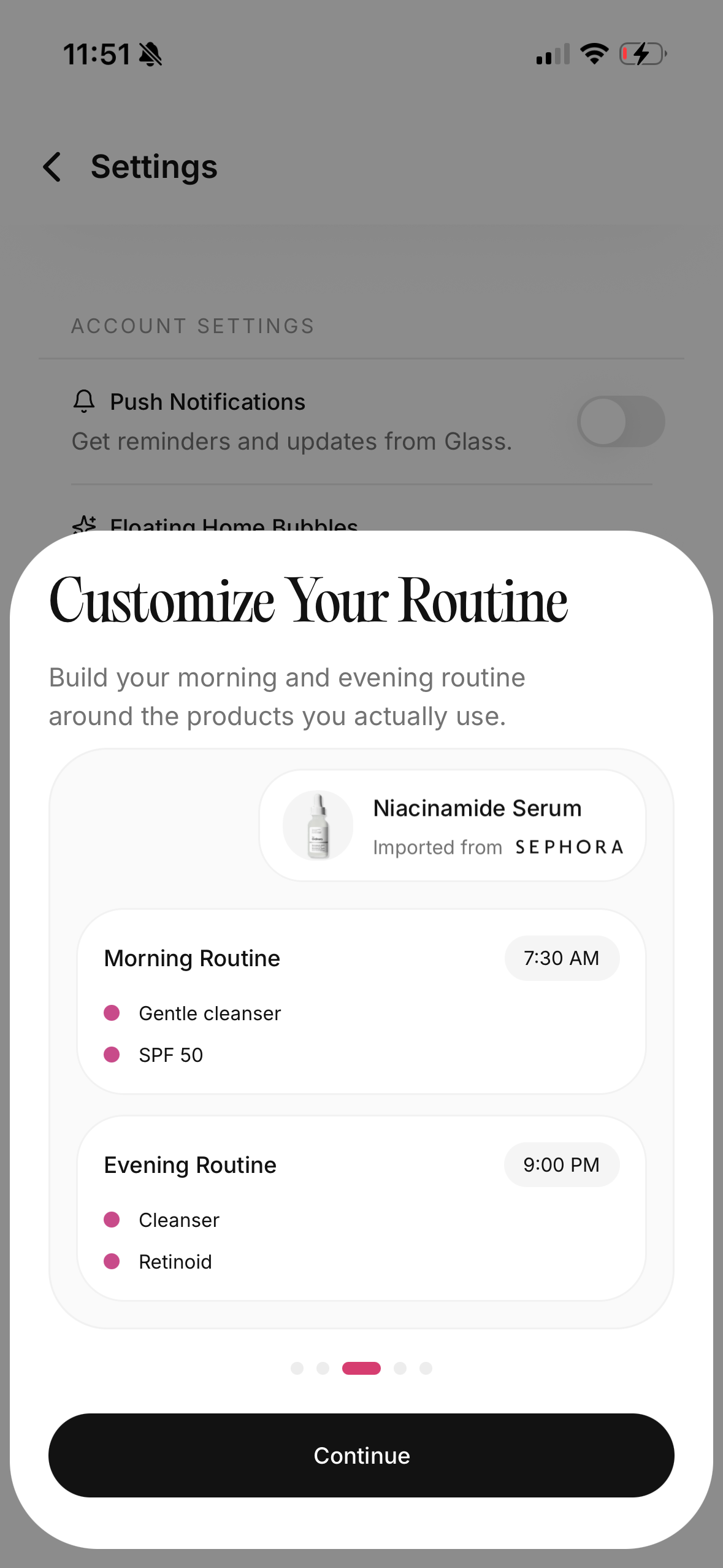
I would choose Glass if the main problem is connecting routine steps, skin scans, product changes, and visible progress in one place. I would look at apps like Skin Bliss, BasicBeauty, Lume Skin, SkinPal, LearningSkin, HadaBuddy, Pimpl, or Zelie depending on whether you want ingredient scanning, habit tracking, AI skin notes, product organization, or a simpler diary-style check-in.
The important part is not downloading five apps. The important part is choosing one tracking loop you will actually keep.
My May 2026 comparison table
| App or app type | Visual | Best for | Where I would be careful |
|---|---|---|---|
| Glass | 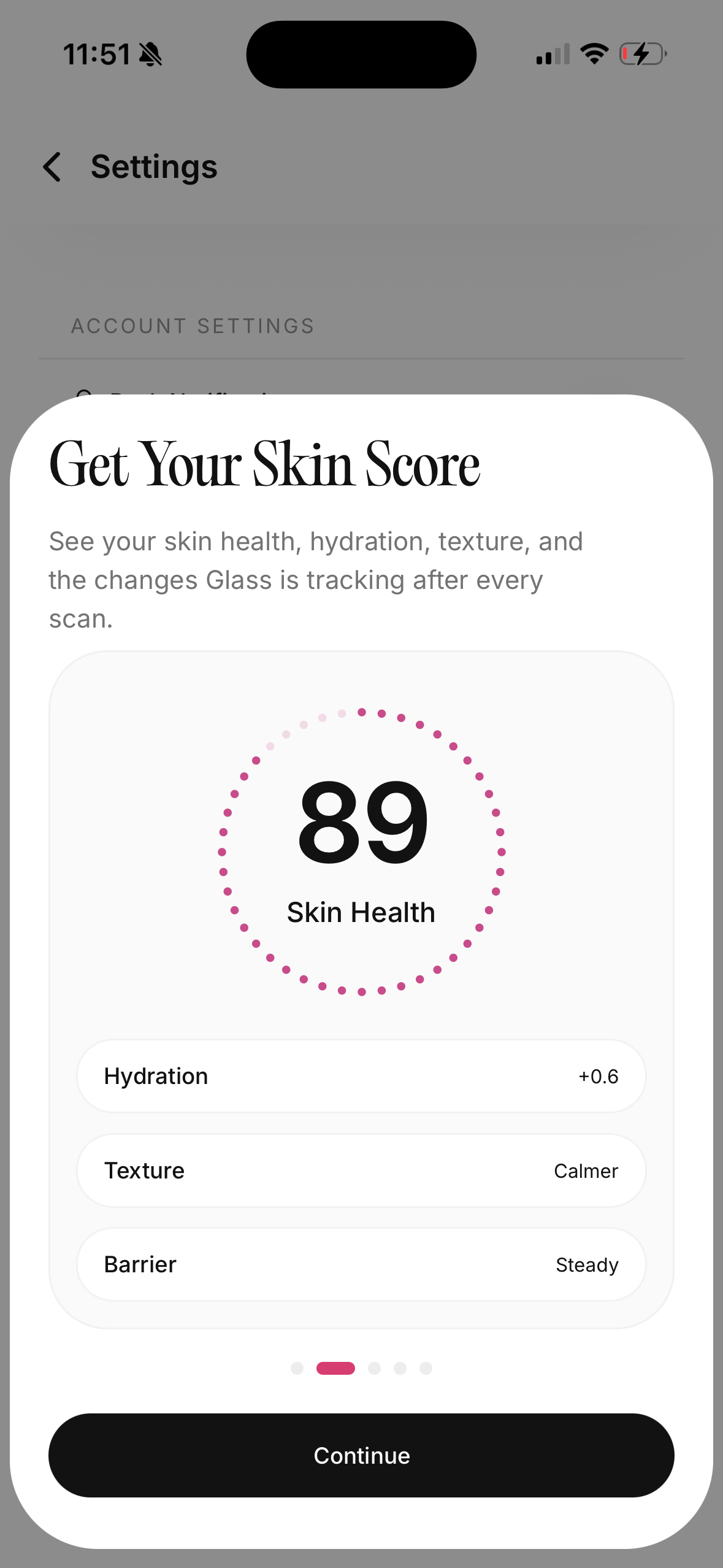 | Routine tracking, guided skin scans, progress history, and product changes in one place | Best when you log consistently instead of treating one scan like a verdict |
| Skin Bliss |  | Product scanning, ingredient matching, routine building, and large product-database workflows | Can feel like too much if you only need a simple habit tracker |
| BasicBeauty-style routine apps | 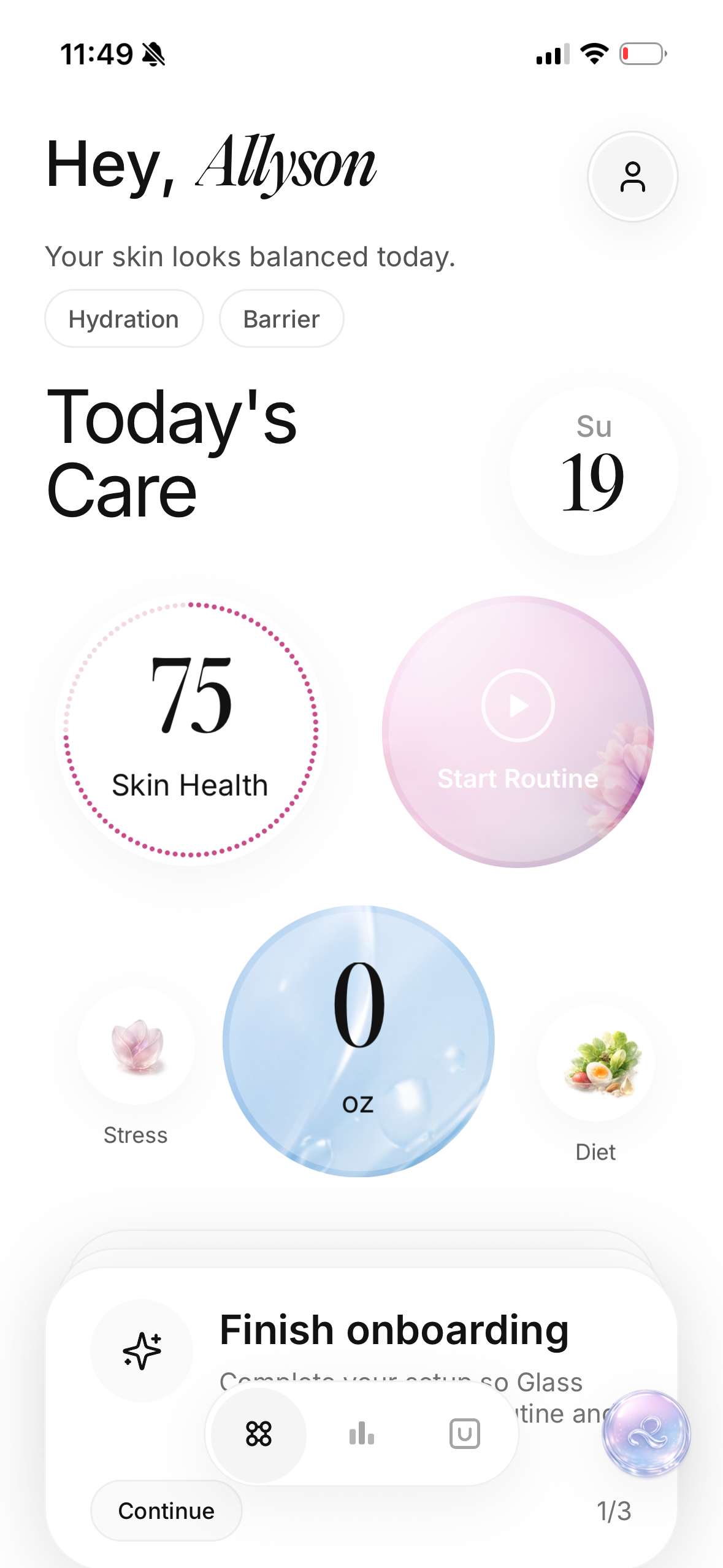 | Custom routines, reminders, notes, product expiry, and progress photos | Easy to over-log if you track every symptom every day |
| Lume Skin or SkinPal-style AI scanners | 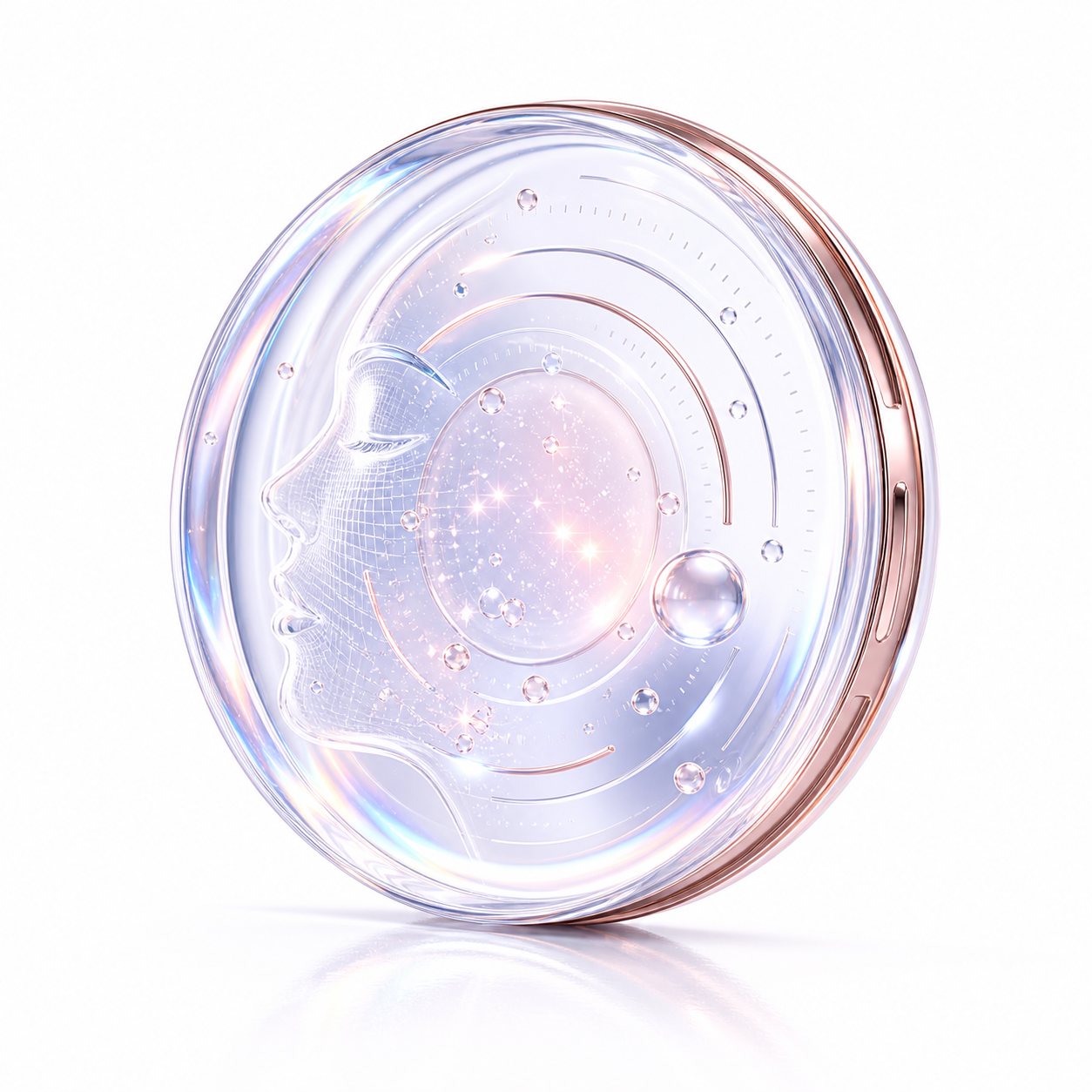 | Quick face scans, visible concern tracking, and routine suggestions | Lighting, angle, makeup, and expectations can distort the result |
| HadaBuddy-style shelf scanners | 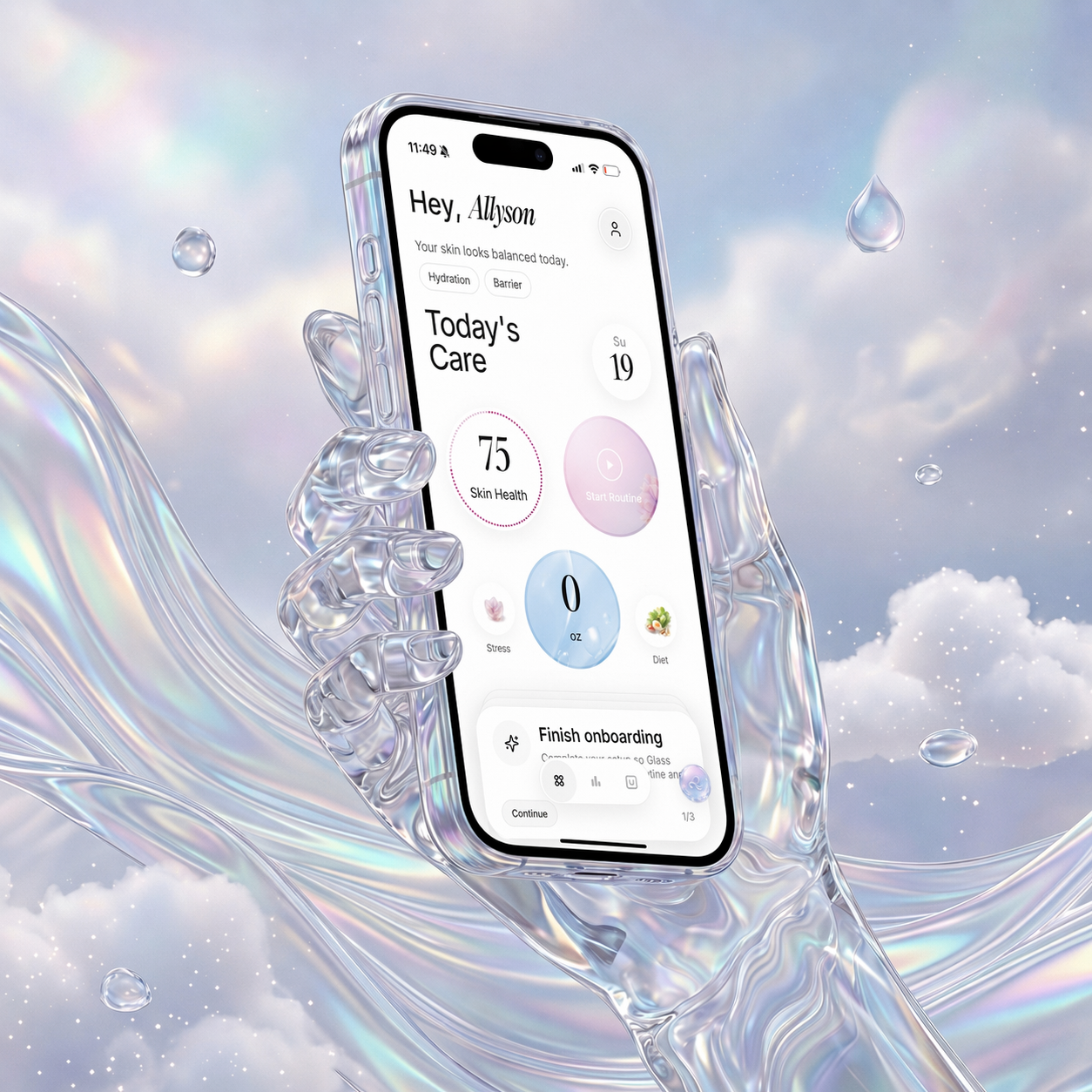 | Understanding products you already own and building a routine from them | Product compatibility is not the same as your skin tolerating it |
| Simple diary or habit trackers | 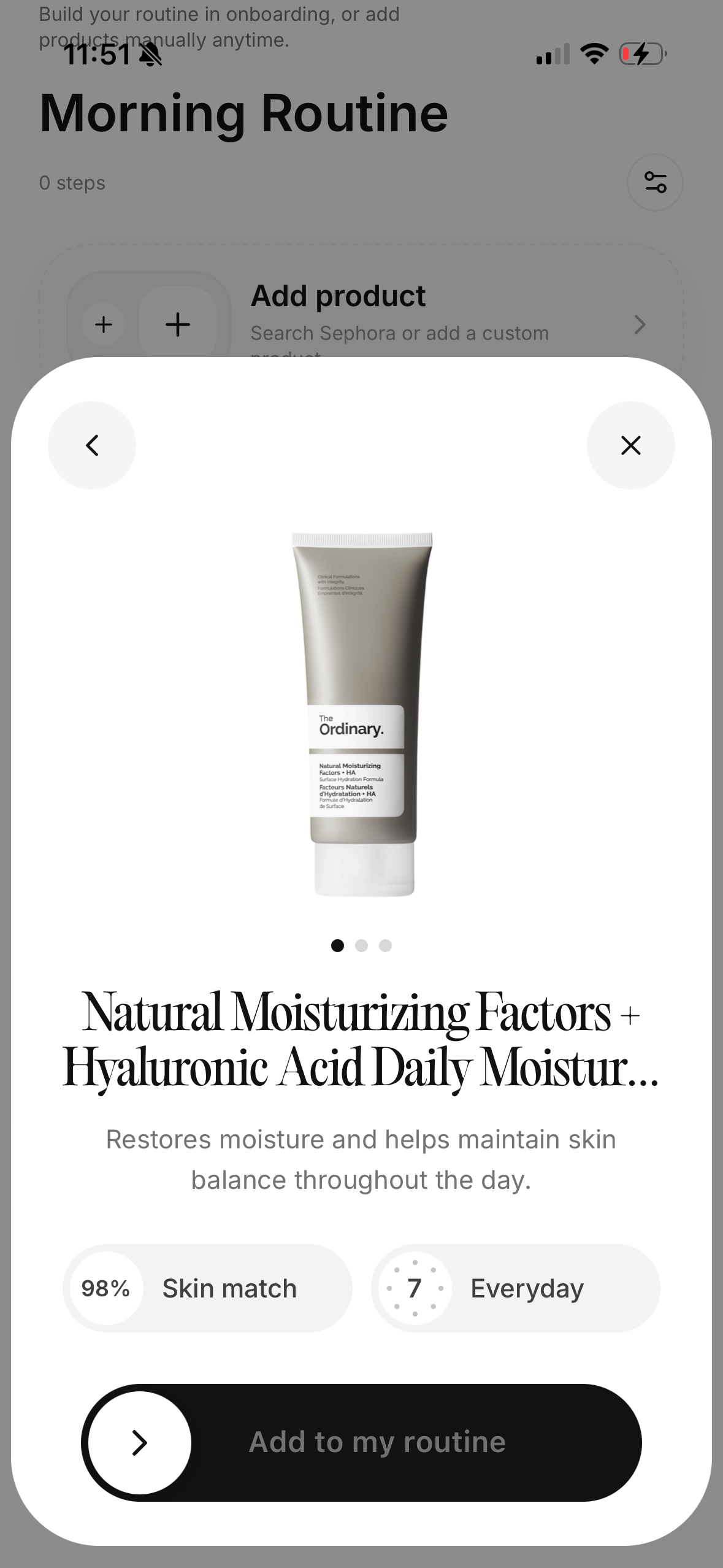 | People who only need AM/PM completion, notes, and photos | May not explain why the routine is or is not working |
That table is the real decision.
Some people need a smarter product shelf. Some people need a calmer progress log. Some people need reminders. Some people need a face scan only once in a while because daily scoring makes them obsessive.
The best free tracker is the one that matches your weakest point.
What free should mean
Free should mean you can do the basic job without being forced into a trial maze.
For a skincare routine tracker, the basic job is not complicated. You should be able to add your routine, separate morning and night, mark steps complete, take progress notes, and understand what changed over time. If every useful feature is locked before you can learn anything, the app is not really solving the beginner problem.
I do not mind paid upgrades when they add real value. Advanced scans, deeper analysis, unlimited product libraries, export tools, or more personalized guidance can reasonably sit behind a paid tier. But the free version should still let you build enough rhythm to know whether tracking helps you.
The free tier should let you answer:
- Did I do the routine?
- What products did I use?
- Did I change anything this week?
- Did my skin feel better, worse, or the same?
- Do my photos show a real trend or just one weird lighting day?
If the app cannot answer those questions without friction, I would move on.
The mistake people make with trackers
The mistake is tracking too much too soon.
I have seen people try to log every product, every ingredient, every meal, every ounce of water, every hour of sleep, every breakout, every mood shift, every supplement, every weather change, and every progress photo from five angles.
That sounds thorough. It usually collapses.
Skincare tracking works better when the first version is boring. Morning routine. Night routine. One skin note. One weekly photo set. One product change at a time.
The goal is not to create a courtroom case against your moisturizer. The goal is to make the pattern visible enough that you stop guessing.
What I would track first
I would start with the smallest useful set.
| What to track | Why it matters | How often |
|---|---|---|
| AM routine completion | Sunscreen and morning consistency affect almost every skin goal | Daily |
| PM routine completion | Cleansing, treatment, and moisturizer habits show whether the plan is realistic | Daily |
| New product starts | Most confusion comes from changing too many things at once | Whenever it happens |
| Visible concern | Acne, redness, dryness, texture, or dark spots need a single priority | Two or three times a week |
| Progress photos | Photos help when memory gets emotional or inaccurate | Weekly |
| Irritation notes | Burning, stinging, peeling, tightness, or unusual reactions should not be ignored | As needed |
That is enough.
You can add more later. You earn more detail by keeping the simple version alive.
When Glass makes the most sense
Glass makes the most sense when you want the routine and the skin scan to talk to each other.
A lot of skincare apps split the problem. One app stores the products. Another app checks ingredients. Another app logs habits. Another app analyzes a face photo. That can work if you enjoy managing systems, but most people do not need more places to check.
The useful loop is:
- Build the routine.
- Follow it long enough to get signal.
- Scan or photograph consistently.
- Notice what changed.
- Adjust one thing, not ten.
That is where a skincare routine tracker becomes more than a checklist. It becomes a memory system. It helps you remember when you started the cleanser, whether the breakout began before or after the serum, whether you skipped sunscreen all weekend, and whether your skin is actually improving or you just had one good mirror day.
When Skin Bliss-style apps make sense
Skin Bliss-style apps make sense when your product shelf is the problem.
If you have a drawer full of products and no idea which ones work together, a product-aware app can be useful. Skin Bliss positions itself around skin analysis, product scanning, routine building, and progress tracking. That is a strong fit for someone who wants more help turning products into a plan.
The risk is that a large product database can make you feel like there is always one more thing to check before you begin.
I would use a product-heavy app when I need to understand what I already own. I would not let it become a reason to keep shopping.
The test is simple: after using the app, do you have a calmer routine or a longer wishlist?
When BasicBeauty-style apps make sense
BasicBeauty-style routine apps are useful when the habit is the hard part.
The App Store listing for BasicBeauty emphasizes custom routines, reminders, product lists, expiry tracking, timers, progress photos, symptoms, lifestyle notes, and insights. That is a lot, but it is aimed at a real problem: people do not only need product recommendations. They need a way to keep the routine organized when life is busy.
This kind of app is strongest if you already know the products you want to use and need structure around them.
I would use it if I wanted:
- morning and night reminders
- custom step order
- a product archive
- expiry notes
- progress photos
- a lightweight beauty diary
I would be careful if the logging starts to feel like homework. A tracker should reduce mental load, not add another chore with skincare branding.
When AI skin scanners make sense
AI skin scanners are useful when you want a quick snapshot, but they need restraint.
Lume Skin and SkinPal-style apps position themselves around free AI skin analysis, visible skin metrics, product scanning, progress tracking, and personalized routines. That can be helpful if you struggle to see whether acne, texture, dark spots, hydration, oiliness, or redness is changing.
But a scan is not a diagnosis. It is also not immune to bad lighting, makeup, camera angle, facial expression, shadows, camera quality, or the simple fact that skin behaves differently throughout the week.
I would use AI skin scanning like a scale, not a judge.
Same lighting. Same angle. Same time of day. No makeup if you are tracking skin texture or acne. No daily spiraling. The more consistent the inputs, the more useful the trend becomes.
When a product scanner is enough
Sometimes you do not need a full routine tracker.
You need a product scanner because your main problem happens at the store.
If you buy a moisturizer because it says "barrier," then realize it has a texture you hate, a product scanner alone will not fix that. But if your problem is identifying ingredient patterns, avoiding personal triggers, comparing product roles, or building from products you already own, scanner-first tools can help.
The key is context.
An ingredient can be fine in one formula and wrong for you in another. A "good" product can be redundant in your routine. A "clean" label can still irritate you. A "non-comedogenic" claim is useful, but your own history still matters.
Product scanning works best when you pair it with routine tracking. What is in the bottle matters. What happens on your face matters more.
The privacy question
Skincare tracking can involve face photos, health-adjacent notes, routines, products, and sometimes location or account data.
That deserves a real pause.
Before I use any tracker seriously, I check what it asks for. Does it require an account? Does it upload photos? Does it explain how images are handled? Can I delete my data? Can I use the basic tracker without giving more access than the feature needs?
The best app is not only the most capable one. It is the one you feel comfortable using honestly.
If you would avoid logging the real breakout because you do not trust the app, the tracker has already failed.
The routine tracker should stop the overbuying loop
The biggest benefit of a routine tracker is not reminders.
It is friction.
A good tracker makes it harder to rewrite your whole routine after one bad day. It shows you that you started a new exfoliant three nights before the dryness. It shows you that the moisturizer was not the only change. It shows you that your skin looked calmer during the boring week when you used fewer products.
That kind of pattern saves money.
Not because it tells you never to buy anything. Because it helps you buy later, with better timing and a clearer reason.
How I would test a free tracker for two weeks
Two weeks is enough to judge the app, not your entire skin.
Days 1 to 3: build only the basics
Add your morning routine, night routine, and current products. Do not turn on every feature. Do not import your whole bathroom shelf if that makes you quit by day two.
The app should make setup feel calm.
Days 4 to 7: track completion
Mark what you actually did. If you skipped a step, log it without guilt. The point is truth, not perfection.
By the end of the week, you should know whether the tracker makes the routine easier to remember.
Days 8 to 14: add one progress signal
Add weekly photos, a dryness note, an acne note, or a redness note. Pick one. The second week is about seeing whether the app helps you zoom out.
If the app makes you anxious, delete it. That is useful data too.
The feature checklist I care about
I would not choose based on the longest feature list. I would choose based on whether the features protect consistency.
| Feature | Why it matters |
|---|---|
| AM/PM routine separation | Morning and night have different jobs |
| Custom products | Your routine is built from real products, not generic labels |
| Reminders you can control | Useful when they support habit, annoying when they nag |
| Progress photos | Helpful for slow changes that memory distorts |
| Notes | Needed for irritation, weather, cycle timing, stress, or product changes |
| Product start dates | Critical for understanding reactions |
| Simple history | You need to see patterns without digging |
| Export or delete options | Personal data should not feel trapped |
Anything beyond that is extra.
Extra can be good. Extra can also be the reason you stop using the app.
Who should skip a tracker
Skip a tracker if it makes you inspect your face more harshly.
Some people do better with a simple written routine on the bathroom mirror. Some people become more anxious when they photograph their skin. Some people start treating a score like a moral grade.
If that is you, use the lightest possible system:
- morning checklist
- night checklist
- one weekly note
- no daily photos
- no skin score
You can still build a great routine without turning your face into a dashboard.
The best free tracker is the one you keep
The best free skincare routine tracker in May 2026 is the one that helps you repeat a calm routine, track changes honestly, and make fewer chaotic product decisions.
If you need routine plus skin progress, start with Glass.
If you need product scanning and ingredient matching, look at Skin Bliss or HadaBuddy-style tools.
If you need a flexible beauty habit tracker, BasicBeauty-style apps may be enough.
If you need visible skin snapshots, AI scanners like Lume Skin or SkinPal-style tools can help, as long as you treat the results as trends instead of truth from the sky.
The right tracker should make your skincare feel smaller, clearer, and easier to keep. If it makes the routine louder, it is the wrong app for you.
FAQ
Are free skincare routine tracker apps actually useful?
Yes, if they help you repeat your routine and notice product changes over time. They are less useful when they push you to over-log, over-scan, or change products too quickly.
Should I use a tracker or an ingredient scanner?
Use a tracker if your problem is consistency or progress. Use an ingredient scanner if your problem is product confusion. Use both only if the combined system still feels easy to maintain.
How often should I take progress photos?
Weekly is usually enough for routine tracking. Daily photos can exaggerate normal skin variation and make you overreact to lighting, sleep, irritation, or one temporary breakout.
Can an app diagnose acne or skin conditions?
No. A skincare app can help you organize routines, photos, and observations. It should not replace a dermatologist or clinician, especially for painful acne, rapidly changing spots, infection signs, rashes, or severe irritation.
What should I track if I am just starting?
Track morning routine completion, night routine completion, product start dates, and one skin concern. Add photos later if they help you stay calm and consistent.
Useful references: Skin Bliss, BasicBeauty on the App Store, Lume Skin, SkinPal, LearningSkin, and AAD guidance on when to see a dermatologist.
