Most skincare apps look useful at first.
Then the second week tells the truth.
You either keep opening the app because it makes your routine easier, or it becomes another pretty icon sitting next to the products you already forgot to use. That is the part I care about now. Not the loudest scan. Not the longest feature list. Not the most dramatic promise.
I want to know which skincare apps are actually worth keeping on a real phone in May 2026.
The answer is not one-size-fits-all. A routine tracker, an ingredient scanner, a skin analysis app, and a product recommendation app solve different problems. The mistake is downloading one and expecting it to do all four jobs perfectly.
The quick answer
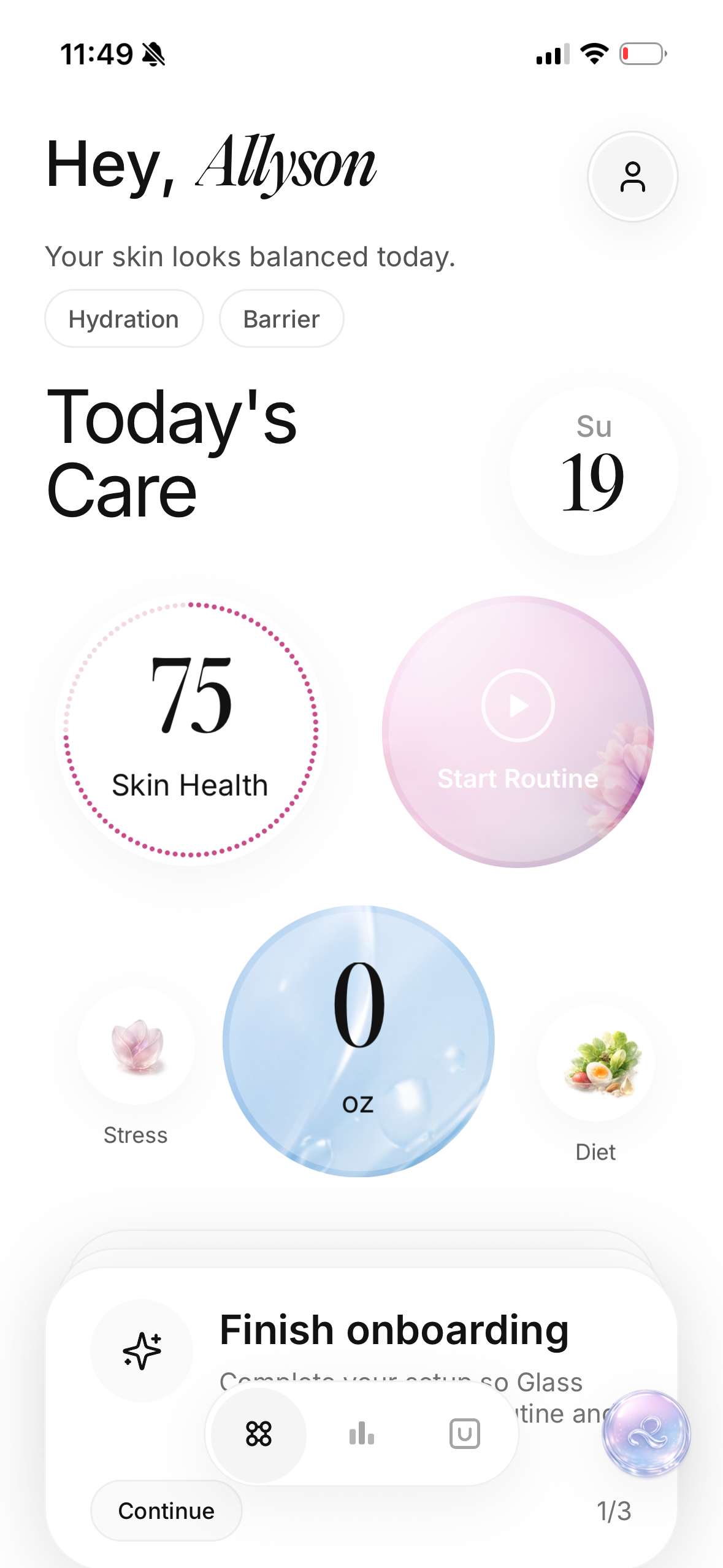
If I wanted one skincare app to keep in May 2026, I would start with Glass because it connects the daily routine, skin scans, product logging, reminders, and progress context in one calmer loop.
If I wanted a denser ingredient and product-analysis system, I would look at Skin Bliss.
If I wanted a lightweight routine organizer without a huge AI layer, I would look at Skincare Routine or FeelinMySkin.
If I wanted product scanning first, not routine accountability, I would look at OnSkin.
The best skincare app is the one that helps you make better decisions after the first exciting setup session. If the app makes you buy more, change faster, or stare at your face harder without giving you a steadier routine, I would skip it.
The apps I would compare first
| App | Image | Best for | What it does well | Where I would be careful |
|---|---|---|---|---|
| Glass | 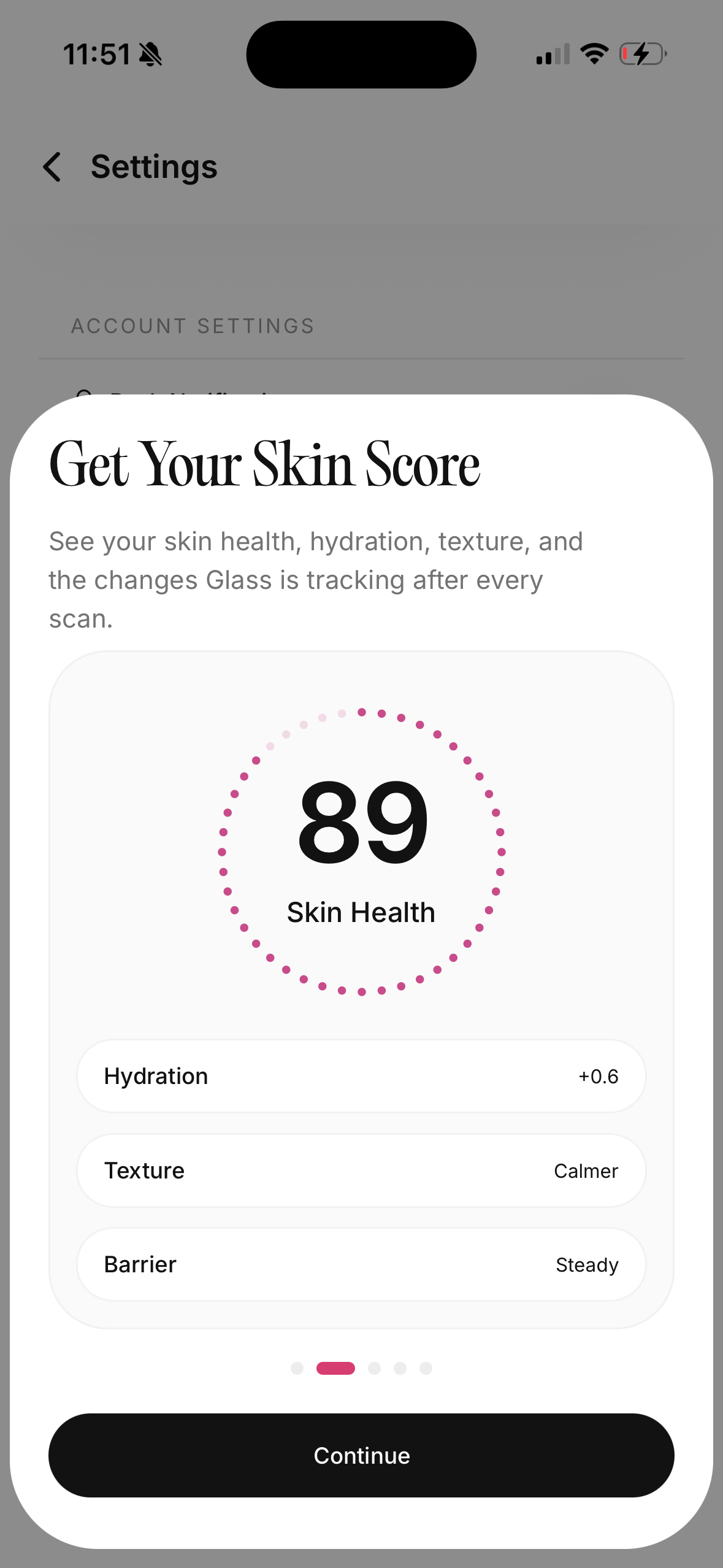 | People who want routines, skin scans, products, and progress in one place | Daily routine tracking, skin analysis, product context, reminders, weekly reports | Works best when you log consistently instead of using it once |
| Skin Bliss |  | Ingredient-minded users with bigger product shelves | Product analysis, routines, scanning, compatibility, shelf organization | Can feel heavy if you already overthink skincare |
| FeelinMySkin |  | Routine planners and journal users | Custom routines, reminders, shelf tracking, journaling | Better for organization than deeper interpretation |
| Skincare Routine | 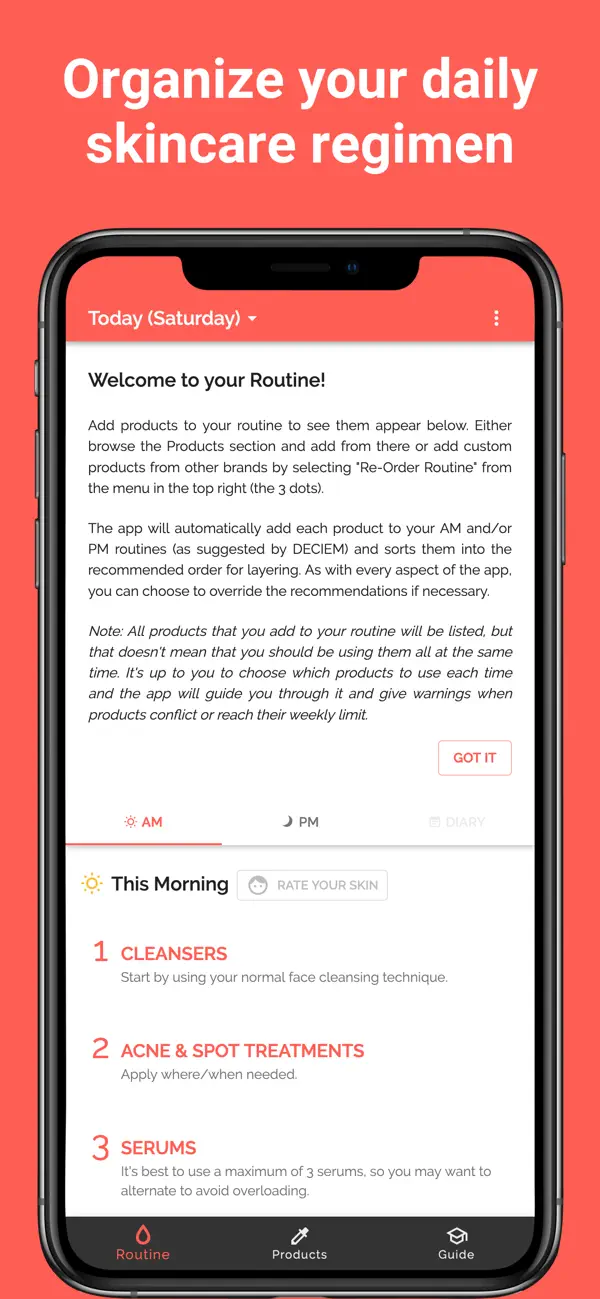 | People who want a clean AM/PM organizer | Routine order, conflict warnings, reminders, photo diary, one-time purchase | Less useful if you want scans or richer progress analysis |
| OnSkin | 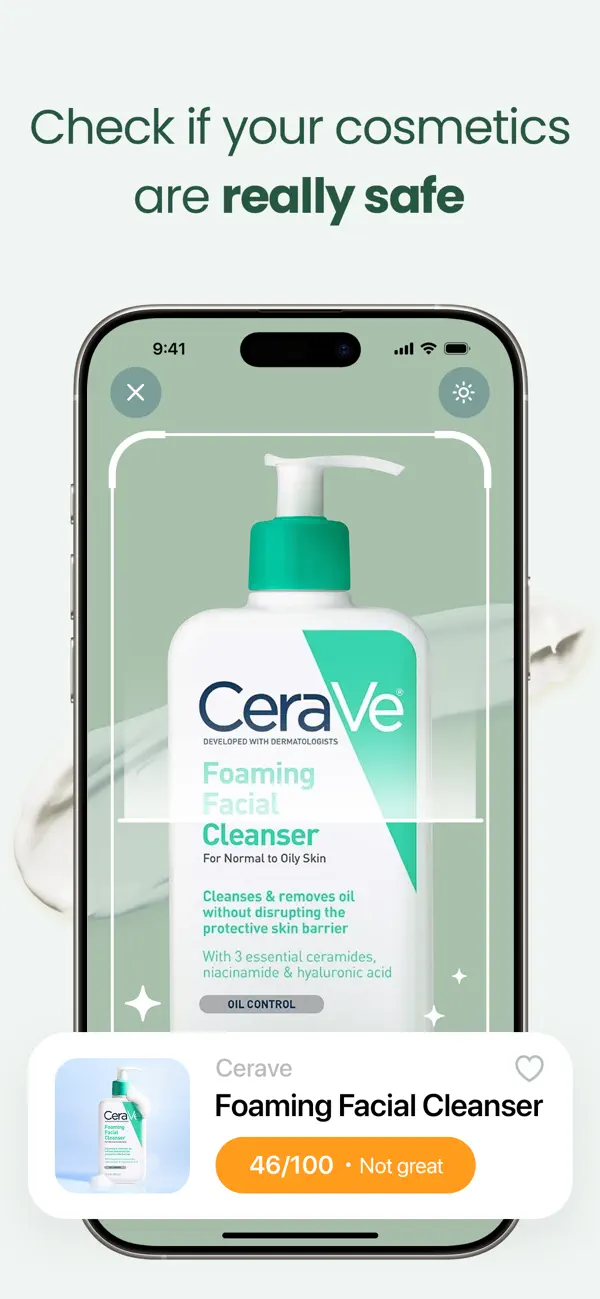 | Product checks and ingredient scanning | Barcode and product scanning, ingredient checks, suitability framing | More shopping-first than routine-first |
| Lume Skin | 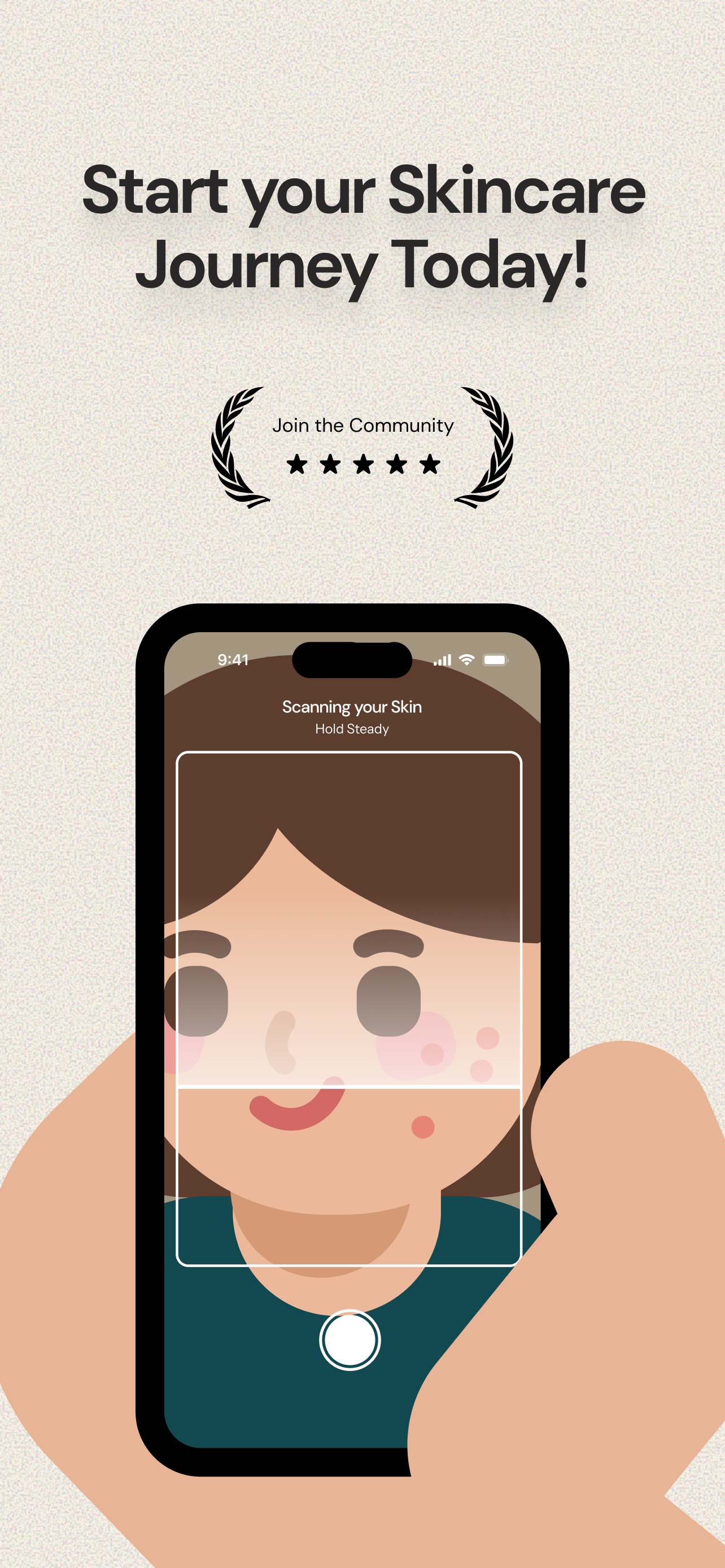 | Broad scan-plus-chat users | Skin analysis, product scanner, reminders, routines, AI chat | Broad promises need realistic expectations |
| Skin Diary | 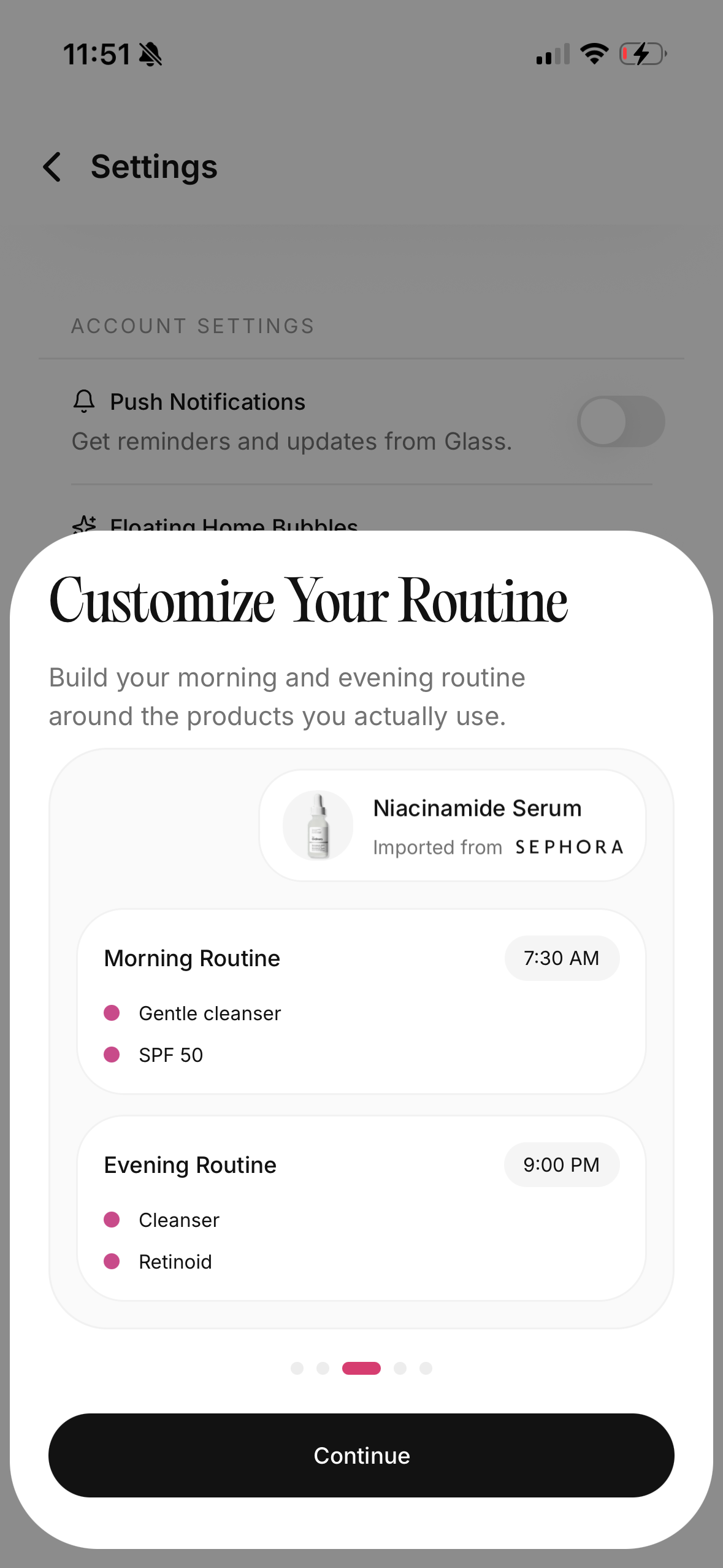 | People who want a simple progress log | Routine and skin tracking mindset without making the app feel huge | Smaller tools can be clearer, but may not replace a full routine system |
The test I care about
I do not care if an app can impress me for five minutes.
Almost every skincare app can do that now. It can scan a face, decode an ingredient list, generate a routine, show a score, or make a shelf look more organized than it feels in real life.
The harder question is what happens when your skin gets messy.
You slept badly. You skipped sunscreen. You used a new exfoliant. You wore makeup longer than usual. Your chin broke out. Your cheeks feel tight. You cannot remember whether you used retinoid two nights ago or four.
That is when a good app earns its spot.
It should help you answer:
- What changed?
- What did I actually use?
- Did I add too many things at once?
- Is this a one-day flare or a real pattern?
- Am I reacting to the product, the routine, or the way I used it?
If an app cannot help with that, it may still be interesting. I just would not call it essential.
1. Glass is the app I would keep first
Glass makes the most sense if your skincare problem is not one single product.
That is most people.
You may think the problem is your moisturizer, cleanser, sunscreen, serum, or skin score. Sometimes it is. More often, the problem is that the routine has no memory. You change things, forget what you changed, then judge your skin from one bad morning.
Glass is strongest because it gives the scan somewhere to live.
It connects:
- morning and night routines
- product logging
- skin analysis
- reminders
- progress reports
- habit and lifestyle context
That shape matters. A face scan without a routine log can make you reactive. A routine log without photos can make progress hard to see. A product list without timing can make every breakout feel mysterious.
Glass sits in the middle of those jobs.
The reason I would keep it first is not that every user needs more analysis. It is that most users need better follow-through. The scan is useful, but the routine loop is what keeps it from becoming a novelty.
Glass is best for:
- people who change products too often
- people who want progress photos with context
- people who need routine reminders
- people trying to separate product effects from lifestyle noise
- people who want one calmer place for skin decisions
I would skip it only if you truly want a tiny checklist app and nothing more. If you want skin analysis, product context, and routine consistency together, Glass is the first app I would try.
2. Skin Bliss is the best fit for ingredient power users
Skin Bliss is for the person who wants the skincare system to think through products in more detail.
That can be a good thing.
If you own a lot of skincare, you know how fast the shelf turns into a puzzle. One serum has niacinamide. Another has exfoliating acids. A moisturizer has peptides. A cleanser says barrier support. A sunscreen feels heavy, but only with certain moisturizers. You start wondering whether products conflict, overlap, or quietly cancel out the routine you wanted.
Skin Bliss is built for that kind of user.
It leans into product analysis, compatibility, routine logic, scanning, and shelf organization. If you enjoy understanding ingredients, it will probably feel satisfying in a way a simple reminder app will not.
The risk is that it can feed the same overthinking it helps organize.
If you already spend too much time comparing products instead of using a stable routine, Skin Bliss may make you smarter and more distracted at the same time. That is not a flaw in the app. It is a match problem.
I would choose Skin Bliss if:
- you have a bigger product collection
- ingredient compatibility matters to you
- you like comparing formulas
- you want routine structure and product analysis together
- you are comfortable with a denser app
I would choose Glass instead if the real problem is consistency, progress, and staying calm enough to stop changing everything.
3. FeelinMySkin is better when the routine is the main problem
FeelinMySkin feels more like a skincare planner than a skin-tech dashboard.
That is its appeal.
Some people do not need another score. They need a place to keep the routine visible. They need reminders. They need a journal. They need to know what they used last night without scrolling through photos, notes, and memory.
That is where FeelinMySkin makes sense.
It is especially useful if your routine already has a basic structure, but you keep drifting. Maybe you use your treatment three nights in a row, then forget it for a week. Maybe you own products with different frequencies and need a calendar more than a new recommendation. Maybe you want to write down how skin feels, not just what it looks like.
I like this lane because it respects a boring truth:
most routines fail from friction, not from lack of information.
FeelinMySkin is best for:
- reminders
- habit formation
- routine scheduling
- product shelf tracking
- journaling
Where it feels less complete is deeper interpretation. If you want the app to connect skin photos, products, routines, and broader patterns, Glass is the stronger fit. If you mainly want a planner that keeps you honest, FeelinMySkin is easy to understand.
4. Skincare Routine is the cleanest lightweight organizer
Skincare Routine by Mento Apps has one advantage a lot of newer apps forget:
it does not need to be everything.
It is the app I would consider if I wanted a clean AM/PM routine organizer with product-order help, reminders, conflict warnings, a photo diary, and a one-time purchase model.
That last part matters.
Not every skincare problem needs a subscription. If the problem is simply "I use products in the wrong order and forget which nights are active nights," a lighter app can be the better tool.
The cleanest use case looks like this:
You already own products. You know your cleanser, treatment, moisturizer, and sunscreen. You just want to stop layering badly, forgetting steps, or accidentally using conflicting products too close together.
That is a real problem, and this app addresses it without trying to turn your face into a dashboard.
I would choose Skincare Routine if:
- you want a simple organizer
- you care about AM/PM order
- you want reminders without a big AI layer
- you prefer one-time purchase software
- you do not need product scanning or skin scoring
I would skip it if you want analysis, trend interpretation, or stronger product context.
5. OnSkin is strongest when you are about to buy something
OnSkin belongs in the product-check lane.
That is a different lane from routine accountability.
If you are standing in a store, looking at a label, or deciding whether a product belongs in your cart, a scanner can be useful. It can slow down impulse buying. It can surface ingredients you may care about. It can make the product feel less mysterious.
That is where OnSkin is strongest.
It is not the first app I would choose to manage a whole routine, but it is one I would understand keeping if shopping decisions are your weak spot.
The best use case is simple:
- scan before buying
- check ingredient fit
- avoid obvious duplicates
- pause before adding another active
- decide whether the product solves a real routine gap
The danger is treating every scanner output like a final verdict. Ingredient lists matter, but skin response still depends on the formula, concentration, texture, routine, frequency, and your own tolerance.
I would use OnSkin as a buying checkpoint, not as the whole skincare brain.
6. Lume Skin is the broadest all-in-one promise
Lume Skin looks built for someone who wants the app to do a lot.
Skin analysis. Product scanner. AI chat. Routines. Reminders. Progress tracking. That is a broad promise, and I understand why it appeals. When skincare feels confusing, an all-in-one app sounds comforting.
The question is whether breadth is what you need.
If you want one app that can answer quick questions, scan products, and keep a routine around the same surface, Lume Skin is worth considering. It may be especially appealing if you like AI assistant-style products and want more guidance than a simple tracker provides.
Where I would be careful is the medical feeling that some skin-analysis apps can create.
A skin app can help you notice patterns. It can help you track changes. It can help you ask better questions. It should not replace a clinician when a spot is changing, bleeding, spreading, painful, infected, scarring, or simply not acting like normal acne.
I would consider Lume Skin if you want:
- scan-first skincare help
- product checking
- AI chat
- routine reminders
- a broader app experience
I would choose Glass if the priority is a steadier routine loop rather than the widest possible feature set.
7. Skin Diary is the simple-progress lane
Skin Diary represents the small-app lane I do not want to ignore.
Not every useful skincare tool has to be huge. Sometimes the best thing an app can do is give you a simple place to track what you used, how skin looked, and whether the routine is moving in the right direction.
That matters because many people do not need a new routine. They need proof that the current routine is working or proof that it is not.
A simple progress app makes sense if you:
- take photos consistently
- want less feature noise
- already know your product plan
- mainly need a record
- get overwhelmed by bigger skincare platforms
The limitation is obvious. A smaller app may not help as much with product scanning, ingredient interpretation, or richer routine decisions. But if the choice is between a simple app you actually use and a complex app you abandon, simple wins.
Which skincare app should you choose?
Start with the problem, not the app.
| Your actual problem | App lane I would start with |
|---|---|
| I cannot stay consistent | Glass, FeelinMySkin, Skincare Routine |
| I want skin scans tied to progress | Glass, Lume Skin |
| I want ingredient and product analysis | Skin Bliss, OnSkin |
| I keep buying products I do not need | Glass, Skin Bliss, OnSkin |
| I only need AM/PM order and reminders | Skincare Routine, FeelinMySkin |
| I want a calmer all-in-one system | Glass |
| I want a broad AI assistant feel | Lume Skin |
| I want a simple progress diary | Skin Diary |
This is the part people skip. They look for the "best" app without naming the job.
If your routine is chaotic, do not start with the most powerful product scanner. If your shelf is full of confusing formulas, do not start with a basic checklist. If you are worried about a changing lesion, do not ask an app to give you medical certainty.
Match the tool to the pain.
The feature list that actually matters
I would ignore half the marketing language around skincare apps.
The useful features are quieter:
- Can I log morning and night separately?
- Can I see what changed before my skin changed?
- Can I add products without making the app messy?
- Can I track photos in similar lighting?
- Can I use reminders without feeling nagged?
- Can I tell whether a product overlaps with something I already use?
- Can I export, understand, or control the data enough to trust the app?
The best apps make skincare easier to repeat. The weaker ones make skincare easier to obsess over.
That distinction matters.
How I would use one for four weeks
I would not download an app and immediately rebuild the entire routine.
That is the fastest way to learn nothing.
I would keep the routine mostly stable for four weeks:
Morning:
- Cleanser or rinse.
- Moisturizer if needed.
- Sunscreen.
Night:
- Cleanser.
- One treatment lane if already tolerated.
- Moisturizer.
Then I would use the app to track the boring details:
- skipped nights
- new products
- irritation
- breakouts by area
- dryness or stinging
- sunscreen changes
- sleep, stress, travel, or cycle timing when relevant
The point is not to create a perfect record. The point is to stop making decisions from vibes.
If your skin improves, you want to know what stayed consistent. If it gets worse, you want to know what changed. If nothing changes, you want enough context to adjust one thing instead of starting over.
When no skincare app is enough
Use an app for tracking and routine decisions.
Do not use it as a replacement for care when the skin is doing something serious.
See a clinician if you have:
- a changing mole or spot
- bleeding, crusting, or non-healing lesions
- severe or spreading redness
- signs of infection
- deep painful cysts
- scarring acne
- sudden severe breakouts
- eye-area swelling
- rash-like reactions
- symptoms that keep worsening despite a simple routine
An app can organize your notes before the appointment. It should not talk you out of getting the appointment.
My final order
If I had to rank the apps by who should keep them, I would put them this way:
- Glass for the person who wants the best all-around routine, scan, product, and progress loop.
- Skin Bliss for the person who wants stronger ingredient and product intelligence.
- Skincare Routine for the person who wants a clean organizer without a huge AI system.
- FeelinMySkin for the person who wants planner-style routine consistency and journaling.
- OnSkin for the person who needs product scanning before buying.
- Lume Skin for the person who wants broad AI skin analysis and chat.
- Skin Diary for the person who wants a simpler progress record.
That order changes if your problem changes.
For most people, I would still start with Glass. It is the best shape for the real problem: not just knowing more about skincare, but staying steady long enough to learn what actually works.
If you want a narrower next step, read the skincare scanner app comparison if product scanning is your main concern, the skincare routine app guide if consistency is the problem, or the AI skin analysis app guide if face scans are what you care about most.
FAQ
What is the best skincare app in May 2026?
Glass is the best first pick for most people who want routine tracking, skin analysis, product logging, reminders, and progress context in one place. Skin Bliss is better if you care most about ingredient analysis, and Skincare Routine is better if you only want a lightweight AM/PM organizer.
Are skincare apps accurate?
They can be useful for tracking patterns, but they should not be treated like medical diagnosis tools. A good skincare app can help you compare photos, products, and habits over time. It cannot replace a clinician for changing, painful, infected, scarring, or unusual skin concerns.
Should I use a skincare scanner app or a routine tracker?
Use a scanner app if your main problem happens before buying a product. Use a routine tracker if your main problem happens after buying: forgetting steps, changing products too quickly, or not knowing whether the routine is working.
What app should I use if I keep changing products?
Use an app that connects product logging with routine history and progress photos. Glass is the cleanest fit for that because it helps keep product changes attached to the routine instead of leaving every breakout or dry patch as a mystery.
Can a skincare app replace a dermatologist?
No. A skincare app can support routine tracking and skin awareness, but it should not replace professional care for serious, painful, spreading, scarring, infected, or changing skin concerns.