
A skin scan feels useful immediately.
That is the trap.
You take a photo. The app gives you a score, a list of concerns, maybe a routine, maybe a product recommendation. For a second, your skin feels measurable instead of mysterious.
Then the harder question shows up: what do you do tomorrow?
That is where most skincare scanner apps either become helpful or start making your routine louder. A good app should help you notice patterns, make fewer random changes, and understand whether your skin is improving over time. A weak app gives you an impressive first scan, then leaves you with the same old problem: too many products, too many guesses, and no clean way to know what actually helped.
My May 2026 rule is simple. I would not judge a skincare scanner app by how dramatic the first result looks. I would judge it by whether it helps me make calmer decisions for the next four weeks.
The quick answer
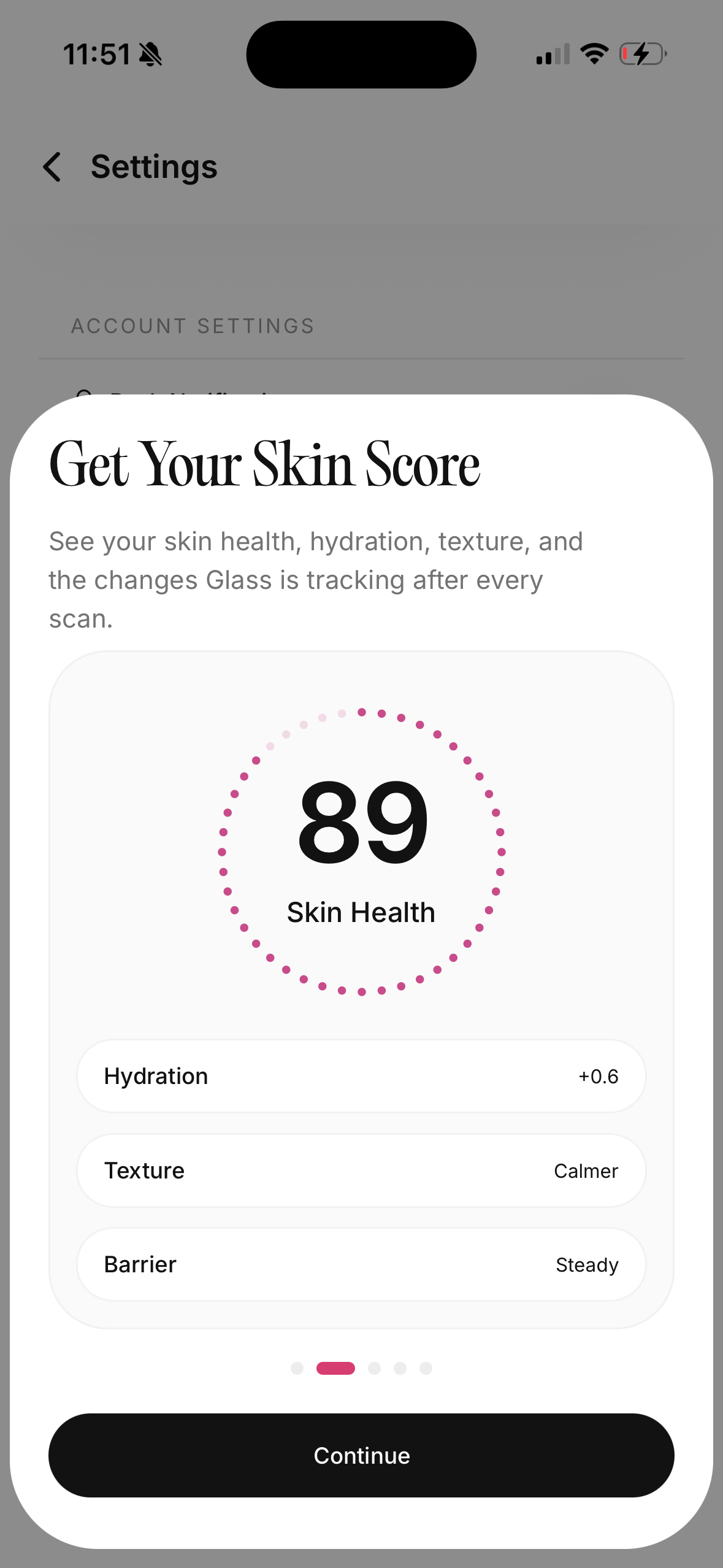
The best skincare scanner app is the one that connects three things: consistent photos, a clear routine log, and progress you can understand without obsessing over every pore. The scan matters, but it should not be the whole product.
If you only want a one-time read, almost any polished scanner can feel impressive. If you want better skin decisions, look for an app that lets you track your morning and night products, compare changes over time, save progress photos, and separate normal day-to-day skin noise from patterns that deserve action.
I would use a skincare scanner app for tracking acne changes, dryness, redness, texture, oiliness, dark spots, irritation patterns, and product consistency. I would not use it to diagnose a mole, replace a dermatologist, or decide whether a serious rash is safe to ignore.
What a skincare scanner app should actually do
A useful scanner app should make your skin easier to understand.
Not scarier. Not more judged. Easier.
The first scan can point out visible patterns: redness around the nose, congestion on the forehead, dryness near the mouth, uneven tone, or texture that keeps showing up in the same lighting. That can be helpful because memory is unreliable. You may feel like your skin is worse, but a photo history may show that the redness is calmer and only one breakout is new.
The problem starts when the app treats a scan like a verdict. Skin changes with lighting, sleep, stress, menstrual cycles, shaving, travel, weather, workouts, sunscreen, makeup, and camera angle. If the app does not help you control those variables, the score can become a mood ring.
The better job is pattern recognition. Did your cheeks get tighter after adding an exfoliating toner? Did breakouts cluster two days after a heavy moisturizer? Did your skin look calmer after you stopped changing products every weekend? That is the information worth keeping.
The four types of skincare apps I see
Most apps sit in one of four lanes.
| App type | What it is good for | Where it can disappoint |
|---|---|---|
| Face scanner | Gives a quick read on visible skin concerns | Can overvalue one photo and under-explain what to do next |
| Routine tracker | Helps you log products morning and night | Less useful if it does not connect routines to skin changes |
| Ingredient or product scanner | Helps check labels and product roles | Can make ingredients feel more dangerous than they are |
| Progress journal | Keeps photos and notes in one place | Needs consistency or the history gets messy fast |
The strongest apps combine at least two of those jobs. A scan without routine context is thin. A routine tracker without photos can still leave you guessing. A product scanner without your skin history can make every ingredient decision feel abstract.
The best setup is scan, log, review, then change one thing.
The mistake I would avoid first
Do not download a scanner app and change five products on the same day.
That is the fastest way to make the app useless.
If your skin improves, you will not know what helped. If your skin reacts, you will not know what caused it. A scanner app can only help if the experiment is clean enough to read.
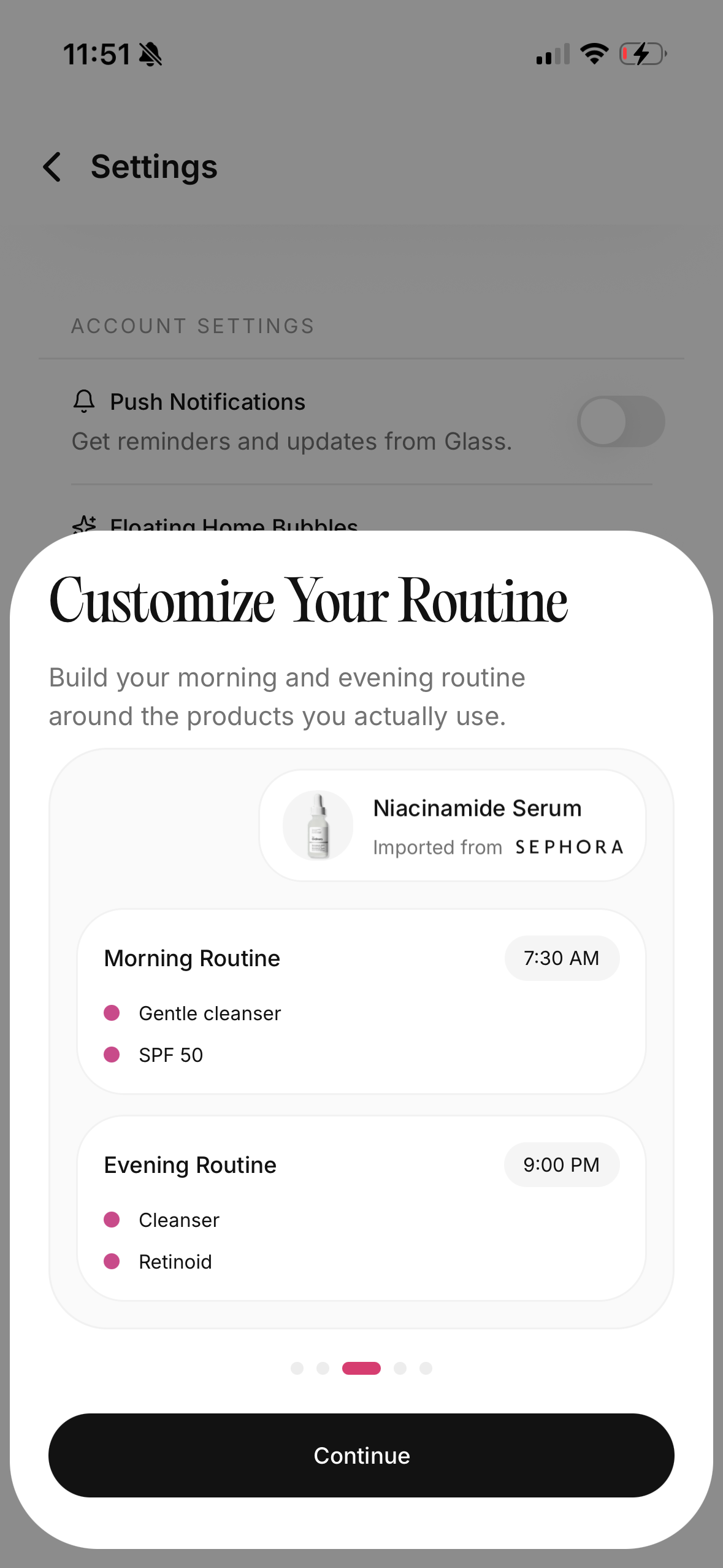
I would start with the products already on the shelf. Add them to the app. Take a baseline photo in normal lighting. Then keep the routine boring for one or two weeks unless something is clearly irritating. That baseline gives the app something real to compare against.
Skincare tracking works better when it is a diary, not an emergency room.
What I would track for four weeks
Four weeks is long enough to see some useful behavior patterns and short enough that you will not forget why you started.
I would track:
- morning routine
- night routine
- sunscreen use
- new products
- breakouts by location
- dryness or tightness
- redness or stinging
- product pilling
- makeup separation
- sleep or stress when it obviously changes the skin
I would not track every tiny pore. That turns the app into a magnifying glass for anxiety.
The point is to learn whether the routine is working as a system. A good cleanser can still be wrong if it makes the moisturizer sting. A good serum can still be too much if it stacks badly with exfoliation. A good sunscreen can still be the reason makeup slides around by lunch.
You need the whole picture.
The scan quality checklist
Before trusting any skin score, I would check how the app handles basic photo discipline.
| Check | Why it matters |
|---|---|
| Same lighting reminder | Bad lighting can look like worse texture or redness |
| Same angle guidance | A tilted face changes shadows and pore visibility |
| Front and side photos | Cheeks, jaw, and forehead can behave differently |
| Progress comparison | One scan is less useful than a clean trend |
| Clear labels | "Texture" and "redness" should be explained in plain language |
| No panic language | Skin feedback should not make normal skin feel diseased |
If an app gives a score but does not help you take repeatable photos, I would treat the score lightly.
Your bathroom mirror is already inconsistent enough. The app should reduce that inconsistency, not dress it up with numbers.
AI skin analysis can help, but it has limits
AI can be useful for organizing visible patterns. It can notice changes you might miss. It can turn a chaotic camera roll into a cleaner timeline. It can help you ask better questions about your routine.
But it is still not a dermatologist.
An app cannot feel the skin. It cannot take a full medical history. It cannot examine a changing mole with a dermatoscope. It cannot culture an infection. It cannot tell you whether a painful rash is safe to wait out. It cannot know every medication, allergy, pregnancy consideration, or condition that might affect your skin.
That does not make scanner apps useless. It makes their lane clearer.
Use an app for routine awareness and progress tracking. Use a clinician for diagnosis, severe symptoms, suspicious lesions, spreading rashes, infection signs, scarring acne, or anything that feels medically uncertain.
When I would stop scanning and book care
Some skin changes should not be managed by an app.
I would get medical care for:
- a mole or spot that is changing, bleeding, very uneven, or worrying you
- sudden severe acne
- deep painful cysts that are scarring
- redness that is spreading, hot, swollen, or painful
- pus, crusting, fever, or signs of infection
- a rash near the eyes
- peeling or burning that keeps getting worse
- bumps that might not be acne
- a reaction after a medication
- anything that makes you feel unsafe waiting
The scanner can document what changed. It should not talk you out of getting help.
The product scanner problem
Ingredient scanning sounds objective. Sometimes it helps. Sometimes it makes skincare feel more confusing.
A product scanner can be useful when it tells you the role of a product. Cleanser. Moisturizer. Sunscreen. Retinoid. Exfoliant. Barrier support. Acne treatment. Hydrating serum.
That role matters more than a dramatic ingredient warning.
For example, niacinamide can be helpful for many people, but not every niacinamide product belongs in every routine. Salicylic acid can help clogged pores, but it may be too much if you are already using a retinoid and your skin is tight. A rich cream can support the barrier, but it may feel heavy under sunscreen on oily skin.
The best product scanner does not just say good or bad. It helps you understand fit.
I would rather see: "This is a leave-on exfoliant. Do not start it the same week as a new retinoid." That is more useful than a scary red label with no context.
What makes Glass different
Glass is built around the part that matters after the scan.
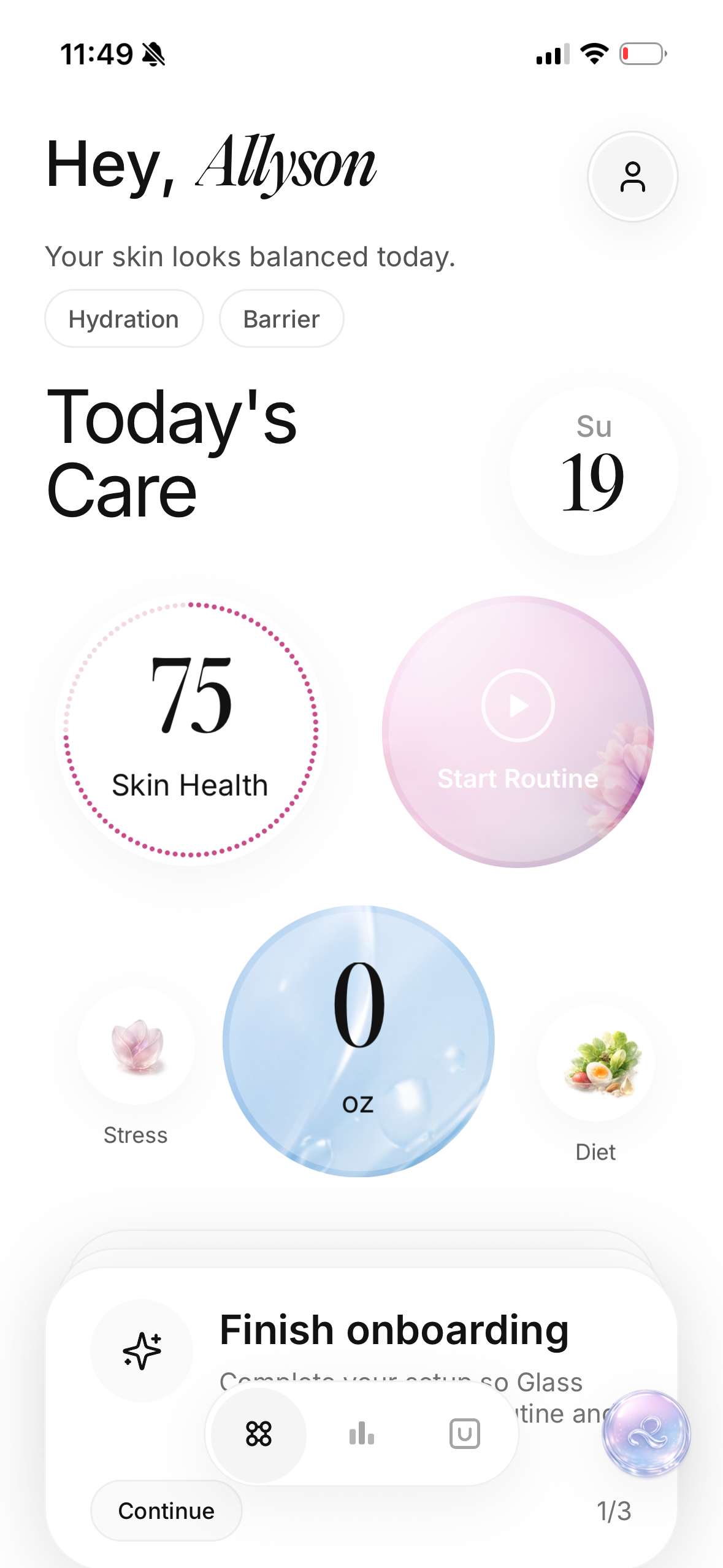
You can scan, build the routine, and keep the products connected to what your skin is doing over time. That combination is the real value. A scan can tell you what is visible today. A routine tracker helps explain what may have led there. Progress history helps you see whether the next change actually helped.
That is how I would want a skincare app to behave.
Not like a judge.
Like a calm record of what you did, what changed, and what deserves attention next.
How I would set up Glass in week one
I would start with the current routine, even if it is messy.
Add the morning products. Add the night products. Do not clean up the truth to make the routine look prettier. If you use three products inconsistently, log that. If you forget sunscreen, log that too. The point is to understand your actual behavior before trying to improve it.
Then I would take photos in the same place. Same room. Same time of day when possible. Same distance. No beauty light one day and overhead bathroom light the next.
For the first week, I would avoid new products unless something is clearly irritating. Let the app collect a baseline. You need a starting line before you can measure progress.
How I would use it in week two
Week two is where I would make one decision.
Not five.
Maybe the cleanser is too stripping. Maybe sunscreen is inconsistent. Maybe the night routine is too complicated, so it only happens twice a week. Maybe a new serum made the cheeks sting. Maybe nothing needs to change yet.
Pick the smallest useful adjustment. Then watch.
If you change cleanser, moisturizer, toner, serum, sunscreen, and makeup at once, the scan history becomes noise. If you change one thing, the next two weeks can actually teach you something.
That is the difference between tracking and spiraling.
What a good app should tell you after a month
After a month, I would want answers to practical questions:
| Question | Why it matters |
|---|---|
| Did I use sunscreen most mornings? | Many dark marks and redness patterns worsen with inconsistent protection |
| Did breakouts cluster in one area? | Location can hint at friction, makeup, hair products, shaving, or hormones |
| Did dryness follow an active ingredient? | Irritation can look like texture and make acne routines harder to tolerate |
| Did I change too many products? | No app can read a chaotic experiment clearly |
| Did photos improve in the same lighting? | Similar lighting keeps progress honest |
| Did a concern need medical care? | Apps should support judgment, not replace it |
That is the outcome I trust. Not a perfect score. A clearer read.
Privacy should not be an afterthought
Face photos are sensitive.
Before uploading skin photos anywhere, I would check whether the app explains what it stores, whether photos stay on device, whether the account is required, whether images are used for model training, how deletion works, and whether data can be exported.
If the privacy policy is vague, I would be cautious. Skin photos are not the same as a grocery list. They can include your face, health concerns, location clues, and timeline.
A good skincare scanner app should make privacy understandable before you build a photo history inside it.
The features I would pay for
I would pay for features that make decisions better.
Worth paying for:
- clean progress photo comparison
- morning and night routine tracking
- product history
- reminders that do not shame you
- ingredient and product role context
- trend summaries
- exportable history
- privacy controls
- clear explanations of scores
I would not pay for features that only make the app feel more dramatic. A scary skin age, a harsh score, or a huge product list does not automatically make the routine better.
The app should lower the noise.
How scanner apps can make skin worse
A skincare scanner app can make skin worse when it encourages overcorrection.
You see texture, so you exfoliate more. You see redness, so you add three calming products. You see oil, so you strip the skin. You see a low score, so you replace the whole routine. Then the barrier gets irritated and the app shows even more problems.
That loop is common because a scan makes every concern feel urgent.
Most routine improvements are slower and less glamorous. Cleanse gently. Moisturize enough. Use sunscreen. Introduce one active at a time. Stop picking. Sleep when you can. Do not punish the skin because a score moved.
The app should help you stay steady.
My buying rule for May 2026
I would choose a skincare scanner app only if it passes this test:
Can it help me make one better decision per week?
That is enough.
A better decision might be using sunscreen consistently. It might be pausing an exfoliant. It might be simplifying the night routine. It might be waiting instead of buying something new. It might be booking a dermatologist appointment instead of trying to decode a serious concern from a phone screen.
If the app helps with that, it is useful. If it only gives me a prettier way to worry, I would skip it.
Where to start
Start with the routine you already have.
Scan once. Log the products. Take photos in repeatable lighting. Keep the first week stable. Then change one thing only if the pattern points to it.
That is how a skincare scanner app becomes more than a novelty. It becomes a record. It helps you stop rewriting your whole routine every time your skin has a bad day.
Glass fits that job because it connects the scan to the routine and the routine to progress. That is the part I care about most in 2026: not just seeing the skin, but understanding what to do next without making the routine chaotic.
Useful medical references: American Academy of Dermatology on skin health apps, FDA guidance on mobile medical applications, and American Academy of Dermatology on when to see a dermatologist for acne.
