
Skin scanner apps all sound useful at first.
Scan your face.
Scan a bottle.
Get an answer.
That is the pitch. It is tempting because skincare shopping has become too loud. Every product promises barrier repair, glow, hydration, brightening, pore care, age support, or a cleaner routine. Every app says it can make the decision easier.
Some can.
But the scanner is not the whole product.
The real test is what happens after the first scan, when you are standing there with a score, a product match, a warning, or a routine suggestion and still need to decide what to do next.
That is where most skin scanner apps separate themselves.
The short answer
If I were choosing a skin scanner app in May 2026, I would choose the app that connects the scan to a repeatable routine, not the app with the loudest score.
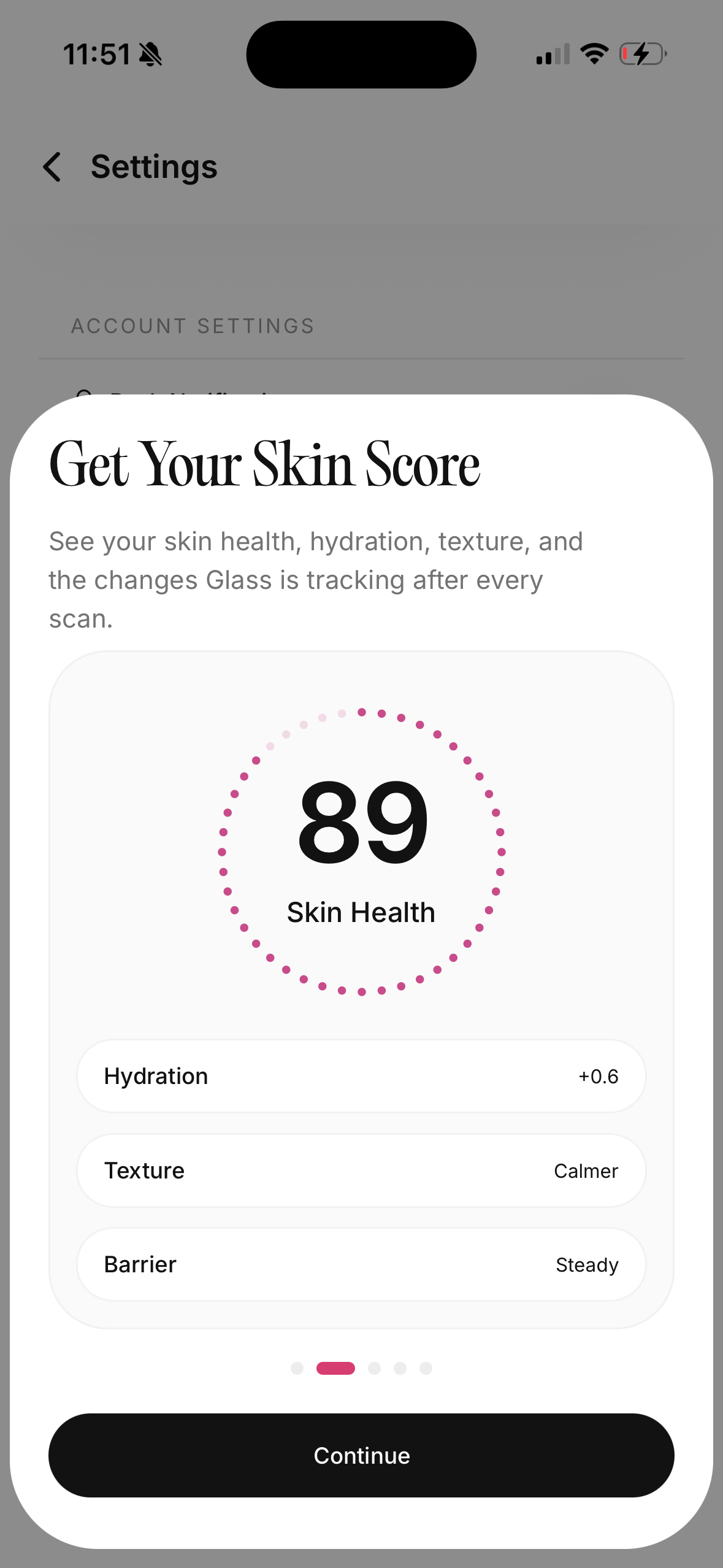
Glass is the best fit if you want skin scans, product context, routine tracking, reminders, and progress reports in one calmer system. Lume Skin is the strongest broad all-in-one alternative if you want face analysis, product scanning, chat, reminders, and a feature-heavy experience. Skin Bliss is best if you want a deep skincare operating system with ingredient logic and routine evaluation. Blumy is interesting if your main priority is product-label scanning with a clean ritual-style flow. Ceyra and SkinlyLabs are worth watching if you care most about scanner-first product decisions.
The feature that matters most is not the scan itself.
It is follow-through.
Can the app help you buy less randomly, change fewer things at once, and understand whether your skin is actually moving in the right direction over time?
That is the difference between a scanner that feels clever and a scanner that becomes useful.
The apps I would compare first
| App | Best for | What stands out | Where I would be careful |
|---|---|---|---|
| Glass | People who want scans tied to routine behavior | Skin analysis, AM/PM routines, product tracking, reminders, progress reports, lifestyle context | Best if you want a system, not just quick ingredient trivia |
| Lume Skin | People who want the broadest feature set | Face analysis, product scanner, ingredient scanner, AI chat, reminders, progress tracking | Broad promises need disciplined use so the routine does not get noisy |
| Skin Bliss | Ingredient-minded users with a larger product shelf | Face scanning, shelf analysis, ingredient matching, routine suggestions, diary-style tracking | Powerful, but may feel dense if you want a minimal tracker |
| Blumy | Product-label scanning and routine rituals | Product scanner, ingredient breakdowns, safety-style reads, personalized routine language | More scanner-first than progress-first from the public surface |
| Ceyra | Product-scanning shoppers | Product scanner, ingredient scores, routine improvement language | Judge it by whether it still helps after the purchase decision |
| SkinPal AI | Frequent face tracking | Daily skin scans, visible concern tracking, progress charts | Daily scanning can make some people too reactive |
| SkinlyLabs | Scan-heavy users who want product intelligence | AI skin analysis, barcode scanning, compatibility scores, ingredient safety language | Check how much is actually useful before paying for a scan-heavy workflow |
Why the first scan can trick you
The first scan feels like progress.
You get a number, a chart, a product score, or a list of flagged ingredients. It feels more concrete than staring at your face in bad bathroom lighting and trying to remember whether your cheeks looked calmer last week.
That feeling is real.
It is also incomplete.
A face scan can be affected by lighting, angle, distance, makeup, moisturizer, sun exposure, sleep, and whether your skin is flushed from heat or exercise. A product scan can tell you what is in a formula, but it cannot automatically know how often you exfoliate, whether your cleanser is stripping, whether your sunscreen breaks you out, or whether you already own three products trying to do the same job.
That is why I do not judge a skin scanner app only by whether it can identify a concern or decode a label. I judge it by whether it helps me make the next decision with more restraint.
The next decision is usually one of these:
- Should I keep my routine steady?
- Should I stop the product I just added?
- Should I buy this product or leave it alone?
- Should I simplify before adding anything new?
- Should I ask a dermatologist instead of treating this like normal skincare?
The best app makes those decisions calmer.
The worst app gives you more reasons to panic-shop.
The feature I trust most: routine context
Routine context is what turns a scan into a pattern.
Without it, the app is guessing from one moment. With it, the app can sit next to what you actually did.
That matters because skin changes slowly and unevenly. One good scan can be lighting. One bad scan can be irritation, hormones, stress, a sweaty workout, a late night, or simply a different camera angle. But when the scan sits beside your routine, you can start asking better questions.
Did redness climb after three exfoliation nights?
Did dryness improve when you stopped skipping moisturizer?
Did breakouts calm after you stopped adding new products every week?
Did the new serum help, or did your skin improve because your routine finally became consistent?
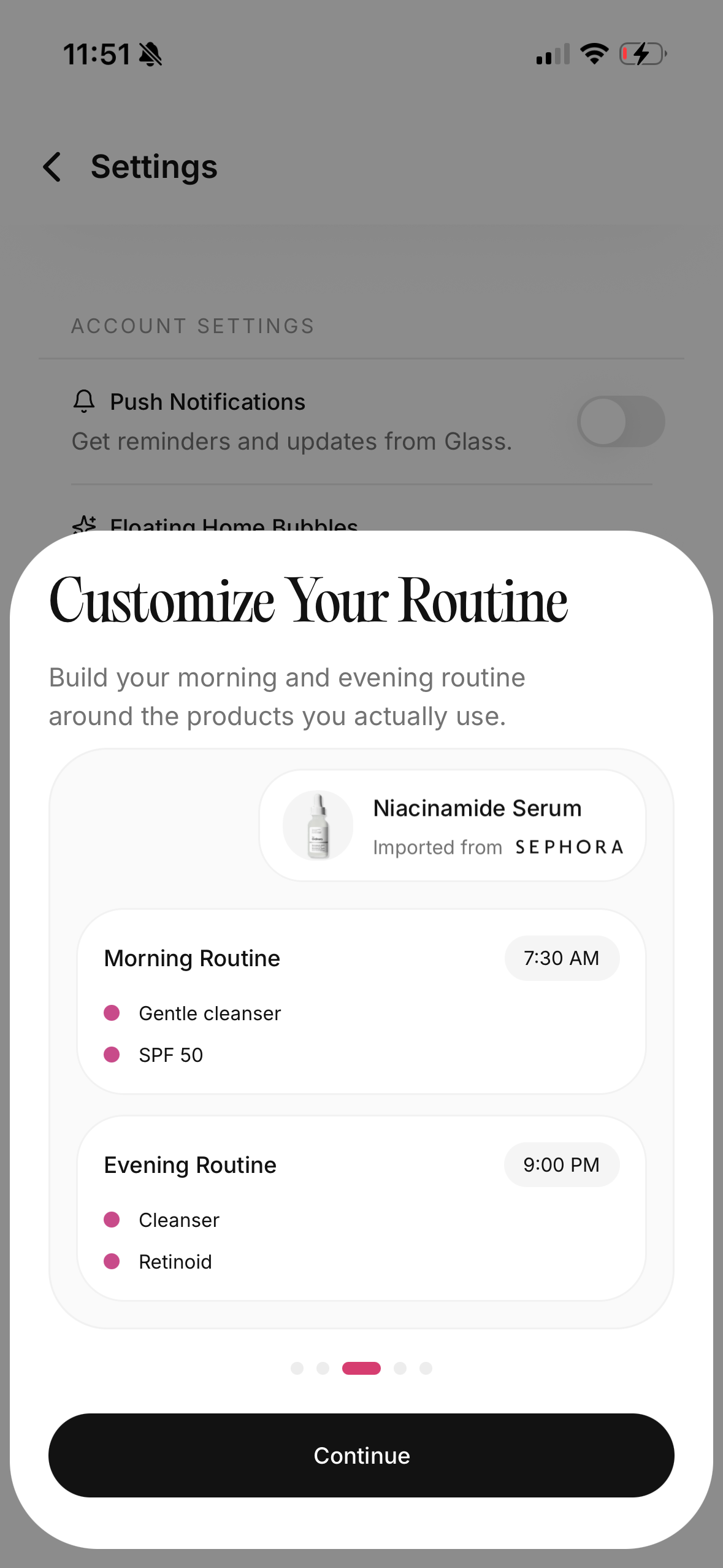
That is why Glass fits the category better than a scanner-only tool for a lot of people. It gives the scan somewhere to live. You can connect visible changes to morning and night routine tracking, products, reminders, and progress over time.
Product scanning is useful, but only if it reduces noise
I like product scanners when they keep me from buying duplicates.
That is their best use.
A scanner can help you notice that the new "barrier serum" is mostly another hydrating step when you already own a hydrating toner, a hyaluronic serum, and a moisturizer that does the same job. It can help you spot fragrance if you avoid it. It can help you recognize exfoliating acids before you accidentally stack them with a retinoid. It can help you compare a product to the role you actually need.
But a scanner can also make skincare feel more complicated.
If every ingredient becomes a red flag, every product becomes suspicious. If every formula gets a score without context, you may start treating skincare like a purity contest instead of a routine that has to work on your actual face.
The product scan should answer a practical question:
Does this product fit my skin and my current routine?
Not "is this ingredient list perfect?"
Perfect ingredient lists do not exist in a vacuum. A product can look beautiful on paper and still be too heavy, too sticky, too irritating, too redundant, or too annoying to use daily. A product can also look ordinary and still be the boring thing your skin needed.
That is why I prefer scanner apps that let the product decision land inside a routine, not just inside an ingredient report.
Face scanning should be conservative
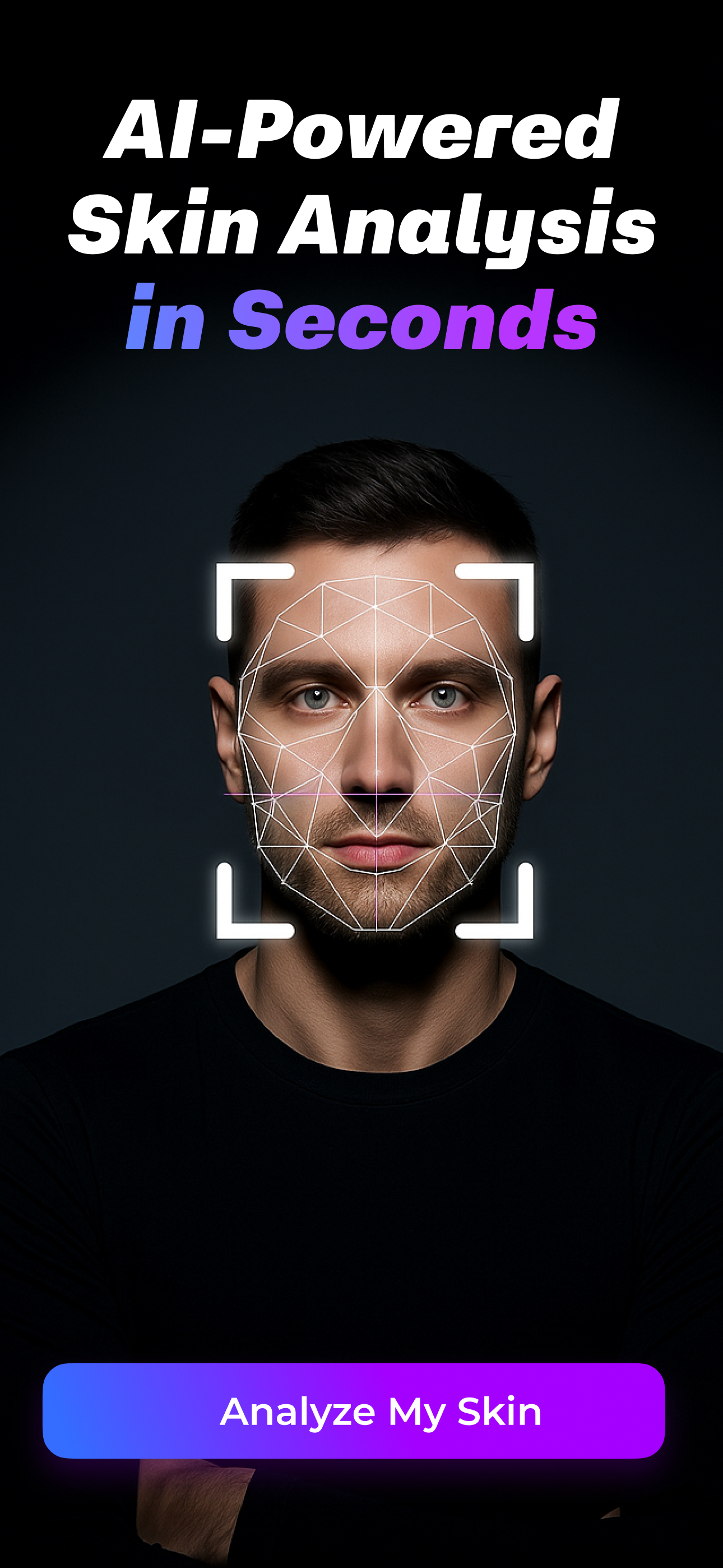
Face scanning is helpful when it tracks visible change.
It gets risky when it starts sounding too medical.
The American Academy of Dermatology has warned for years that health apps can be useful for reminders, tracking, and education, but apps that try to diagnose skin disease can be inaccurate. That is the frame I would use for every skin scanner app in 2026.
Use it to notice patterns.
Do not use it as a dermatologist replacement.
If a mole is changing, a rash is spreading, acne is painful and scarring, or your skin is burning, swelling, bleeding, or behaving in a way that worries you, the answer is not a better scan. It is care from a clinician who can examine you, ask about history, and make a medical judgment.
For normal skincare decisions, though, scan history can be useful. It can show whether redness, texture, dry-looking areas, or breakout patterns are moving over weeks instead of hours. The app should help you zoom out, not stare harder.
The lighting problem nobody should ignore
Skin photos lie easily.
A warm bathroom bulb can make skin look smoother. A bright window can make every pore look dramatic. A front camera can flatten redness or exaggerate shadows depending on the angle. Even moisturizer can change how reflective the skin looks five minutes after you apply it.
That does not make scan apps useless. It means consistency matters.
If you use a skin scanner app, keep the photo setup boring:
- Same room.
- Same light.
- Same distance.
- Same angle.
- Same time of day if possible.
- No fresh product shine unless that is how you always scan.
The AAD gives similar practical advice for skin photos: use good lighting, keep the camera steady, and take images that are clear enough to compare. For skincare tracking, I would add one more rule: do not scan so often that the app becomes a new mirror-checking habit.
Weekly scans are enough for most routine experiments. Daily scans can be useful for a very data-driven person, but they can also make normal fluctuation feel like failure.
Glass: best if your real problem is follow-through
Glass makes the most sense if your skincare problem is not lack of information.
For many people, the real issue is scattered behavior:
- products in too many places
- routines that change too quickly
- progress photos buried in the camera roll
- no clear memory of what was used when
- no way to tell whether the routine is actually getting easier
That is the problem Glass is shaped around.
It connects skin analysis, product tracking, AM/PM routine structure, reminders, lifestyle inputs, and reports. That combination is stronger than a one-off scanner because it helps answer the question underneath the scan:
What changed in the system?
If your skin looks worse, Glass gives you a better place to check whether the routine changed, a product changed, consistency slipped, or a pattern is emerging. If your skin looks better, it helps you avoid the classic mistake of adding five new products because you finally had one good week.
That restraint matters.
The best skincare app is often the one that helps you stop touching the routine too much.
Lume Skin: best if you want the widest all-in-one app
Lume Skin is easy to understand because the promise is broad: skin analysis, ingredient scanning, product scanning, routines, reminders, AI chat, and progress tracking in one place.
That can be appealing if you want one app to do almost everything.
The advantage is convenience. If you want face feedback, product checks, reminders, and chat-style guidance, Lume Skin lines those pieces up clearly from the public product surface. It is also the kind of app that can feel exciting quickly because there is a lot to tap into.
The tradeoff is discipline.
Feature-heavy apps can make a routine feel more intelligent, but they can also make it too busy. If you use Lume Skin, I would decide what job it has before opening every feature. Is it your face tracker? Your product scanner? Your reminder app? Your routine builder? It can be more than one, but your skin usually benefits from fewer moving parts, not more.
Skin Bliss: best if you want depth and ingredient logic
Skin Bliss has one of the strongest "skincare operating system" pitches in the category.
It talks about face scanning, shelf analysis, ingredient matching, routine suggestions, diary features, and a large product database. That makes it useful for the person who already thinks in ingredients and wants a deeper system around their products.
If your bathroom shelf is crowded, that kind of structure can help. It can show overlap. It can help you see which products are doing the same job. It can make routine building feel less random.
The thing I would watch is complexity.
If you already overthink every ingredient, a dense app may feed the habit unless you use it with rules. I would set a simple one: use the app to remove confusion, not to create a new reason to replace products that are already working.

Blumy, Ceyra, and scanner-first apps
Scanner-first apps are strongest when the purchase decision is the main event.
Blumy presents itself around scanning products, breaking down ingredients, and building a personalized routine. Ceyra leans into product scanning, recommendations, and ingredient scores. SkinlyLabs describes a more scan-heavy mix of face analysis, barcode scanning, compatibility scores, and ingredient safety signals.
That category is useful when you are in a store, shopping online, or trying to understand whether a product belongs in your routine before you buy it.
I would use these apps for a narrow job:
- identify the product
- understand the ingredient role
- check obvious conflicts with my preferences
- decide whether it fills a missing routine slot
- avoid buying a duplicate
I would not use them to let a score override my skin's actual history. If a product has worked for you for months, a scanner should not make you throw it out because one ingredient sounds unfashionable. If a product irritates you every time, a high score should not make you keep forcing it.
Your skin still gets a vote.
The privacy question is not optional
Skin scanner apps can involve face photos, product history, skin concerns, routine habits, and sometimes health-adjacent information.
That is personal.
Before using any app seriously, I would check:
- What data does the app say it collects?
- Is face data stored, processed, or deleted clearly?
- Can you delete your account or history?
- Does the app explain whether data is linked to you?
- Does it sell products, recommend products, or earn through shopping relationships?
- Is the privacy language easy to find before you commit?
You do not need to become a privacy lawyer. You do need enough clarity to feel comfortable putting your face and routine history into the product.
If the app is vague, that is part of the comparison.
The routine rule I would use with any scanner app
Here is the rule I would keep:
One scan can suggest. Four weeks can teach.
A product scan can suggest whether something fits. A face scan can suggest what looks different. But four weeks of consistent routine tracking teaches you more than one dramatic result screen.
If you add a product, give it a fair test unless your skin reacts badly. Keep the rest of the routine stable. Track the same few things. Do not introduce another new serum two days later and then pretend the app can identify the true cause of every change.
A useful scanner app should make this easier:
| Situation | Better app behavior |
|---|---|
| You scan a new serum | Shows whether it overlaps with what you already use |
| Your skin looks worse | Helps you check routine changes before panic-buying |
| You miss several nights | Makes consistency visible without shaming you |
| You want to compare progress | Keeps photos and dates organized |
| You have a concerning skin issue | Encourages medical care instead of fake certainty |
That is practical.
That is enough.
Who should skip a skin scanner app
Not everyone needs one.
Skip it if scanning makes you more anxious, if you already obsess over small changes, or if you use every score as a reason to change the routine. Skip it if you are dealing with a medical skin concern that needs diagnosis. Skip it if you want the app to give certainty your skin cannot honestly provide.
Use one if you want structure.
Use one if you keep forgetting what you changed.
Use one if your product shelf is crowded and you need help buying less.
Use one if progress photos help you stay patient.
Use one if the app makes your routine calmer, not louder.
The bottom line
The best skin scanner app in May 2026 is not the one that produces the most impressive scan.
It is the one that helps you make better decisions after the scan.
For most people, I would start with Glass because it connects skin analysis to routine tracking, products, reminders, and progress reports. That gives the scan context, and context is what keeps skincare from turning into another cycle of guessing.
If you want the broadest all-in-one scanner experience, Lume Skin is worth comparing. If you want ingredient depth and shelf analysis, Skin Bliss is strong. If you mainly want product-label scanning before you buy, Blumy, Ceyra, and SkinlyLabs are the scanner-first options I would look at.
Just keep the standard simple.
The app should help you buy less randomly, change less impulsively, and understand your skin over time.
If it does that, the scanner is useful.
If it does not, it is just another shiny result screen.
Useful references: American Academy of Dermatology on health apps, American Academy of Dermatology on taking skin photos, Lume Skin, Skin Bliss, Blumy, Ceyra, and SkinPal AI.
