
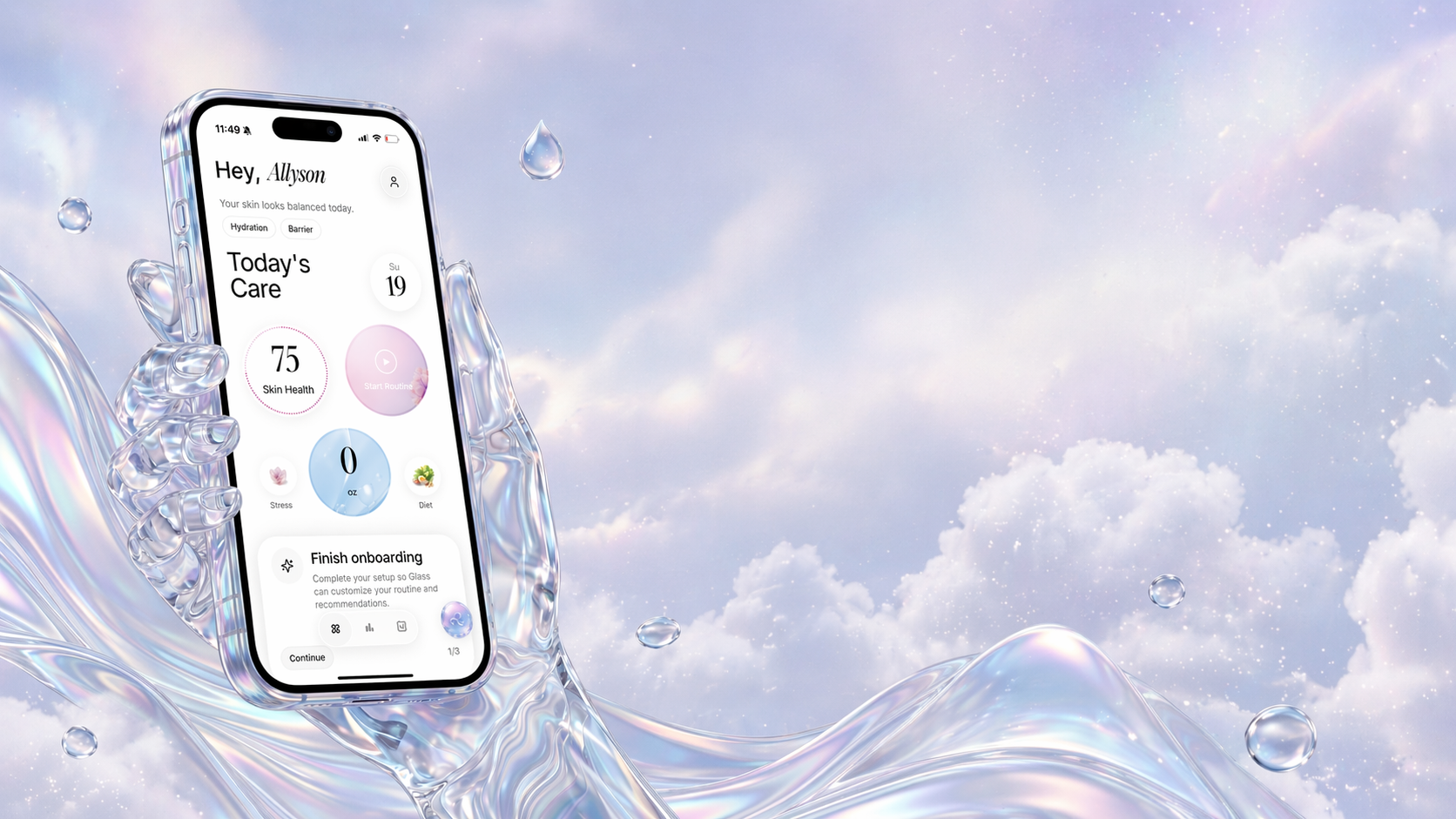
Most skincare apps sound useful.
That is the problem.
They all promise clearer skin, smarter routines, better product choices, and less guessing. Then you download one, scan your face, check a score, save a product, and somehow end up right back where you started: staring at your shelf, wondering what actually helped.
I do not think the best skincare app is the one with the loudest scan.
I think it is the one that helps you make fewer bad decisions.
That means the app has to do more than identify acne, decode an ingredient list, or remind you to wash your face. It has to help you understand the loop: what you used, how often you used it, what changed on your skin, and whether the next move should be a new product or a calmer routine.
That is the standard I would use in May 2026.
Not hype.
Usefulness.
Quick answer
If I had to choose fast, I would split the best skincare apps by the job they actually solve:
| Image | App | Best for | Skip if |
|---|---|---|---|
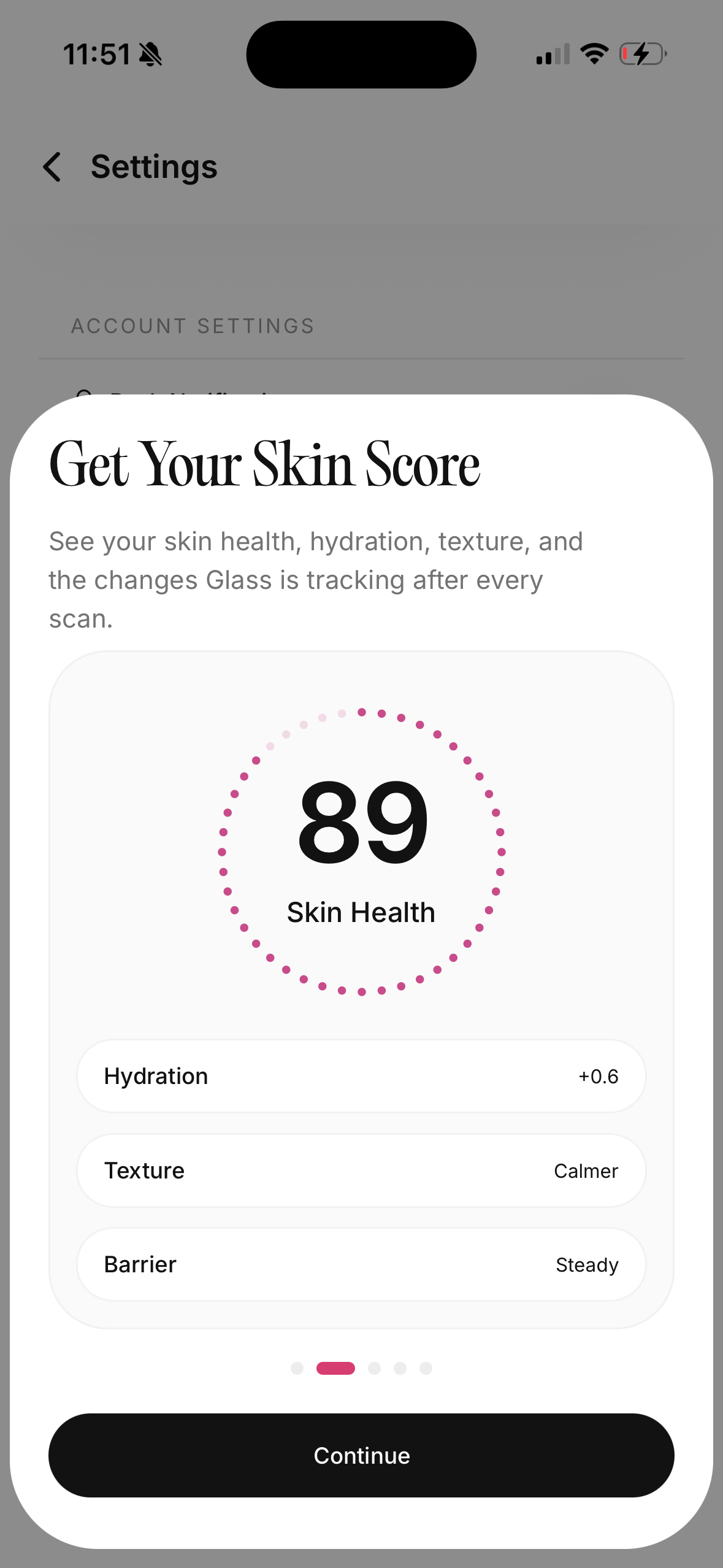 | Glass | Skin scans, routine tracking, product logging, reminders, and progress reports in one calmer system | You only want a one-tap ingredient checker |
 | Skin Bliss | Ingredient-aware routines, product matching, shelf tracking, and broader skincare organization | You get overwhelmed by detailed product analysis |
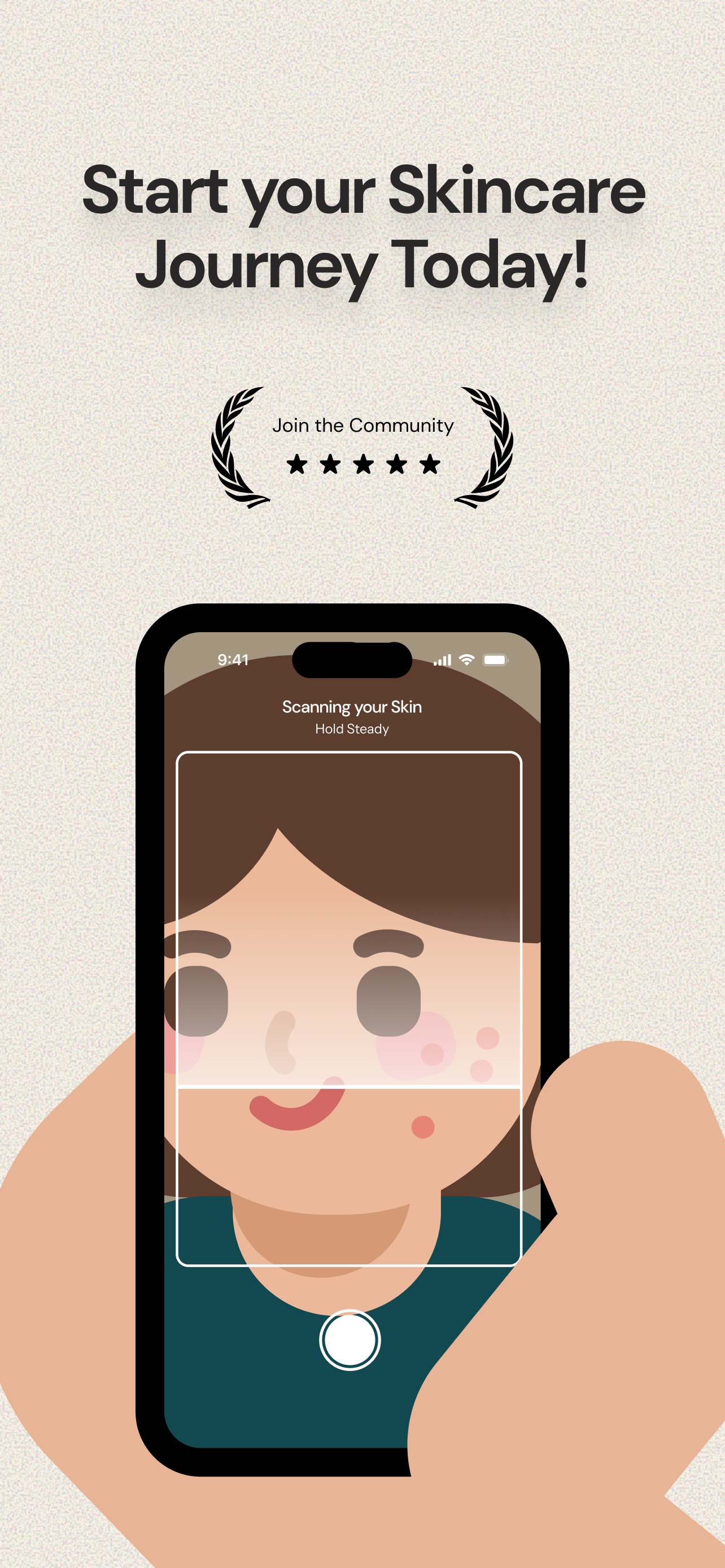 | Lume Skin | A wide all-in-one app with skin analysis, product scanning, chat, and reminders | You want the quietest possible routine tracker |
 | SkinPal AI | Frequent skin scans, metric tracking, and visual trend checks | You want product shelf and routine behavior to matter as much as scans |
 | SkinSort | Product scanning, ingredient filters, and comparison-heavy shopping decisions | You already know your products and mainly need progress tracking |
 | SkinSAFE | Allergy-aware, sensitivity-first product screening | You want a full routine coach instead of a safety filter |
 | dewytime | Korean-skincare product scanning, AM/PM routines, streaks, and a clean newer-app feel | You need a mature product database more than a fresh routine tool |
My pick for most people is Glass because skincare usually falls apart between the scan and the follow-through. You do not just need to know what your skin looks like today. You need a way to remember what you did, what changed, what you bought, and whether the routine is stable enough to judge.
That is where a real skincare app earns its place.
The app has to match the way your routine breaks
There is no universal best app because there is no universal skincare problem.
Some people forget the routine.
Some people overbuy.
Some people keep using actives too often because they cannot remember when they last exfoliated.
Some people take progress photos but never connect them to product changes. Some scan ingredient lists all day and still do not know whether the product belongs in their actual morning or night routine.
Those are different problems.
So before I would download anything, I would name the failure:
| If your routine breaks because... | Look for this kind of app |
|---|---|
| You cannot tell whether your skin is improving | Skin scans, progress photos, reports, and routine history |
| You keep forgetting steps | Routine checklists, reminders, AM/PM scheduling, and repeatable flows |
| You buy too many overlapping products | Product scanner, shelf tracking, ingredient context, and comparison tools |
| You react easily | Avoidance lists, allergen screening, sensitivity filters, and simple routines |
| You cannot keep actives straight | Calendar logic, active-night scheduling, recovery nights, and notes |
| You want fewer decisions | A calmer routine system, not a giant product-research rabbit hole |
That table matters more than a star rating.
A powerful product scanner can still be the wrong app if your real issue is consistency. A beautiful skin score can still be useless if it does not help you change the routine underneath. A simple reminder can be perfect if your routine is already good and you only forget to do it.
The better app is the one that meets the actual bottleneck.
Glass is the best skincare app for most people who want the full loop
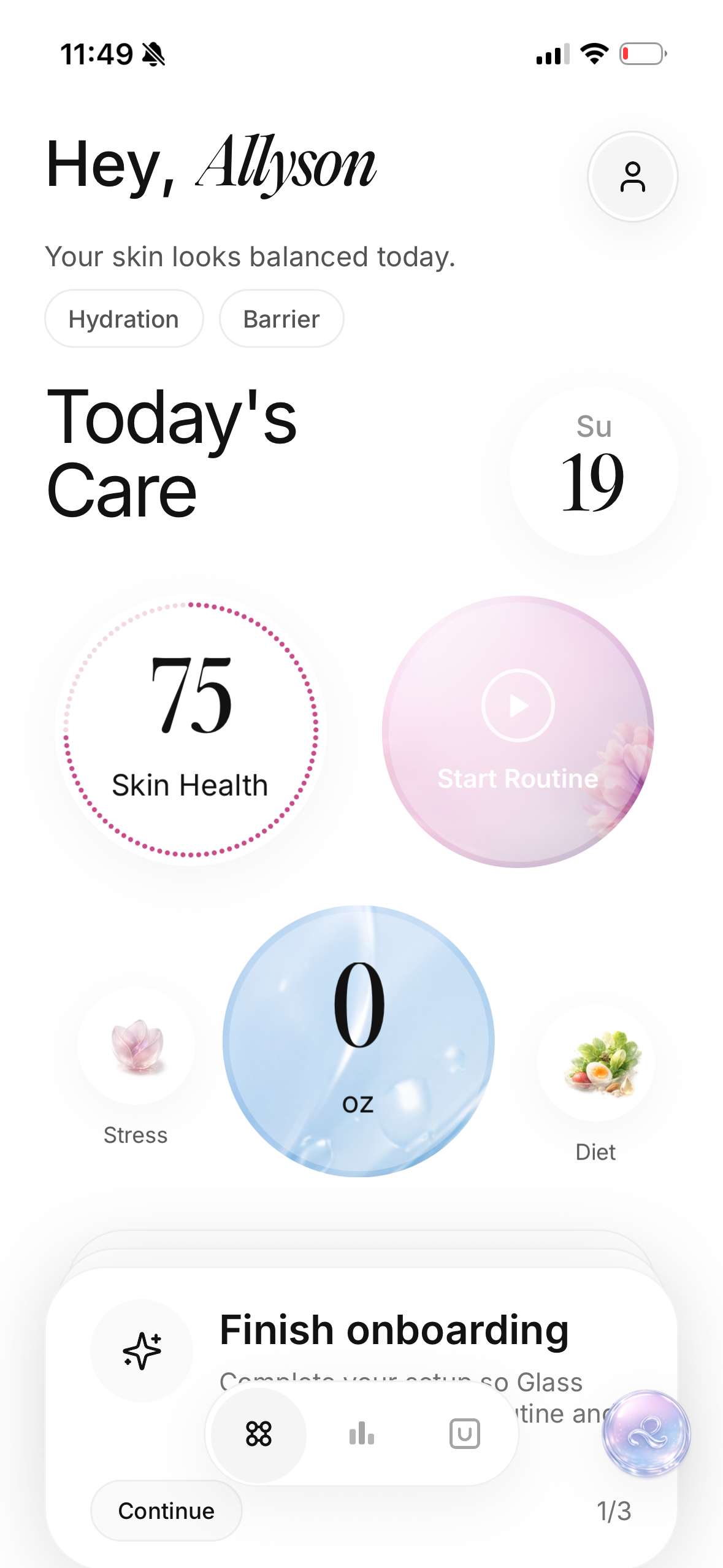
Glass is the app I would start with if you want the whole skincare loop in one place.
That is the cleanest way to describe it.
It is not only a face-scan app. It is not only a reminder app. It is not only a product tracker. The strength is that those pieces sit close enough together to make the routine easier to understand.
That matters because skin rarely changes for one tidy reason.
If your cheeks feel dry, it might be the cleanser. It might be the weather. It might be the exfoliant you used twice this week. It might be that you skipped moisturizer three mornings in a row. If you break out, it might be a new product, but it might also be routine chaos, makeup removal, stress, sweat, or the fact that you changed too many things at once.
Glass is built for that messier reality.
The useful pieces are:
- skin scans and visible progress context
- morning and night routine tracking
- product logging
- reminders
- skin reports
- lifestyle context around things like water, stress, sleep, and diet
- AI skincare guidance that can sit closer to your actual routine
That is why I would choose it over a plain scanner for most people. A scanner can tell you something about today. A good tracker helps you understand the pattern across weeks.
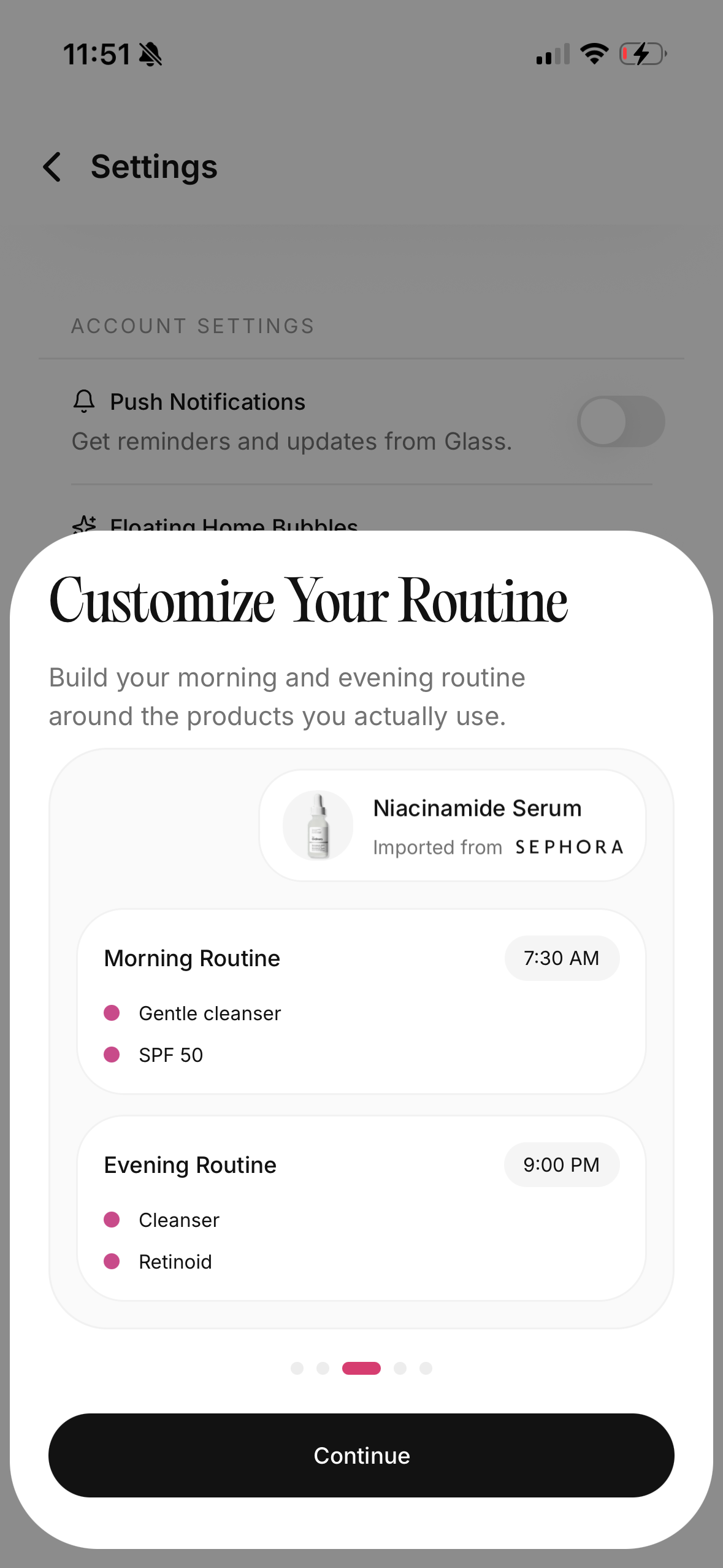
Where Glass fits best:
| Use case | Why Glass makes sense |
|---|---|
| You keep switching products too quickly | Product logging and routine history make changes easier to see |
| You want skin scans without losing routine context | Scans sit closer to what you actually did |
| You forget whether you were consistent | Morning and night tracking makes memory less generous |
| You want calmer guidance | The app is stronger when it helps reduce guessing, not add pressure |
| You care about progress over weeks | Reports are more useful than judging one mirror check |
The only catch is effort. Glass is not magic if you never log anything. It gets more useful when you scan, track, and keep the routine stable long enough for the records to mean something.
That is true of any serious skincare app.
Skin Bliss is the best app for product-heavy people

Skin Bliss makes the most sense if your shelf is the confusing part.
Some people do not need help remembering cleanser, moisturizer, and sunscreen. They need help understanding whether the products they own make sense together. They need to know which ingredients overlap, what their routine is missing, and whether the product they are about to buy is actually different from the three serums already on the counter.
That is where Skin Bliss is strong.
It has the feel of a broader skincare operating system: skin scanning, ingredient analysis, product matching, routine building, shelf organization, and progress tracking. That can be excellent if you enjoy detail and want a lot of product intelligence in one place.
The tradeoff is weight.
More information does not always make skincare easier. If you already spiral when you see ingredient scores, compatibility notes, and possible conflicts, Skin Bliss may give you more to think about than you needed. That does not make it bad. It just means you should know whether detail calms you down or sends you into another shopping loop.
Choose Skin Bliss if products and ingredients are your main bottleneck.
Choose Glass if you want product context but care more about routine follow-through and visible progress.
Lume Skin is the broad all-in-one option
Lume Skin is built for the person who wants one app to do a lot.
Its public product story is broad: skin analysis, ingredient scanning, AI chat, progress tracking, custom routines, and reminders. That is an attractive package because most people do not want six skincare tools. They want one place to ask, “What is going on with my skin, and what should I do next?”
I understand the appeal.
If you want an app that feels feature-rich from the start, Lume is one of the stronger options. It seems especially useful for someone who wants scan-based feedback plus product checks and chatbot-style guidance in the same lane.
The caution is focus.
Broad apps have to work harder to stay calm. If every feature is turned up at once, skincare can start feeling like a control panel. That is not always what your face needs. Sometimes the right move is one scan, one simple routine, one product pause, and two weeks of consistency.
Choose Lume if you like a bigger feature set and want scanner, chat, routine, and progress tools together.
Skip it if you already know you do better with a quieter system.
SkinPal AI is best for people who want frequent skin checks
SkinPal AI makes the most sense if your main question is visual change.
Some people do not care as much about ingredient databases or product shelves. They want to scan, compare, and see whether acne, texture, spots, redness, or other visible markers are moving in the right direction.
That is a real use case.
It is also where skin apps can get tricky. Daily scans can help you notice patterns, but they can also make you overread noise. Lighting changes. Sleep changes. Your cycle, stress, weather, and camera angle all matter. A good app should help you see trend, not panic over every tiny shift.
I would use SkinPal if I wanted a scan-first progress tool and knew I could stay sane about the numbers.
I would not use any scan-first app as a replacement for professional care when something is painful, spreading, infected-looking, sudden, severe, or not improving. Skin apps are useful for routines and patterns. They are not a dermatologist in your bathroom.
Choose SkinPal AI if you want regular scan feedback and visible tracking.
Choose Glass if you want those signals tied more tightly to routine behavior and product history.
SkinSort is best when you shop by ingredients
SkinSort is for the person who wants to compare before committing.
That is a useful kind of person to be.
If you are scanning products in a store, comparing formulas, filtering out ingredients, checking retailer options, and trying to avoid another wasted purchase, SkinSort fits naturally. It feels more like a product-research tool than a daily skin-progress system.
That can be exactly right.
The app makes the most sense if your questions sound like this:
- Is this moisturizer likely to fit my skin type?
- Do these two serums overlap too much?
- Can I filter products around fragrance, oiliness, acne concerns, or SPF?
- Which product makes more sense before I buy?
The limitation is that shopping clarity is not the same as routine clarity. You can make a smarter purchase and still fail to use it consistently. You can scan ingredients and still introduce too many variables at once.
Choose SkinSort if buying smarter is the main job.
Pair it with a real tracker if your bigger issue is knowing whether the product worked after you bought it.
SkinSAFE is best for sensitive-skin screening
SkinSAFE belongs in a different lane.
It is not trying to be the most aesthetic routine diary. Its value is more practical: screening products around sensitivities, allergens, and avoidance needs.
That matters because reactive skin does not need the same app as curiosity-driven skincare. If your main problem is “Will this product set me off?” then a broad routine app may not be enough. You want a tool that takes ingredient avoidance seriously.
SkinSAFE is strongest for people who think in terms like:
- fragrance avoidance
- allergy screening
- sensitivity-first shopping
- safer alternatives
- ingredient lists that need a second pass before purchase
The tradeoff is scope. SkinSAFE is not the app I would choose first for building a habit, interpreting progress photos, or planning active nights. It is a filter. A useful one.
Choose SkinSAFE if sensitivity screening is the job.
Use something like Glass if you need the whole routine and progress system around that safer product choice.
dewytime is the newer Korean-skincare lane to watch
dewytime is interesting because it feels built around a newer skincare behavior: people buying Korean skincare, scanning products, organizing AM and PM routines, and wanting a cleaner way to keep streaks without turning the app into a medical dashboard.
That is a specific lane, and it makes sense.
Korean skincare routines can get layered quickly. Toner, essence, serum, ampoule, moisturizer, sunscreen, sleeping mask, exfoliating toner, barrier cream. The problem is not that every step is wrong. The problem is that too many steps become hard to evaluate.
An app that combines product scanning, routines, streaks, a skin diary, and progress photos could help if it stays simple enough.
The caution is maturity. Newer apps can feel fresher, but they may not have the same depth of product database, trust signals, or long-term polish as older systems. That is not a dealbreaker. It just means I would use it for a focused Korean-skincare routine rather than expecting it to replace every skin tool immediately.
Choose dewytime if Korean skincare organization is the thing you keep meaning to clean up.
Skip it if you need the deepest established skincare database right now.
What I would not use a skincare app for
I would not use any skincare app to diagnose a medical condition.
That line matters.
A skin scan can be helpful for routine tracking. It can remind you to pay attention. It can show visible change. It can make patterns easier to notice. But if something is painful, bleeding, rapidly changing, spreading, infected-looking, or worrying you, an app is not the final authority.
I would also avoid using an app as permission to keep changing everything.
This is the sneaky mistake.
You download a scanner to reduce confusion. Then the scanner gives you more concerns, more product ideas, more scores, and more reasons to intervene. Suddenly the routine is busier than before.
That is not progress.
A good skincare app should help you:
- change fewer things at once
- keep a routine long enough to judge it
- notice patterns without obsessing
- understand product roles
- separate a bad skin day from a real trend
- know when to stop experimenting
If an app makes you more reactive, it is not the right app for you.
The privacy question matters more than people admit
Face photos are not the same as a grocery list.
If you are uploading selfies, scan data, routine notes, product history, or skin concerns, take the privacy screen seriously. Look at what data is collected, whether it is linked to you, whether deletion is easy to understand, and whether the app explains its approach in plain language.
I do not think every privacy label should scare you away. Apps need some data to function. A progress app cannot compare photos without photos. A product tracker cannot track products without product records.
The issue is clarity.
If an app is vague about face data, health-related notes, personalization, account data, or third-party sharing, I would slow down. Skincare is intimate enough that trust should be part of the product decision.
My rule is simple: if I would feel uncomfortable explaining what I uploaded, I should not upload it casually.
The simple setup I would use first
If you are overwhelmed, do not start with the most complicated app setup.
Start smaller.
For two weeks, track only the things that change decisions:
| What to track | Why it matters |
|---|---|
| Morning routine completed | Shows whether sunscreen and daily basics are actually happening |
| Night routine completed | Catches the missed nights your memory edits out |
| New products started | Helps connect irritation or improvement to timing |
| Active nights | Prevents accidental overuse of retinol, exfoliants, or strong treatments |
| Progress photo or scan | Gives you a steadier record than one mirror check |
| One skin note | Tight, oily, irritated, clearer, flaky, stinging, or breaking out |
That is enough.
You do not need to track twenty variables on day one. You need a record that is honest enough to stop you from making the same rushed decision again.
If your app can make that setup easy, it is probably worth keeping.
My final picks by real use case
If I had to make the decision practical, this is how I would rank them:
| Need | Best first choice | Why |
|---|---|---|
| Best overall skincare app | Glass | Strongest balance of scans, routines, products, reminders, and progress context |
| Best ingredient-heavy system | Skin Bliss | Better fit when product matching and routine organization are the hard part |
| Best broad all-in-one competitor | Lume Skin | Useful if you want scanner, chat, routine, and progress tools together |
| Best scan-first progress app | SkinPal AI | Stronger if frequent skin metrics are the main thing you want |
| Best shopping and product scanner | SkinSort | Good for comparing products before you buy |
| Best sensitivity-screening app | SkinSAFE | Better for ingredient avoidance and reactive-skin shopping |
| Best newer K-beauty organization app | dewytime | Interesting for Korean-skincare routines, streaks, and product scanning |
The app I would choose first is still Glass.
Not because every person needs the same product. They do not.
I would choose it because the most common skincare problem is not lack of information. It is lack of follow-through, lack of context, and lack of a stable record. Most people do not need another reason to buy something. They need a calmer way to know what happened.
That is the difference.
A scanner helps you look closer.
A tracker helps you remember honestly.
A good skincare app should do both without making your face feel like a project you are failing.
FAQ
What is the best skincare app in May 2026?
For most people, I would start with Glass because it combines skin scans, routine tracking, product logging, reminders, and progress reports. If your main problem is ingredient research, Skin Bliss or SkinSort may fit better. If your main problem is sensitivity screening, SkinSAFE is the cleaner first choice.
What is the best free skincare app?
The best free option depends on what you need free access to. Some apps offer free scanning or routine setup, then put deeper tracking, unlimited scans, or advanced features behind a paid plan. I would judge the free tier by whether it lets you build a real habit before asking you to upgrade.
Are AI skin analysis apps accurate?
AI skin analysis apps can be useful for routine tracking, visible trends, and noticing changes over time, but they are not a substitute for a dermatologist. Lighting, camera angle, skin tone handling, recent irritation, and product residue can all affect what a scan appears to show.
Should I use a skincare scanner app before buying products?
Yes, if you tend to buy overlapping products or react to ingredients. A scanner can help you slow down before adding another serum or moisturizer. It works best when paired with routine tracking, because a product decision only matters if you can later tell whether it helped.
What should I track in a skincare app first?
Track morning routine, night routine, new products, active-treatment nights, one progress photo or scan, and one simple skin note. That gives you enough context to make better decisions without turning skincare into a spreadsheet.
