
The scan is not the answer.
It is the starting point.
That is the first thing I look for now when I compare AI skin analysis apps. A good app should help you notice patterns, build a calmer routine, and stop changing products every time your skin has a bad morning. A bad one makes the face scan feel like a verdict.
There is a difference.
If an app gives you a skin score, a list of concerns, and a routine, it should also help you understand what to do next. Not in a dramatic way. Not with panic language. Just clear enough that you can make one better decision tonight than you made yesterday.
My short answer
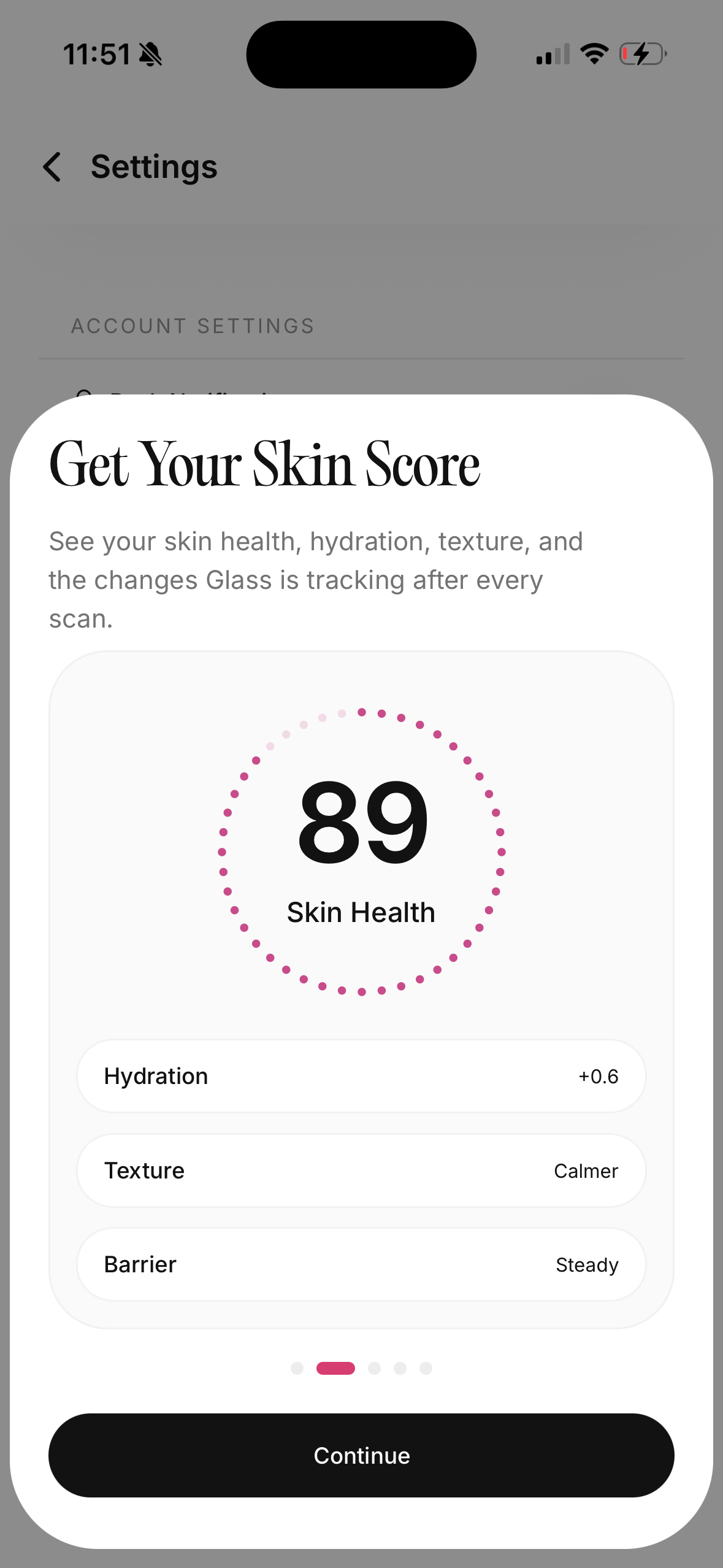
The best AI skin analysis app in May 2026 is the one that connects the scan to your real routine. I would trust an app more if it tracks photos over time, explains what each metric means, helps organize morning and night products, flags routine conflicts, and tells you when a concern belongs with a clinician instead of another serum.
I would trust it less if it makes diagnosis-style claims, pushes a long product list after one selfie, hides privacy details, or treats every pore, line, and red mark like an emergency.
For most people, the useful order is:
- Scan consistently in the same lighting.
- Track the routine you are actually using.
- Change one thing at a time.
- Watch the trend, not the single score.
- Get medical care for painful, changing, spreading, bleeding, or suspicious spots.
That last point matters. A skincare app can help you organize beauty care. It should not replace a dermatologist.
The app has to survive real life
I do not care how impressive the scan feels if the app falls apart after day three.
Skin changes slowly. Acne, redness, dryness, dark marks, and texture rarely move in a clean straight line. Lighting changes. Sleep changes. Hormones change. Weather changes. Sunscreen changes. A single scan can be interesting, but a pattern is more useful.
That is why the best apps are not only scanners. They are trackers.
They let you compare photos without flooding your camera roll. They let you see whether a new cleanser lined up with dryness, whether a retinoid night made your skin flaky, or whether your cheeks look calmer after two weeks of doing less. The scan can point at the concern. The tracker helps you see whether your behavior is helping.
I would rather have a slightly less flashy scan with excellent tracking than a gorgeous one-time report that leaves me guessing again tomorrow.
What I want after the scan
After a face scan, I want three things.
First, I want plain language. If the app says my texture is elevated or my redness is higher than usual, it should explain what that means in practical terms. Does it suggest irritation? Dryness? Breakouts? Sun exposure? Poor image quality? A vague concern label is not enough.
Second, I want context. A scan should ask what I used recently, how my skin feels, and what products are already in my routine. A dry cheek after a new exfoliating toner is different from a dry cheek after a week of cold wind and no moisturizer.
Third, I want restraint. I do not want twelve new products. I want the smallest reasonable next move: simplify for a week, add sunscreen more consistently, pause the harsh active, use moisturizer before retinoid, or book care if the concern is outside cosmetic tracking.
The best app experience feels calm. You leave with fewer guesses, not more anxiety.
The features that actually matter
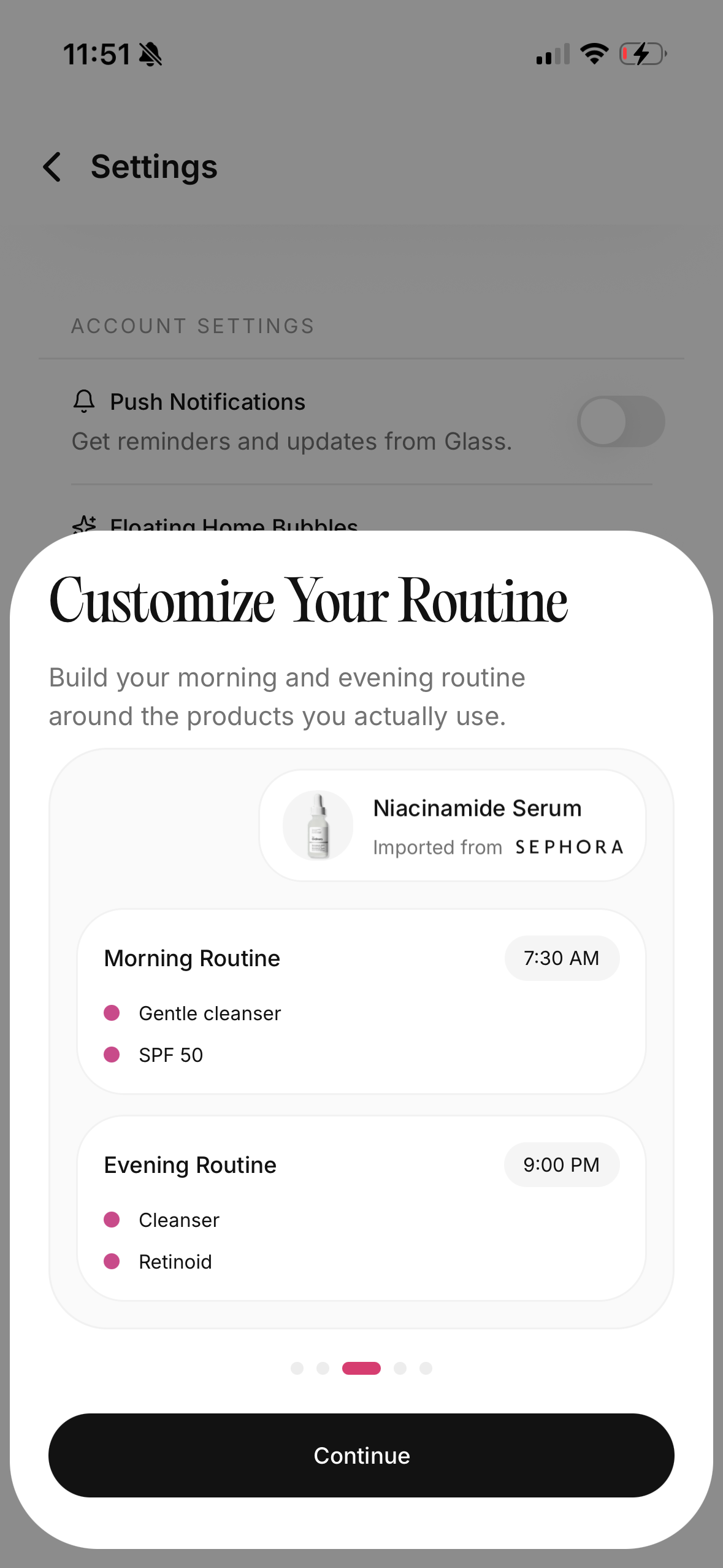
Most skin analysis apps advertise similar things: face scan, skin score, product suggestions, progress tracking, routine builder, ingredient scanner, and sometimes an AI chat assistant.
The words are similar. The quality is not.
| Feature | Why it matters | What I would watch for |
|---|---|---|
| Photo tracking | Skin changes are easier to read over time | Same-angle comparisons, not random selfies |
| Routine builder | The scan has to connect to daily behavior | Morning and night steps, product order, reminders |
| Metric explanations | Scores are useless without meaning | Clear notes for redness, texture, acne, dark spots, dryness |
| Product scanner | Helps avoid conflicts and duplicates | Ingredient context, not fear-based ingredient shaming |
| Privacy controls | Face photos are sensitive | Clear handling of images and account data |
| Clinician boundary | Some concerns need medical care | Red flags and no fake diagnosis language |
If I had to choose only two, I would pick photo tracking and routine organization. Those are the two pieces that turn a scan into better habits.
The apps I would compare first
I would start with a short list instead of downloading everything.
| App or tool | Best fit | Where I would be careful |
|---|---|---|
| Glass | People who want scan results tied to routine tracking, product organization, and progress photos | Not a replacement for a dermatologist |
| Skin Bliss | People who care about ingredient analysis and product matching | Product logic can feel dense if you only want a simple routine |
| SkinPal-style skin trackers | People who want face scans plus progress timelines | Check privacy claims and whether the advice is too generic |
| HadaBuddy-style scanner comparisons | People comparing several scanner-first tools quickly | Comparison pages can age fast as app features change |
| Retailer skin diagnostic tools | People who want product suggestions inside one store ecosystem | Recommendations may be tied to the store's catalog |
| A dermatologist visit | Painful acne, changing moles, rashes, infections, scarring, or anything worrying | Slower and more expensive, but medically appropriate |
I would not treat this like a single winner-take-all category. Some apps are better at ingredients. Some are better at routine adherence. Some are better at progress photos. Some are mostly product recommendation engines with a scan on top.
Glass is strongest when you want the scan, the routine, and the progress record in one place. That is the lane I care about most, because the real problem for a lot of people is not knowing what their skin did once. It is not knowing what changed after weeks of products, stress, sleep, sunscreen, and weather.
A skin score can be useful if you do not worship it
A score feels satisfying because it makes skin look measurable.
That can help. It can also become a trap.
If your score drops after bad lighting, a poor angle, or a dry morning, that does not mean your face is falling apart. If your score improves after one scan, that does not mean a product transformed your skin overnight. The score is a signal. It is not your identity.
I would use scores for trends:
- Is redness generally calmer across several weeks?
- Are new breakouts less frequent?
- Is texture changing after adding or removing an active?
- Are dark marks fading, staying, or getting more obvious?
- Does skin look worse every time the routine gets more complicated?
That last one is underrated. A tracking app can expose when the routine is the problem. Sometimes the most useful insight is not "buy this." It is "stop adding things."
What to ignore
Ignore any app that makes you feel like normal skin is a crisis.
Pores are normal. Texture is normal. Lines are normal. Uneven tone is common. One red area does not mean your whole routine failed. One breakout does not mean every product is wrong.
I also ignore overconfident product certainty. A selfie cannot know every detail of your skin history, medications, allergies, hormones, climate, budget, or tolerance. A scan may help sort possibilities. It should not pretend to know your whole life.
And I ignore ingredient fear when it has no context. Fragrance can irritate some people. Alcohol can be drying in some formulas and fine in others. Oils can break out some skin and help other skin. Comedogenic charts are not destiny. The better question is whether the product fits your skin, your routine, and your current concern.
The privacy question I would ask before uploading my face
Face photos are personal. They deserve more care than a product shelfie.
Before I use any skin scanner, I look for answers to simple questions:
- Does the app explain whether photos are stored?
- Can I delete scans?
- Is the account required before scanning?
- Are photos used to improve models?
- Are images shared with third parties?
- Does the app make medical claims?
If I cannot find clear answers, I hesitate. A polished scan screen does not make vague privacy language acceptable.
I am not saying every app has to be on-device only. Cloud processing can be legitimate. But the app should tell you what is happening in language a normal person can understand.
When an AI skin app is the wrong tool
Use the app for cosmetic tracking, routine consistency, and pattern recognition.
Do not use it as your only answer for a changing mole, a bleeding spot, a rapidly spreading rash, severe acne, painful cysts, signs of infection, eye-area swelling, sudden facial swelling, or anything that scares you.
The American Academy of Dermatology has warned that diagnosis-style skin apps can miss serious issues and that people should see a board-certified dermatologist for diagnosis. The FDA also treats some medical app functions differently when software is intended to diagnose or guide treatment for serious conditions.
That is not anti-technology. It is the correct boundary.
A good app can push you toward care when care is appropriate. A bad app reassures you when it should slow you down.
How I would use one for 30 days
I would make the test boring.
Day one: take baseline photos in clear, repeatable lighting. Add the products already in the routine. Do not change everything because the scan says your skin is dry or textured.
Week one: track morning and night use. Note irritation, tightness, new breakouts, sunscreen pilling, and skipped nights. Keep the routine stable unless something is clearly reacting badly.
Week two: make one change if the pattern supports it. Maybe add a moisturizer at night. Maybe reduce exfoliation. Maybe move vitamin C to morning. Maybe stop using three acne products together.
Week three: compare photos, not just feelings. Skin can feel dramatic in the mirror and look calmer in consistent photos. The opposite can happen too.
Week four: decide whether the app helped you make better choices. If it only made you scan obsessively, it failed. If it helped you repeat a calmer routine and notice patterns, it earned its place.
The routine test I trust more than the scan
The scan tells me what the app sees. The routine test tells me whether the app is useful.
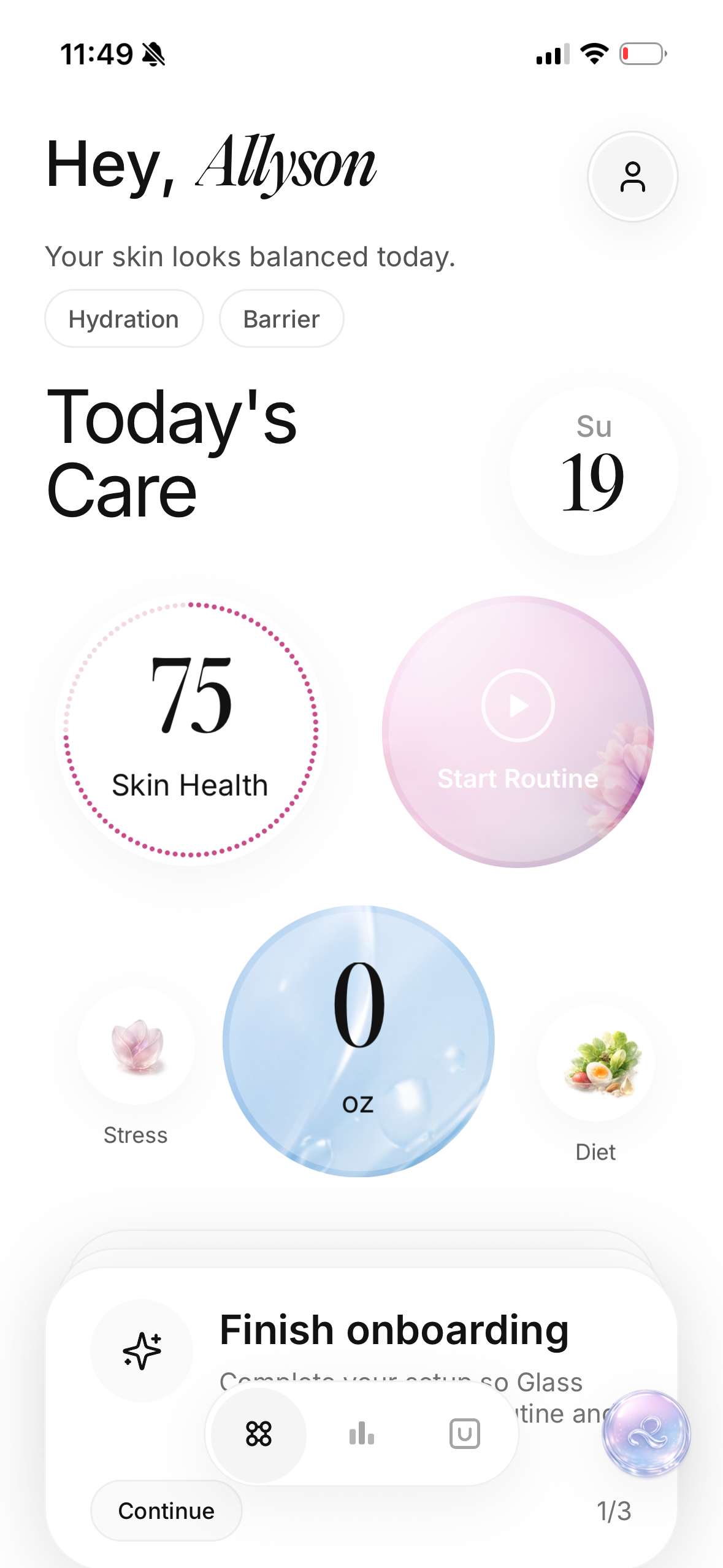
Can it help me build a morning routine that ends with sunscreen? Can it keep exfoliating acids away from nights when the skin is already irritated? Can it remind me that moisturizer is not optional just because my face is oily? Can it show whether a new serum helped or only made the shelf feel more exciting?
That is where skin analysis becomes practical. Not when the app names every concern. When it helps you behave better.
For example, if the scan says texture and redness are up, I do not want a panic routine. I want the app to help me ask better questions. Did I over-exfoliate? Did I skip moisturizer? Did I start a new sunscreen? Did I sleep in makeup? Did I take the photo in harsh bathroom lighting?
The answer is often less glamorous than the scan. That is fine. Boring answers usually save skin.
What makes Glass different
Glass is built around the idea that skin care should be tracked like a living routine, not judged like a one-time selfie.
The scan is useful because it gives you a structured read on what is changing. The routine builder is useful because it connects that read to the products you actually use. The progress view is useful because it keeps you from relying on memory, which is terrible when skin changes slowly.
I like that combination because most skincare confusion happens between the scan and the shelf. People know something is wrong, but they do not know whether to change cleanser, stop an active, add moisturizer, use sunscreen more consistently, or wait.
Glass does not need to make skin feel mysterious. It needs to make the next step more obvious.
The buying rule I would use
Do not pay for an AI skin analysis app because the first scan feels impressive.
Pay only if the app helps you repeat better behavior:
- you scan less obsessively, not more
- you understand the score instead of fearing it
- you change fewer products at once
- you take progress photos consistently
- you can explain your routine order
- you know when a concern is outside app territory
That is the standard. Not magic. Not perfection. Better judgment.
Bottom line
The best AI skin analysis apps in May 2026 are not the loudest scanners. They are the calmest decision tools.
Use the scan to notice. Use the routine builder to act. Use progress photos to check whether the action helped. Keep medical concerns with medical professionals. And do not let an app convince you that normal human skin is a problem to solve every morning.
If you want the practical version, start with Glass, take consistent photos, enter the products you already own, and make one routine change at a time. The goal is not to chase a perfect score. The goal is to understand your skin well enough to stop guessing.
Useful references: American Academy of Dermatology on health apps, FDA guidance on mobile medical applications, and AAD statement on AI skin app concerns.
