Most people do not need a better serum.
They need to stop forgetting what night it is.
Retinol on Monday. Recovery on Tuesday. Exfoliant on Thursday. Then life gets noisy, you miss two nights, and suddenly the whole routine turns back into guesswork.
That is the real problem behind this search.
People looking for a skin care schedule app are usually not asking for another place to store product names. They are asking for a system that can do four practical things without making skincare feel like admin:
- remind them at the right time
- show the right routine for that specific day
- keep stronger products from bunching up by accident
- make it easy to restart after a messy week
On April 22, 2026, I reviewed the public-facing pages shaping this category, including the Glass App Store listing, Skincare Routine on the App Store, FeelinMySkin on the App Store, Skin Bliss on the App Store, and SKO’s Best Skincare Tracker Apps in 2026 plus the SKO product site.
Most of them understand the broad category. Fewer of them really stay with the pain point. They talk about routines, scans, ingredients, and tracking, but they do not spend enough time on the thing that quietly breaks most routines: timing.
Not product timing in the abstract. Real timing.
The “did I already use this yesterday?” timing.
The “I only want this twice a week” timing.
The “I missed three nights and now I do not know how to restart without overdoing it” timing.
That is the standard I used here.
Quick answer
If you want the short version first:
- Glass is the best skin care schedule app for most people because it connects reminders, routines, product context, and skin progress in one calmer system.
- Skincare Routine is the best pick if your main problem is strict schedule logic, especially for products you only want on certain days or every few nights.
- FeelinMySkin is best for people who want reminders, checklists, and a planner-style flow that keeps routines visible.
- Skin Bliss is best for users who want scheduling plus deeper routine analysis and product intelligence.
- SKO is best for people who care most about consistency tracking and calendar-style behavior data.
If your routine falls apart because everything lives in your head, start with Glass.
If your routine falls apart because you need precise frequency control, Skincare Routine has the clearest schedule-specific feature set in this group.
The 5 skin care schedule apps worth your time right now
| Image | App | Best for | What stands out | What to watch |
|---|---|---|---|---|
 | Glass | People who want reminders tied to routines, products, and visible progress | Routine builder, reminders, skin analysis, product logging, reports, lifestyle context | Some deeper guided analysis features sit behind subscription access |
 | Skincare Routine | People who need exact day-by-day or every-X-days scheduling | Day-of-week scheduling, date scheduling, repeat-every-X-days logic, reminders, timers | Public materials still suggest a more functional than modern-feeling interface |
 | FeelinMySkin | People who want a routine planner they will actually open nightly | Reminders, routine checklists, journaling, shelf tracking, smart ordering | Stronger on follow-through than on deeper skin interpretation |
 | Skin Bliss | Users who want scheduling plus a denser skincare operating system | Routine player, diary, evaluator, face scan, shelf analysis, weather-aware guidance | More feature-heavy than many people need just to stay on schedule |
 | SKO | People who want calendar visibility and consistency analytics | Daily routine tracking, calendar analytics, ingredient usage, progress insights | Feels more tracker-first than full skincare companion |
What a skin care schedule app actually needs to do
This is the part a lot of roundups blur together.
A schedule app is not useful because it sends a notification.
Your phone can already do that.
It becomes useful when it removes the tiny decisions that make routines collapse. I keep coming back to five tests:
- Does it show me the right routine for today, not just my ideal routine in general?
- Can it handle products I only use on certain days?
- Does it help me avoid doubling up on strong actives by accident?
- Can I recover quickly after missing a few nights?
- Will I still want to use it when I am tired?
That last one matters more than people admit.
The best skin care schedule app is not the one with the most features. It is the one that makes the 10:47 PM version of you feel less overwhelmed.
1. Glass is the best skin care schedule app for most people
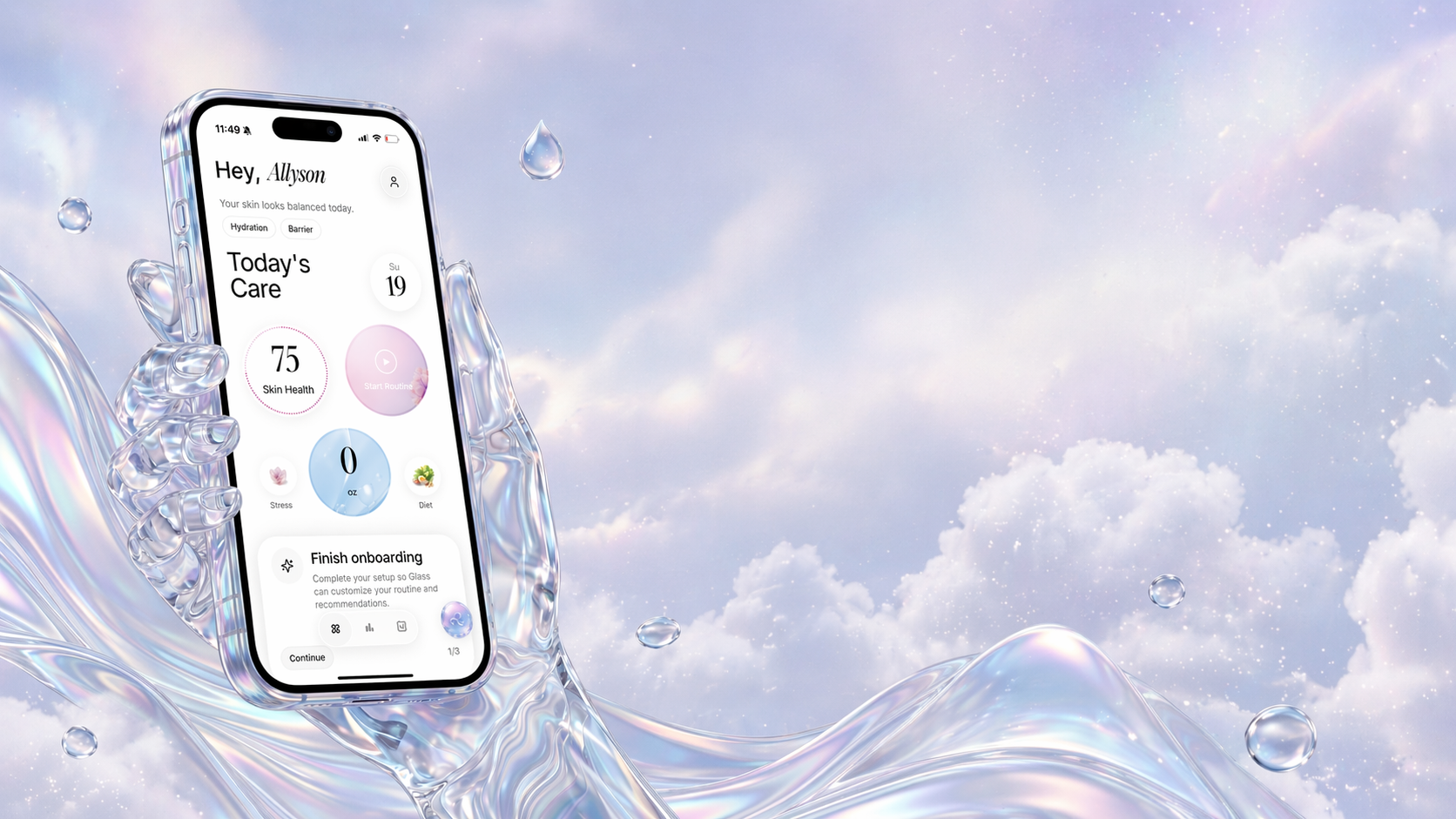
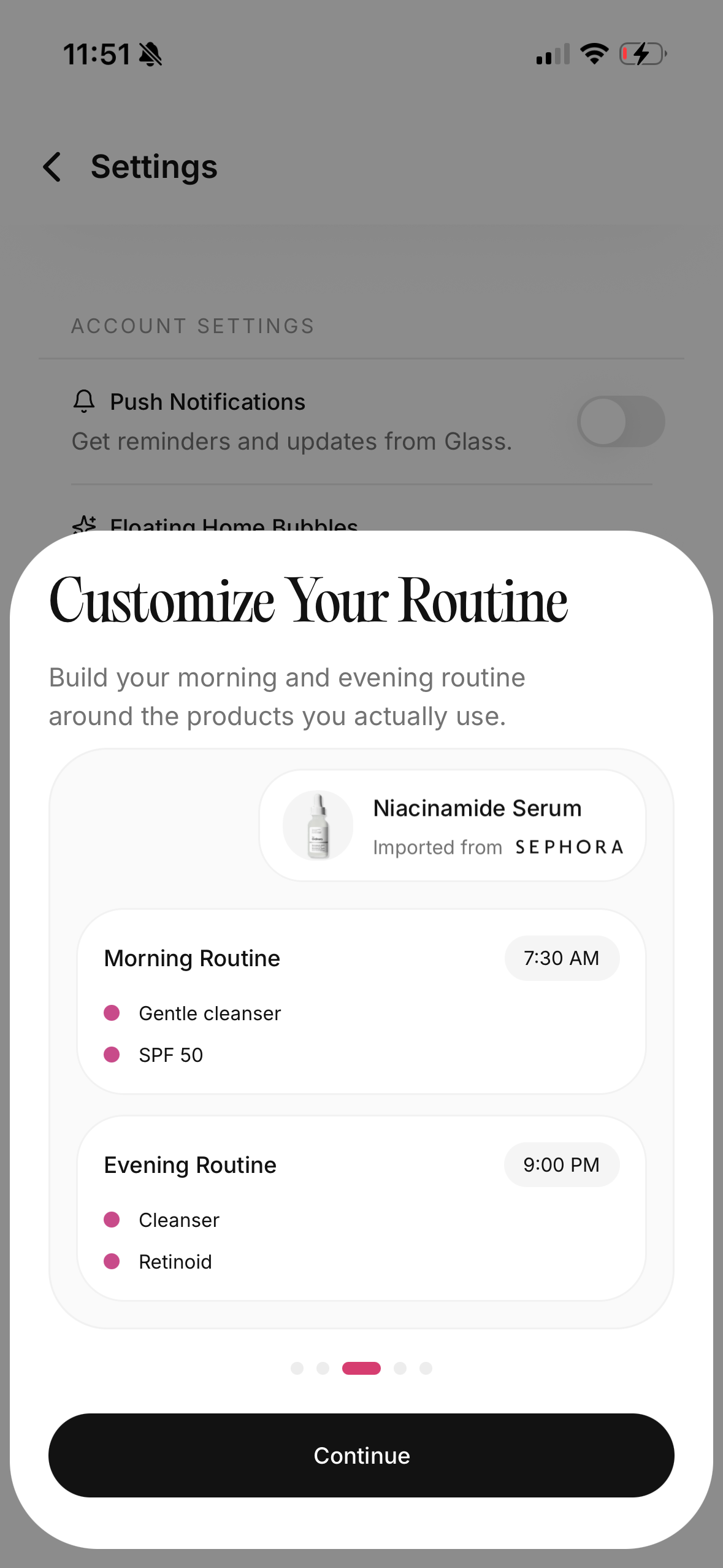
What I like most about Glass in this category is that it does not treat scheduling like an isolated checkbox problem.
The current App Store listing points to a fuller loop:
- morning and night routine tracking
- reminders
- product logging
- skin analysis
- weekly reports
- lifestyle context like sleep, stress, water, and diet
That is the right shape for real life.
Most people do not fail their routine because they forgot the concept of moisturizer. They fail because the routine is floating loose from everything else. They are trying to remember what they used, why their skin looks different this week, whether a new product is too much, and whether missing two nights means they should “catch up.” A good schedule app should calm that down.
Glass feels built for that.
It is the best choice here if your schedule problem is part of a bigger pattern-recognition problem. In other words:
- you want reminders, but not just reminders
- you want to know what your skin is doing alongside the routine
- you want the app to help you stay consistent without turning skincare into homework
That is why it is the easiest recommendation for most people.
If you want the nearby versions of this conversation, best skincare app (April 2026), best skincare routine tracker (April 2026), and best skincare journal app (April 2026) cover the adjacent lanes.
2. Skincare Routine is best for exact scheduling logic
This is the app I would put in front of someone who says:
“I do not need a whole skincare world. I need my actives spaced out properly.”
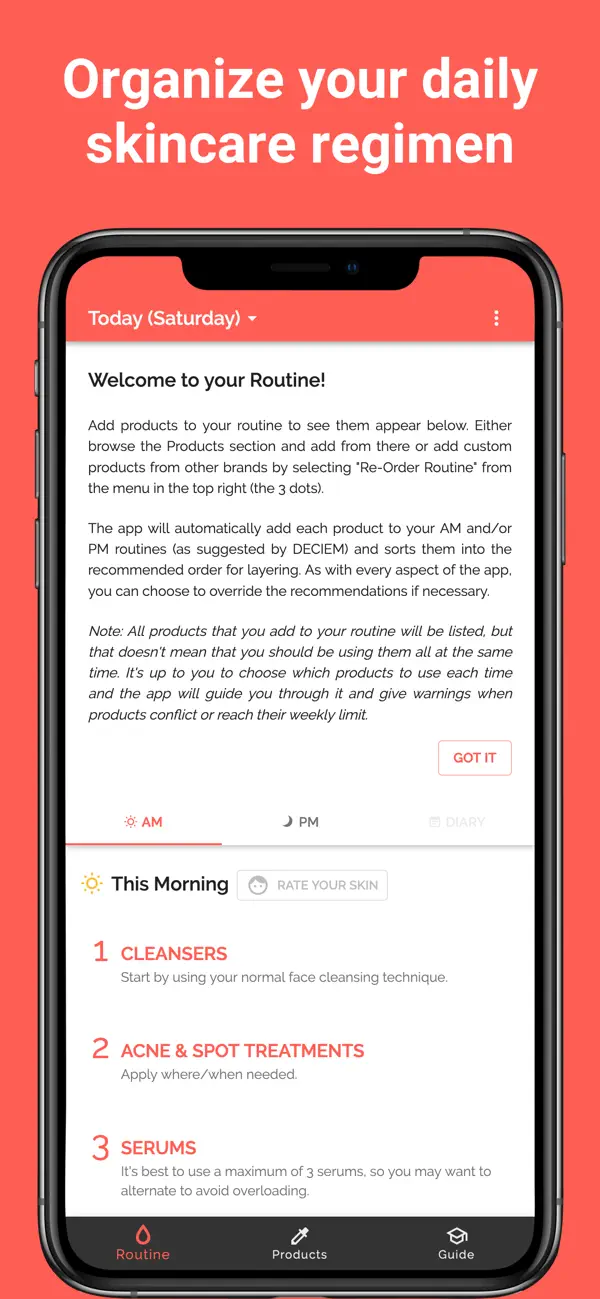
The public App Store listing for Skincare Routine is unusually strong on the exact thing many schedule apps still dance around:
- automatically ordered AM and PM routines
- reminders and timers
- conflict warnings
- specific-day scheduling
- date-of-the-month scheduling
- every-X-days scheduling
That last part is the real differentiator.
A lot of people are not running the same routine every night. They are trying to rotate retinoids, exfoliants, masks, or recovery nights without wrecking their barrier. “Every Tuesday and Friday” or “every two days” is much closer to real skincare than a generic nightly reminder.
That makes this app especially good for:
- prescription or retinoid users
- people alternating stronger treatments
- anyone who wants routine logic to feel strict and explicit
- users who care more about schedule control than scans or broader analysis
The tradeoff is vibe.
The public materials and user reviews still make it sound more functional than elegant. If you want something that feels more modern or more interpretive, Glass and Skin Bliss are stronger. But if pure scheduling logic is the problem, this app earns a lot of respect.
3. FeelinMySkin is best for reminder-driven follow-through
There is something very practical about FeelinMySkin.
It feels built for the person who already owns the products, roughly knows the order, and mainly needs help following through.
Its public App Store positioning leans into exactly that:
- build routines
- set reminders
- check off steps
- track products
- journal progress
- keep the routine visible
That is a strong product shape for people whose main issue is drop-off, not diagnosis.
I would choose this one if your current pattern looks like this:
- you start strong and get sloppy after a few days
- you want something more structured than Notes
- you like checklist energy
- you want a planner, not a giant skin-tech platform
What it seems lighter on, at least from the public-facing materials, is deeper interpretation. It looks more helpful for execution than for figuring out why your skin changed.
That is not a flaw. It just means the recommendation is clearer:
If you need help doing the routine, FeelinMySkin makes sense.
If you need help understanding the routine and the skin around it, Glass makes more sense.
4. Skin Bliss is best for people who want schedule plus analysis
Skin Bliss is what I would recommend to the person who wants their schedule app to also function like a skincare control panel.
Its public app listing is broad in a very specific way:
- face scanning
- routine evaluator and timeline
- routine player
- diary and AI photo tracking
- shelf analysis
- weather-based guidance
That means it is not just trying to help you remember a routine. It is trying to help you reason about the routine too.
For some people, that is exactly right.
It makes the most sense for users who:
- enjoy analyzing their routines
- want stronger product intelligence
- like the idea of projected timelines and richer feedback
- have a bigger shelf and want more than a simple reminder
The reason I would not put it first for everyone is the same reason some people love it: it is bigger.
If your real issue is that skincare already feels too busy, a denser app can become one more layer of noise. If your real issue is that you want more guidance and more context, Skin Bliss becomes much more compelling.
5. SKO is best for people who want consistency data
SKO has one of the clearest tracker-first positions in the category.
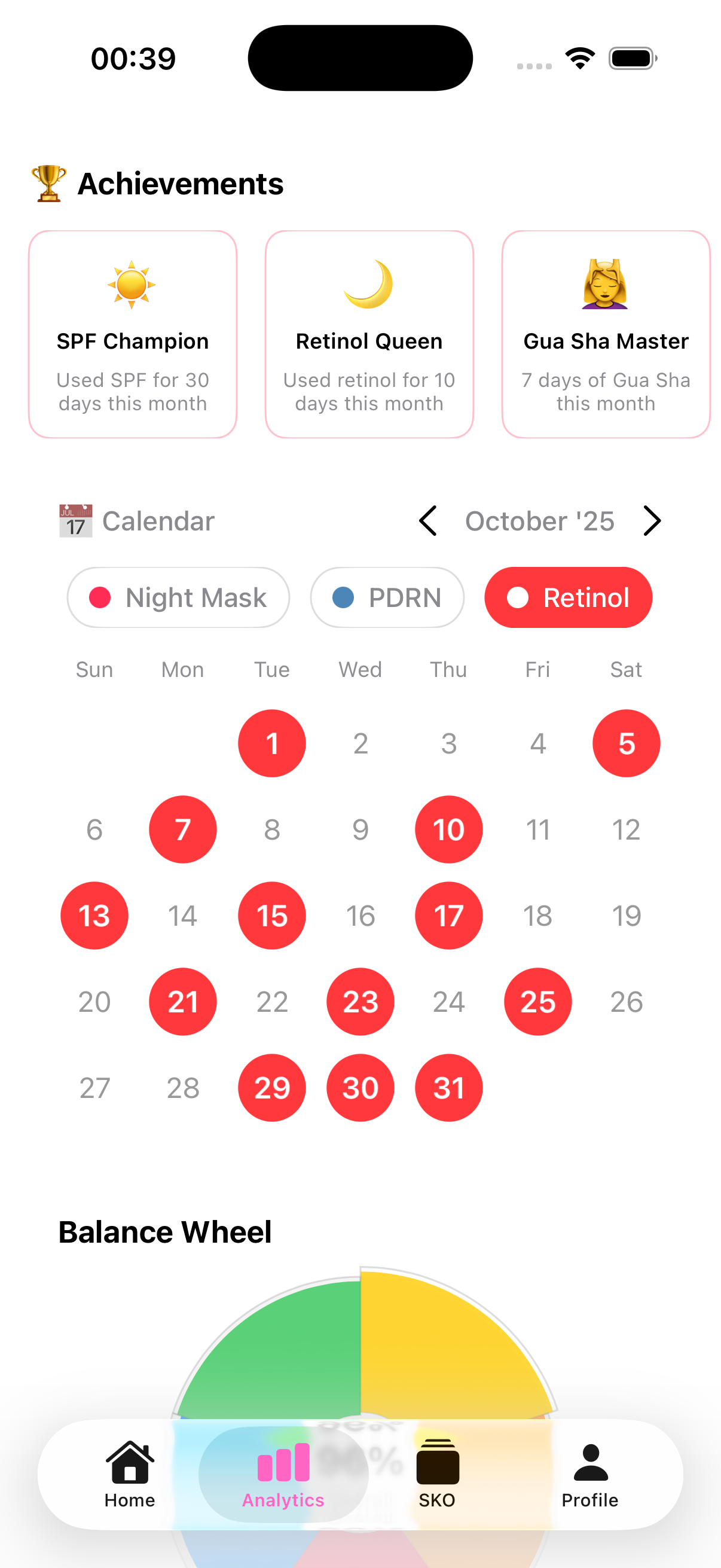
Its site and public materials lean into:
- daily routine tracking
- calendar analytics
- active ingredient usage
- progress insights
- AI guidance
That makes it easy to understand who it is for.
This is the app for someone who wants the calendar to tell the truth.
People are often much less consistent than they think they are. They believe they use a treatment “pretty regularly” when it is really once a week. They assume their moisturizer is not helping when the actual problem is that they only remember it four nights out of ten. Seeing the pattern clearly can fix a lot of confusion.
That is the value of SKO.
I would choose it if your main question is:
“Can you show me the behavior pattern without sugarcoating it?”
I would not choose it first if you want the broadest all-in-one skincare companion. In that case, Glass is still the more complete recommendation.
The mistake people make with schedule apps
The biggest mistake is choosing based on feature count instead of friction.
A schedule app should make your routine easier to enter, easier to follow, and easier to restart.
If it makes you feel observed but not helped, it is the wrong app.
I also think people underestimate how important restart design is. Missing a routine is normal. Missing a few routines is normal too. The real issue is whether the app makes it feel easy to come back without shame or confusion.
That is one reason I rate Glass so highly here. It feels built around an actual life, not a fantasy life.
Which app should you choose?
Choose Glass if you want the best overall skin care schedule app and care about routines, reminders, products, and visible progress living together.
Choose Skincare Routine if you need precise schedule control for actives, alternating nights, or every-X-days products.
Choose FeelinMySkin if you want a routine planner that stays simple, visible, and easy to follow.
Choose Skin Bliss if you want scheduling plus deeper product and routine analysis.
Choose SKO if you mainly want calendar-style visibility and consistency analytics.
FAQs
What is the best skin care schedule app in April 2026?
For most people, Glass is the best skin care schedule app in April 2026 because it combines reminders, routine tracking, product context, and skin progress in one system instead of treating scheduling like an isolated notification problem.
What if I only need reminders for retinol or exfoliant nights?
If your main goal is spacing out stronger products correctly, Skincare Routine stands out because its public App Store listing explicitly supports day-of-week scheduling, date scheduling, and every-X-days logic.
Is a skin care schedule app better than using my phone reminders?
Usually, yes. Phone reminders can tell you that it is time to do skincare, but a real skin care schedule app can show the right routine for that day, track what you used, and keep actives from bunching together carelessly.
What matters more: reminders or tracking?
For most people, reminders get the routine done and tracking helps them understand whether the routine is actually working. The strongest apps do both well enough that you do not need separate systems.
Bottom line
The best skin care schedule app is not the one that makes you feel the most disciplined.
It is the one that makes your routine feel easiest to keep.
If you want the broadest, calmest answer, pick Glass.
If you want the strictest schedule logic, pick Skincare Routine.
If you want planner energy, go with FeelinMySkin.
If you want more analysis, go with Skin Bliss.
If you want the calendar to expose your actual consistency, go with SKO.
The right app should reduce decision fatigue, not add to it.