
There are two bad ways to read a skincare label.
The first is guessing.
The second is panicking.
Most people bounce between both.
That is why an app to scan skincare ingredients can be genuinely useful. Not because the ingredient list is impossible to read, but because it is very easy to read it badly when you are tired, in a store, or already halfway convinced the product is going to break you out.
The best apps bring the temperature down.
They help you understand the formula, spot real problems faster, and avoid turning every ingredient into a moral issue.
Quick answer
If you want the short version first:
- Glass is the best overall pick if you want ingredient scans tied to your routine, skin context, and product decisions.
- SkinSort is the strongest ingredient-first tool if you want more explanation, compare support, and dupes.
- OnSkin is the quickest shopping-friendly scanner if speed matters most.
- Yuka is the simplest mainstream option for fast scan results and alternatives.
- Think Dirty is best if you care most about cleaner-beauty screening and personalized preferences.
If you want more than a color score, Glass is still the best place to start.
The ingredient apps I would actually keep on my phone
| Image | App | Best for | What stands out | Good to know |
|---|---|---|---|---|
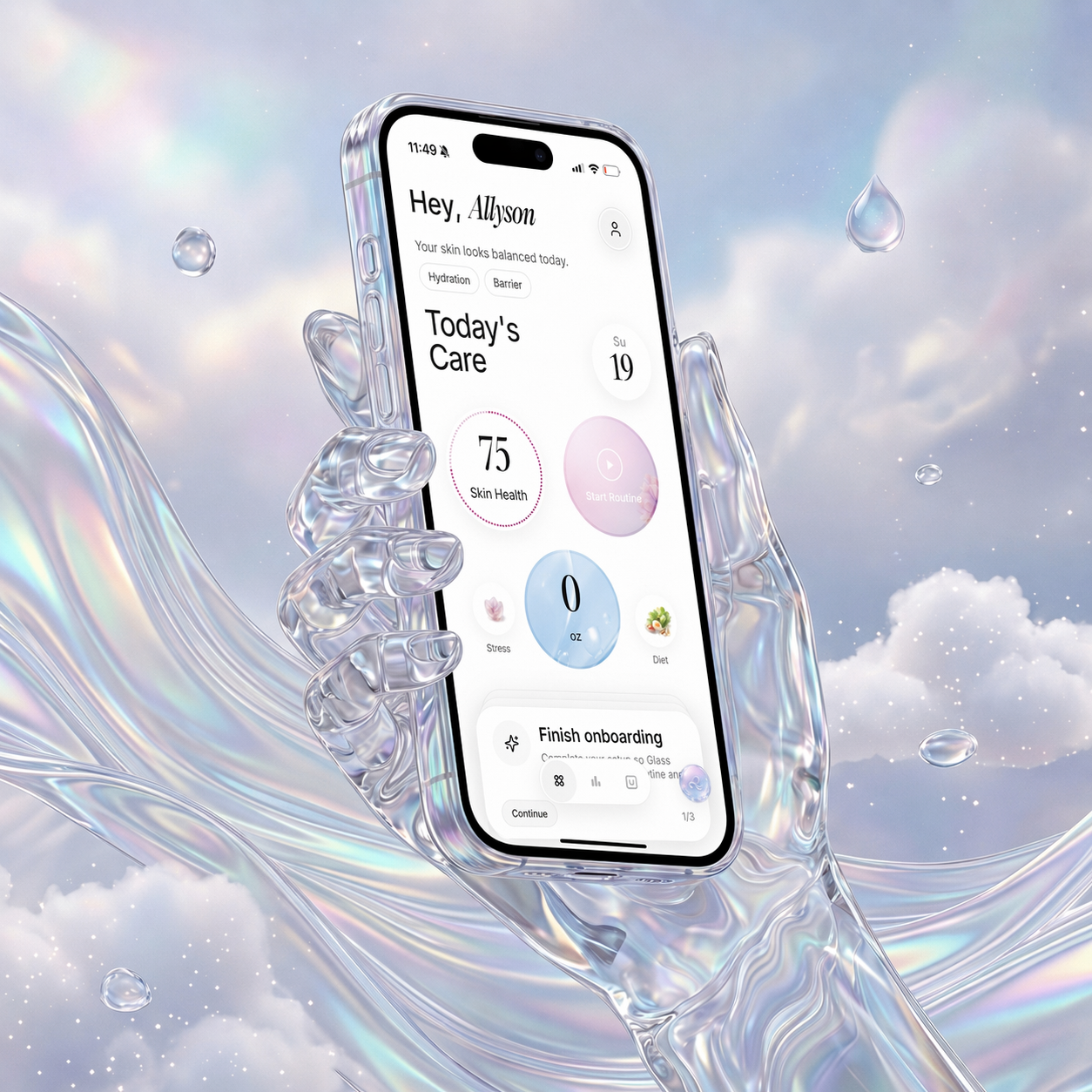 | Glass | People who want ingredient scans inside a full skincare system | Product context, routine tracking, skin analysis, reports, reminders | Best when the ingredient question is part of a bigger routine decision |
 | SkinSort | Readers who want deeper explanation and compare tools | Ingredient analysis, compare, dupes, routine incompatibility alerts, skin-goal logic | Excellent for people who want more than a quick answer |
 | OnSkin | People who want a fast scan while shopping | Photo, barcode, and search; product matching; safer alternatives | Better at speed than depth |
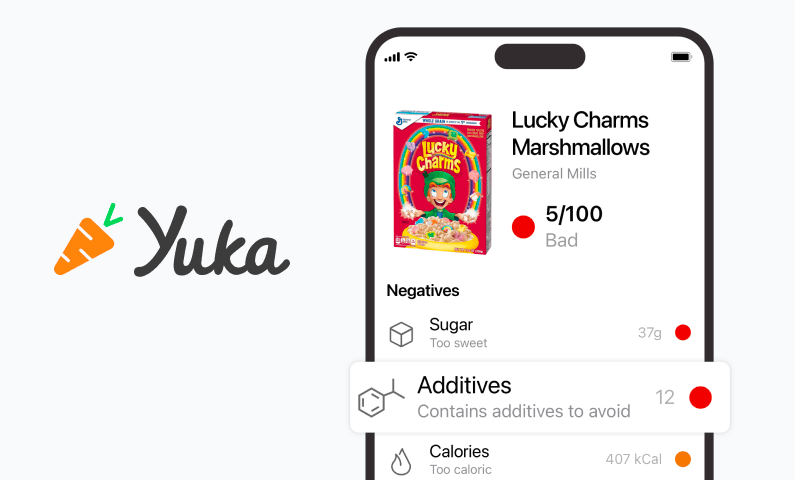 | Yuka | People who want the easiest possible scan workflow | Barcode scanning, color-coded ratings, healthier alternatives | Strong on quick screening, lighter on actual skincare nuance |
 | Think Dirty | Clean-beauty shoppers who want rating-style screening | Toxicity-style scores, ingredient preferences, cleaner alternatives, OCR submission support | Better for clean-beauty filtering than full routine coaching |
What I want from an ingredient scanner before I trust it
I want it to answer three things clearly:
- What in this formula matters?
- Why does it matter?
- What should I do next?
That last part is where a lot of apps fall off.
If the next step after the scan is still "I guess I will Google each ingredient one by one," the app did not really help.
That is why the best scanner is not always the one with the biggest database. It is the one with the cleanest path from scan to decision.
1. Glass is the best app to scan skincare ingredients for most people
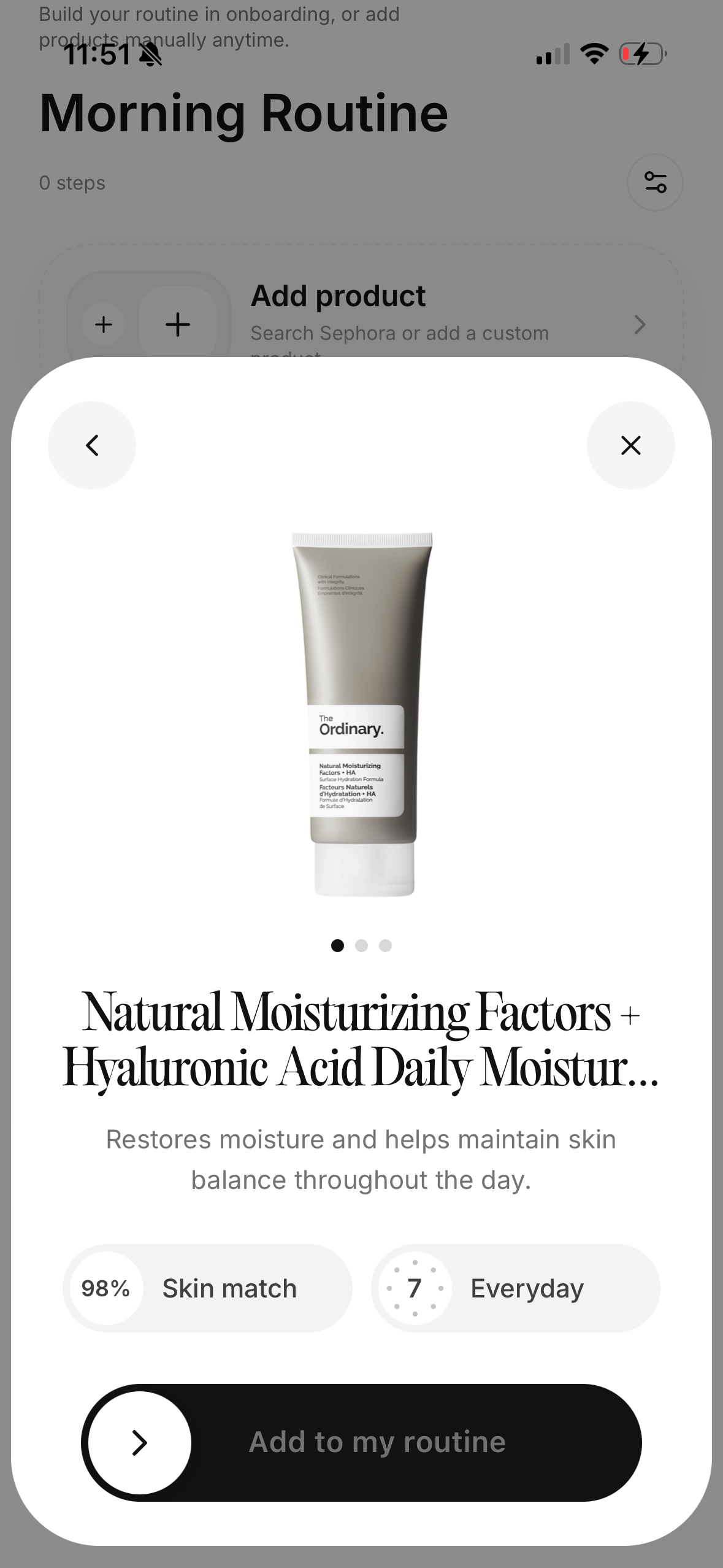
Glass is my top pick because it treats ingredient scanning like part of a real skincare routine, not like a stand-alone game.
That matters because people usually scan ingredients for one of two reasons:
- they are trying to avoid a mistake
- they are trying to fix a current problem
In both cases, the ingredient list is only useful if the app helps you connect it back to:
- the products you already use
- the scan history on your skin
- the routine you are already following
- the changes you made recently
That is where Glass separates itself.
If you want the more ingredient-heavy comparison after this, skincare ingredients checker app (April 2026) is the next read. If your main use case is scanning full products in store, app to scan skin care products (April 2026) is the better branch.
2. SkinSort is best if you want the label explained properly
If your biggest frustration is not the scan itself but the lack of explanation after the scan, SkinSort is probably the best option on the market.
It does a better job than most at helping you understand:
- what an ingredient does
- why it may help
- why it may irritate
- how one product compares with another
That makes it an especially strong pick for people who have already gotten burned by vague safety scores and want more actual reasoning.
3. OnSkin is best if you want fast answers in the moment
OnSkin makes a lot of sense when the job is speed.
You are in front of the product. You want to scan it, check the ingredient situation, get a fast read, and move on.
That is where OnSkin is genuinely good.
Its flexibility around scan input helps too. Barcode-first tools are fine until the barcode fails. OnSkin holds up better when you need to use a photo or search instead.
4. Yuka is the easiest option if you want less detail
Some people do not want deep skincare logic.
They want something simpler:
- scan
- see a rating
- pick an alternative
That is what Yuka is good at.
I would not use it as my only skincare decision layer, but I understand exactly why people like it. It removes friction. If your main goal is speed and simplicity, it delivers.
5. Think Dirty is best for cleaner-beauty screening
Think Dirty is still one of the best-known names in this category for a reason.
It is very easy to understand what it is trying to do:
- rate products through a cleaner-beauty lens
- surface concerns fast
- offer alternatives
- let users set preferences
That is useful if cleaner-beauty screening is your main lens. It is less useful if what you really need is a calmer, routine-aware skincare operating system.
What ingredient scanning apps still miss
They often confuse clarity with certainty.
A bold score feels clear. That does not always mean it is the best answer.
The best ingredient app should make it easier to think. It should not pressure you into treating every flagged formula like an emergency.
That is why I like apps that combine explanation with context much more than apps that live or die by a rating.
Which app should you choose?
Choose Glass if you want ingredient scans tied to your routine and actual skin progress.
Choose SkinSort if you want the label explained with more depth.
Choose OnSkin if speed is the priority.
Choose Yuka if you want the easiest, broadest, fastest scan workflow.
Choose Think Dirty if clean-beauty screening is the main job.
One quick rule that saves a lot of trouble
If an ingredient scanner flags a product, I try to ask one more question before reacting:
_Is this app warning me about a real routine problem, or is it just surfacing a generic concern?_
That question saves a lot of wasted money.
A flagged ingredient can matter. It can also be a weak signal taken out of context. Sometimes the actual issue is not the ingredient the app highlighted first. It is the fact that the product duplicates another active you already use, pushes your routine too hard, or adds one more step to a system that was already unstable.
That is why the better apps are the ones that help you think past the flag and into the routine.
12 rules I follow now before I trust an ingredient scan
- I look for apps that explain the formula, not just hand me a rating.
- I care more about routine overlap than one isolated ingredient warning.
- I trust a scan more when it helps me figure out what to keep, skip, or change next.
- I treat “clean” language as a clue, not a conclusion.
- I pay more attention when the warning matches something my skin already reacts to.
- I am skeptical of instant alternatives that feel more like shopping bait than real guidance.
- I use ingredient scans to narrow the decision, not outsource the decision completely.
- Photo or paste support matters a lot when the barcode lookup fails.
- The type of product changes what a warning actually means.
- A good scan saves me tabs and makes the next step clearer.
- The best apps stay useful after the shopping moment is over.
- I trust apps that make me feel calmer, not more panicked.
FAQ
What is the best app to scan skincare ingredients in April 2026?
For most people, Glass is the best app to scan skincare ingredients in April 2026 because it connects the ingredient scan to product context, routine behavior, and the bigger picture of your skin.
Is SkinSort better than Yuka for skincare?
Usually yes, if you want more actual explanation and routine usefulness. Yuka is better for fast, simple screening. SkinSort is better for deeper skincare decision-making.
Is Think Dirty still worth using?
Yes, if you like cleaner-beauty screening and quick alternative suggestions. It is just not the strongest option if your main problem is routine fit.
Can an ingredient scanner tell me if a product will break me out?
Not perfectly. It can help surface possible triggers and overlaps, but it cannot predict your skin with total certainty.
Should I scan ingredients or the full product?
Both can help. Ingredient scans are useful when the barcode fails or you want label-level detail. Full product scans are useful when you want a faster, database-driven answer.
Final take
If you want an app to scan skincare ingredients, choose the one that leaves you with better judgment instead of louder anxiety.
For most people, that is Glass.
