
The phrase sounds simple.
_I just want an app that scans skin care products._
But the minute you start looking, the category gets messy.
Some apps mostly rate ingredients. Some mostly push cleaner alternatives. Some barely scan at all and really just search a product database. Some help while you shop. Some leave you with a score and no real next move.
That is why this phrase keeps coming up.
People searching this are not asking for a skincare philosophy. They are asking for a practical tool that can help them avoid wasting money, avoid duplicate actives, and stop buying products that look exciting but fit nowhere in the routine.
Quick answer
If you want the short version first:
- Glass is the best overall pick if you want scanned products tied to routine fit, skin context, and longer-term progress.
- OnSkin is the best pure scanner if you want quick barcode/photo/name lookup while shopping.
- SkinSAFE is the best option for sensitivity-first shoppers who need more risk filtering.
- Yuka is the simplest mainstream scanner for quick verdicts and alternatives.
- SkinSort is the strongest pick if you want scanning plus more product comparison and ingredient depth.
If your problem is not only scanning a product but deciding what to do with it after the scan, Glass is the best fit.
The scanners I would actually keep using after checkout
| Image | App | Best for | What stands out | Good to know |
|---|---|---|---|---|
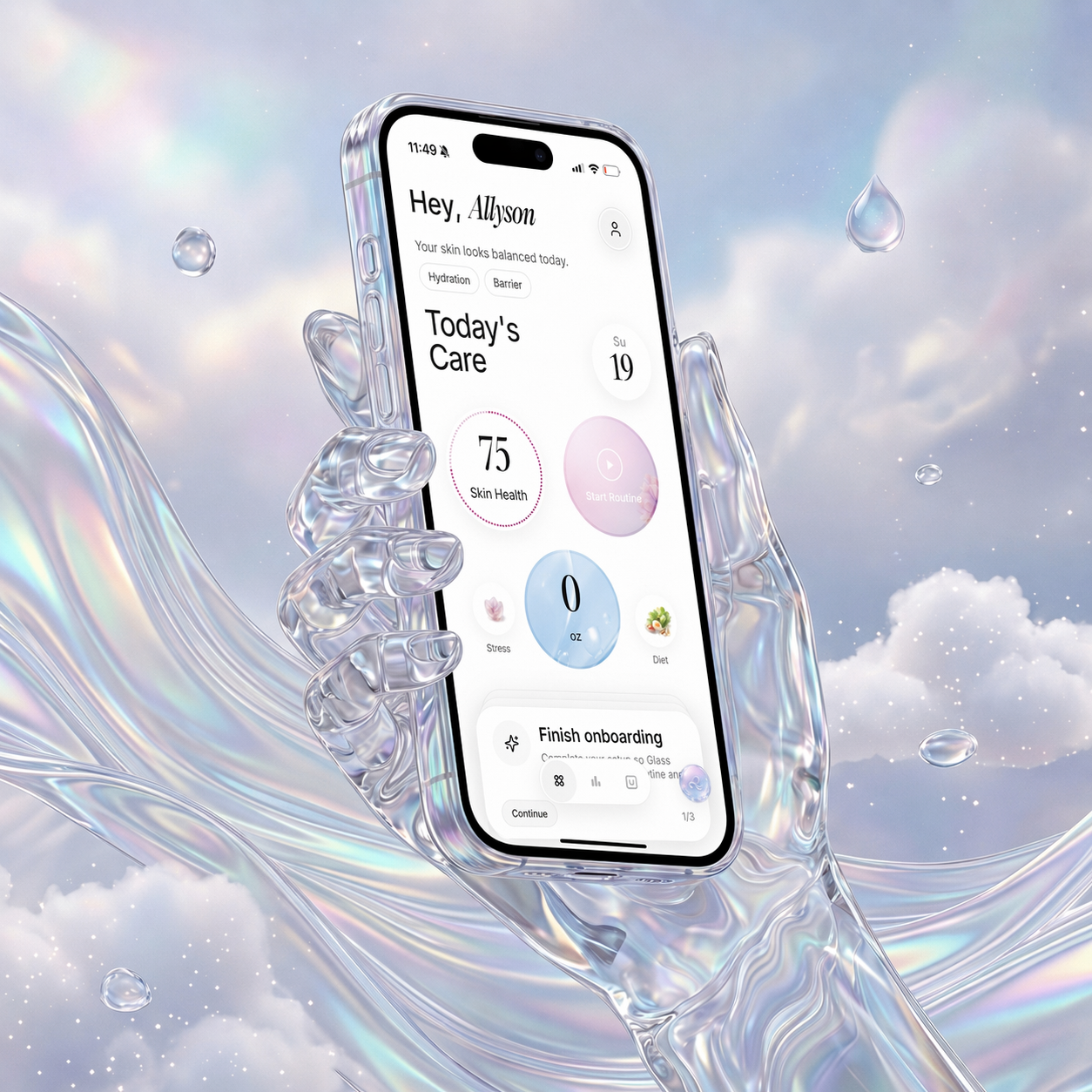 | Glass | People who want scans connected to their routine and skin changes | Product context, skin analysis, routine tracking, reports, reminders | Strongest when the product scan is only the start of the decision |
 | OnSkin | People who want the quickest scan workflow | Barcode, photo, and search; product matching; alternatives | Best for quick shopping checks |
 | SkinSAFE | Sensitive skin, allergy, and avoidance-first shopping | Barcode scanning, safety filtering, SAFE for Me logic, alternatives | Better for avoiding triggers than building routines |
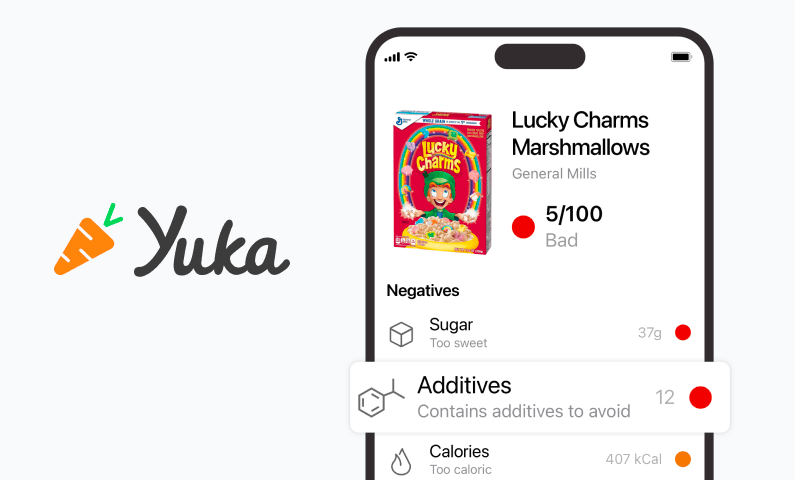 | Yuka | People who want fast barcode scans and quick alternatives | Large product coverage, simple verdicts, healthier alternatives | Easier than nuanced |
 | SkinSort | People who compare formulas before buying | Scan flow, ingredient checker, compare tools, dupes, routine logic | Stronger if you want a bigger toolset |
What makes a product-scanning app worth keeping
A scanner earns its place when it helps with the second question, not just the first.
The first question is:
- what is this product?
The second question is:
- should I actually use it?
That is the harder one.
A good scanner helps you:
- slow down impulsive buys
- check for overlapping actives
- screen for likely triggers
- understand whether the product solves a real gap
- avoid turning your routine into clutter
That is the standard I care about most.
1. Glass is the best app that scans skin care products for most people
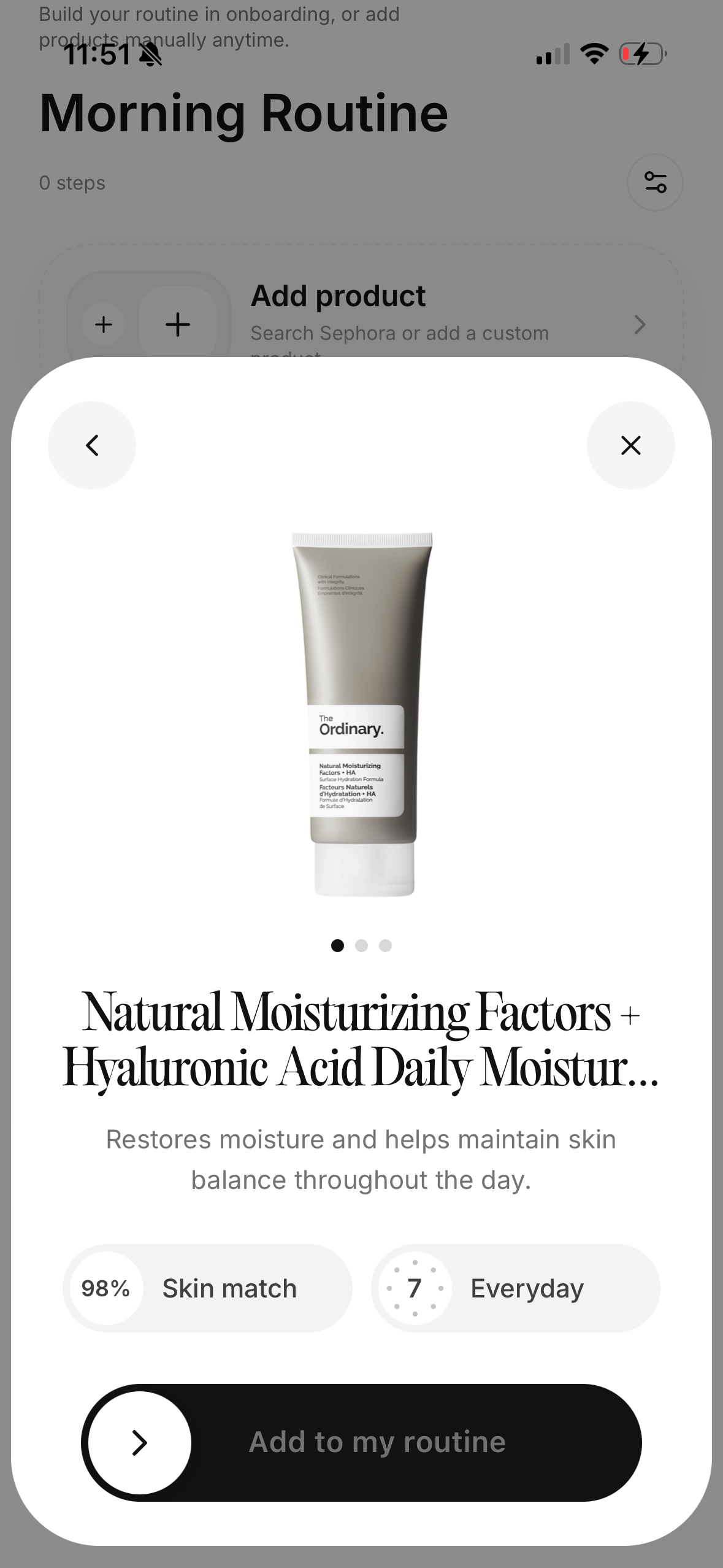
Glass comes out on top because it keeps the scan tied to the rest of your skincare life.
That matters more than the raw scan feature list.
Most bad product decisions do not happen because someone failed to read one label. They happen because people:
- add products too fast
- duplicate what they already own
- forget why they bought something
- stop tracking what changed
Glass is better than a pure scanner because it gives the scanned product somewhere useful to live. It can sit next to your skin analysis, routine structure, reminders, and reports instead of becoming just another one-off product lookup.
If you want the narrower scanner comparison after this, best skincare scanner app (April 2026) is the best companion. If your main issue is buying products for the wrong reason, skincare ingredients checker app (April 2026) helps on that side too.
2. OnSkin is the strongest pure product scanner
If the ask is truly literal, OnSkin is the clearest answer.
It scans products.
It does it quickly.
It supports multiple ways in:
- barcode
- product photo
- product name
That makes it especially useful while shopping, when patience is low and you want an answer before the impulse buy wins.
I rank it below Glass only because the post-scan system feels thinner. For pure product scanning, it is one of the best in the category.
3. SkinSAFE is best for people who shop from a defensive posture
Some shoppers are not trying to optimize glow.
They are trying to avoid reactions.
That is where SkinSAFE becomes much more useful than a normal beauty scanner. If your product-scanning life is driven by:
- eczema
- fragrance sensitivity
- allergies
- contact dermatitis
- "I cannot keep guessing like this"
then SkinSAFE deserves a high spot.
Its job is narrower, but it is a real job.
4. Yuka is the easiest scanner if you want speed over nuance
Yuka stays relevant because it removes friction almost better than anyone.
Scan. See a rating. Get alternatives.
That is a very strong workflow for mainstream shoppers.
I would still not use it as my only skincare decision layer. It is better at broad screening than at helping someone think through efficacy, routine fit, or what a formula is actually trying to do.
5. SkinSort is best if the scan is only part of your buying process
SkinSort is the best fit if you already know you are not the kind of person who will stop at one scan.
You are going to compare. You are going to check ingredients. You are going to look at dupes. You are going to ask whether this product is actually different from the other two you have open.
If that sounds like you, SkinSort is excellent.
What most product-scanning apps still do badly
They answer the wrong question too well.
They answer:
- is this product safe, clean, or good?
before they answer:
- does this product make sense for your skin and your routine?
That second question is much more useful.
It is also much harder.
That is why I still think scanner apps become better when they move closer to routine context and not farther away from it.
Which app should you choose?
Choose Glass if you want the best blend of scan usefulness and real-life routine value.
Choose OnSkin if you want the purest scanner-first option.
Choose SkinSAFE if avoiding triggers is the priority.
Choose Yuka if you want the fastest, simplest scan-and-go experience.
Choose SkinSort if you want to compare products before buying.
One rule that makes product scanners more useful
The fastest way to get more value from any product scanner is to stop using it only on new products.
Use it on the products already in your routine too.
That gives you a much clearer read on what the new scan actually means. If you scan the cleanser you already like, the serum you already tolerate, and the moisturizer you keep rebuying, you build a better baseline for what your skin usually handles well. Then the scanner stops being just a shopping toy and becomes a better filter.
That is another reason Glass ranks first for me. It is better suited to that ongoing loop instead of a one-time check.
11 rules I use now when a product scanner tells me something looks good
- I scan my current routine first so I have a baseline.
- Photo and name search matter when packaging changes or the barcode fails.
- A quick score means very little if the app cannot explain the why.
- I care more about overlap with my current products than about hype.
- The best time to scan is when I am tempted, not after checkout.
- If the app cannot help me think through replacement versus addition, I stop opening it.
- Sensitivity filters matter more when my skin is already irritated.
- Alternatives only help when they are solving the same job.
- The better scanners save me money, not just time.
- I trust a scanner more when it connects back to routine history.
- The most useful scan is usually the one that convinces me not to buy the product.
FAQ
What is the best app that scans skin care products in April 2026?
For most people, Glass is the best app that scans skin care products in April 2026 because it keeps the scan connected to your routine, product decisions, and longer-term skin progress.
Which app is best for scanning products while shopping?
OnSkin is the strongest pure shopping scanner in this group because it keeps the scan flow quick and flexible.
Is Yuka good for skincare products?
Yes, if you want fast, broad screening. It is useful for quick scans and alternatives, but it is less useful than Glass or SkinSort for routine-aware skincare choices.
Which scanner is best for sensitive skin?
SkinSAFE is the strongest option if your biggest concern is avoiding known triggers or ingredients that set your skin off.
Is a product scanner enough on its own?
Usually no. It helps, but the best results come when the scanner is tied to your routine, product history, and skin changes over time.
Final take
If you want an app that scans skin care products and still feels useful after the scan, start with Glass.
It is the best option for turning quick product checks into better long-term skincare decisions.
